Public SEO Roast

Sync2Sheets SEO Audit

Unlock 5X traffic growth: Target top keywords, create video content, and launch a template marketplace. Rank #1 for "Notion to Sheets" and tap into 20 searches/month.

sync2sheets.com455 transcript segments
Roast my site next
0:00 / 0:00

Full Video Transcript

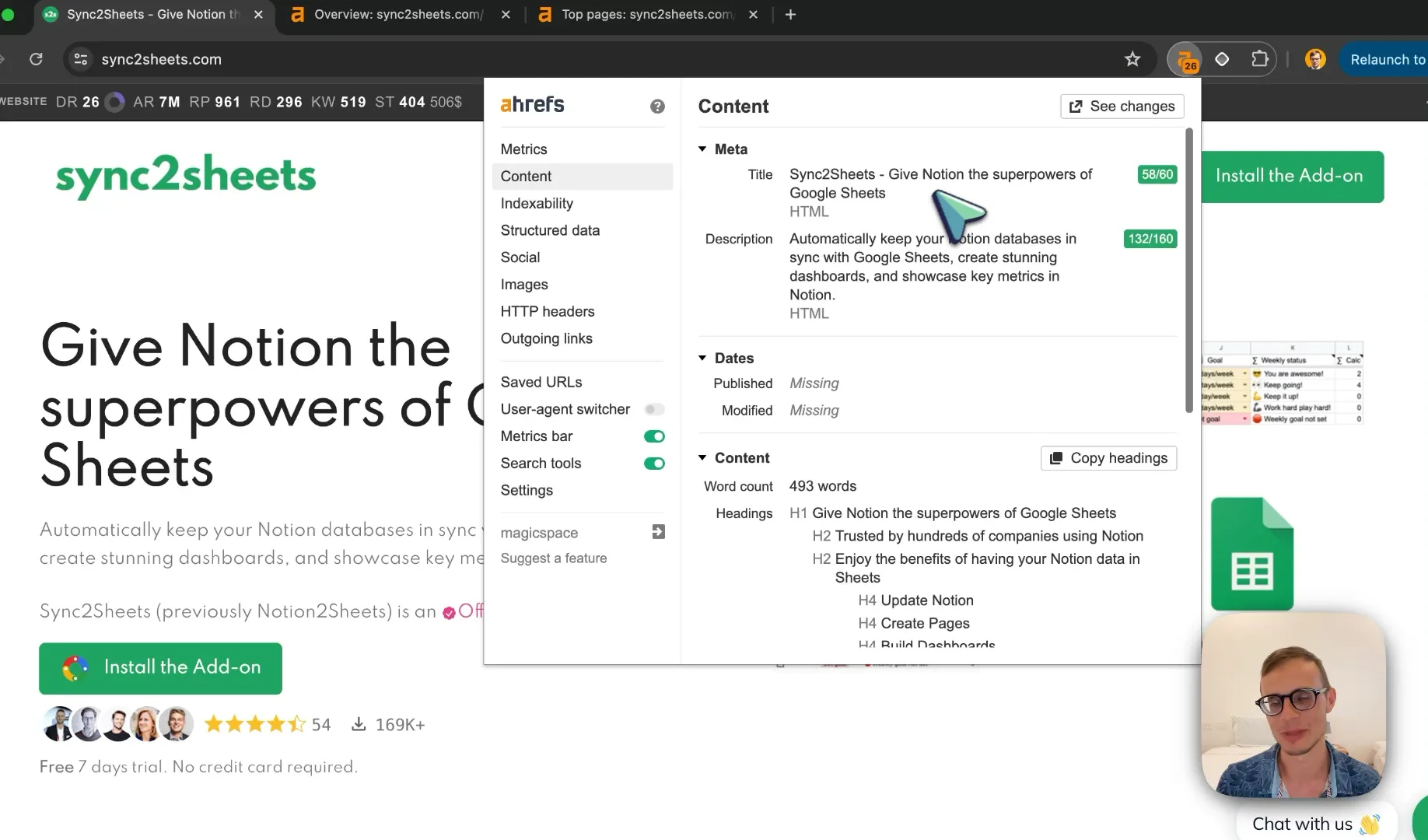
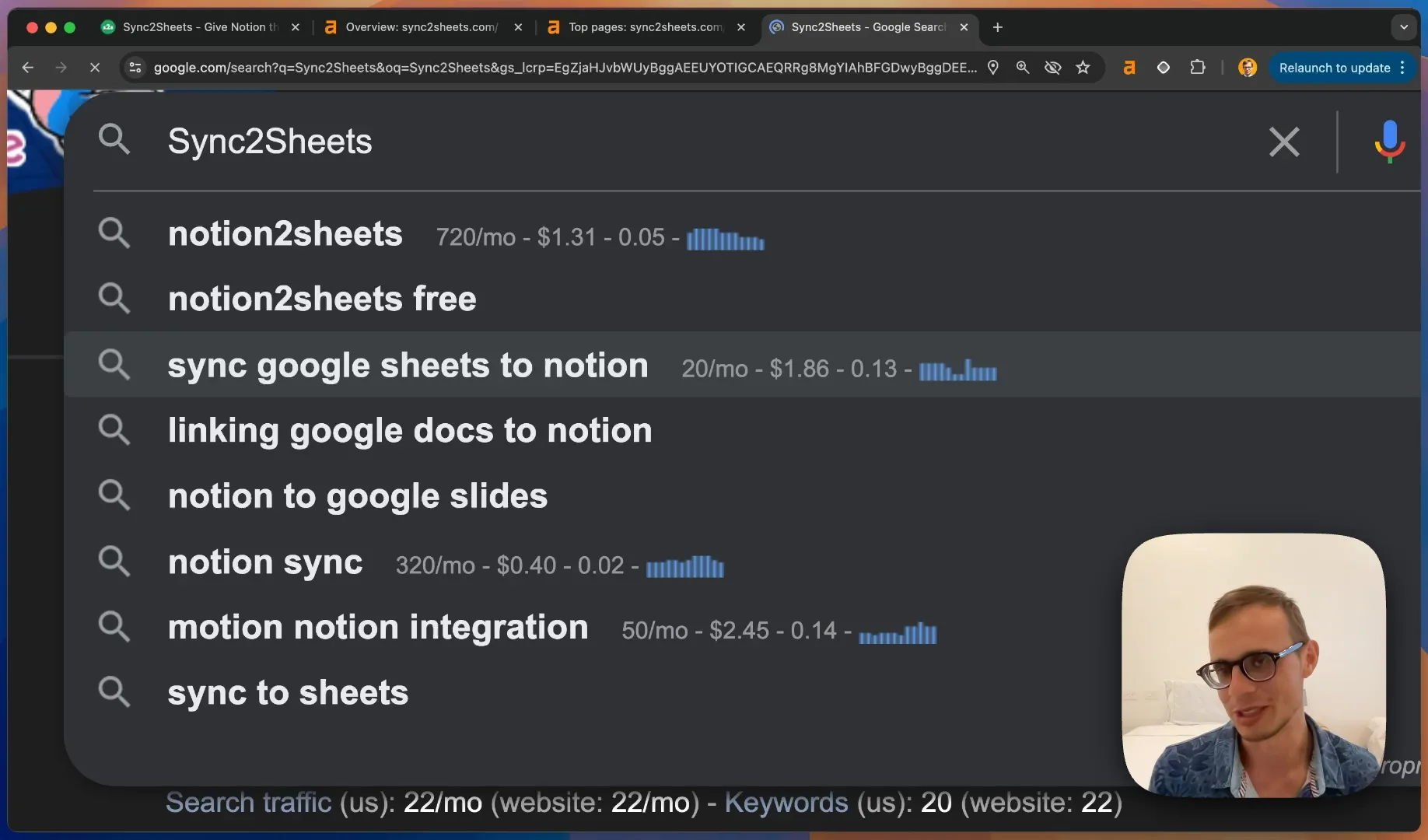
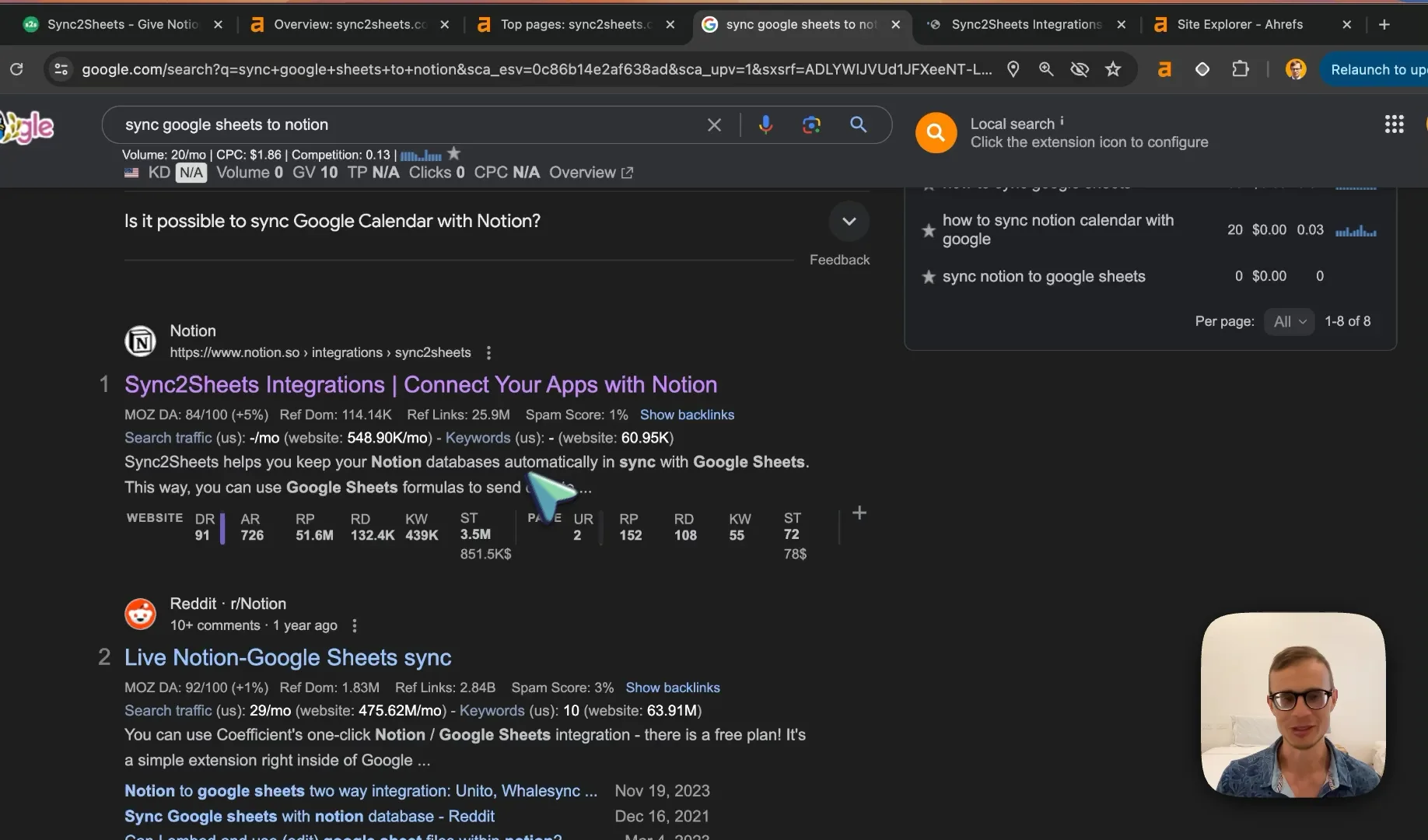
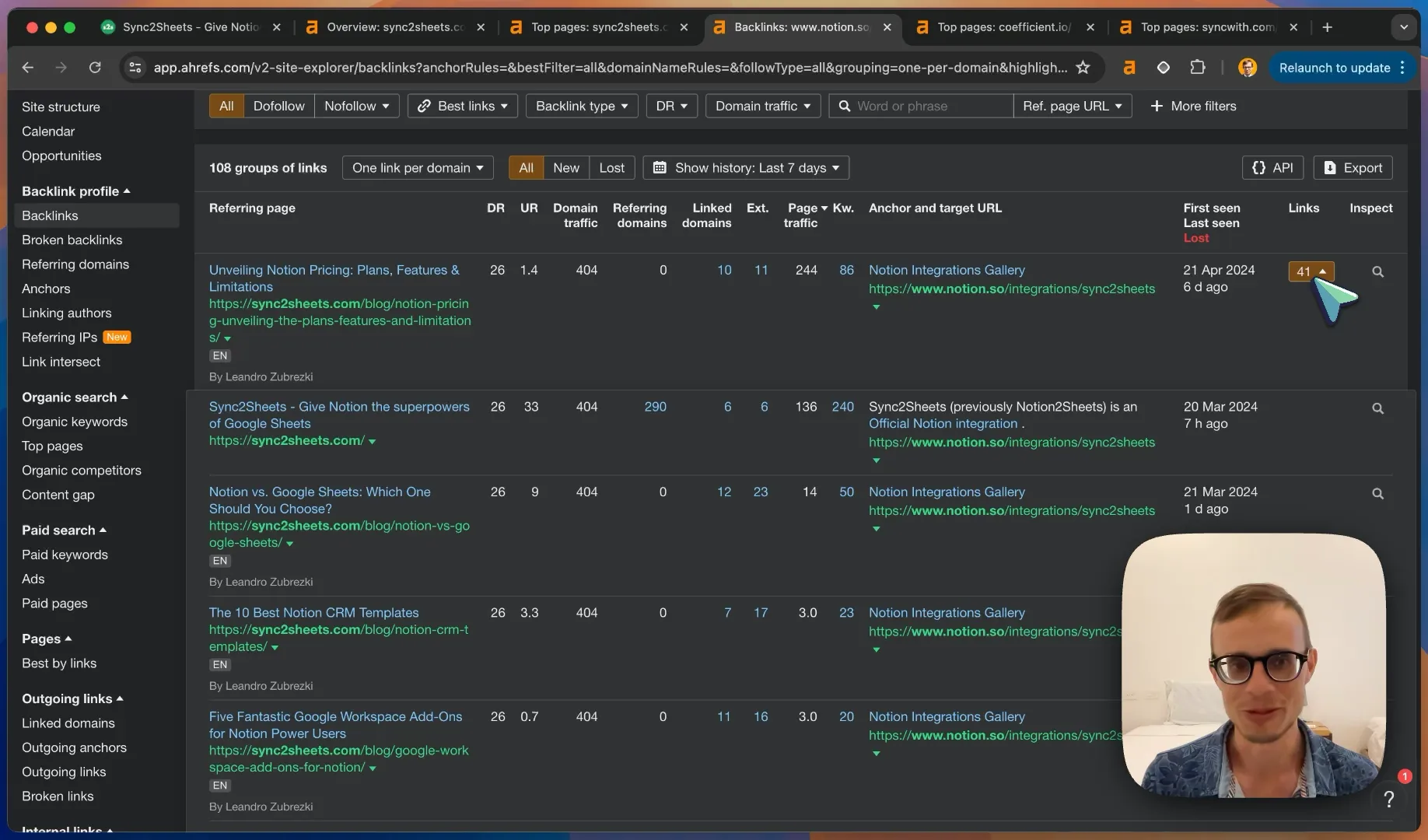
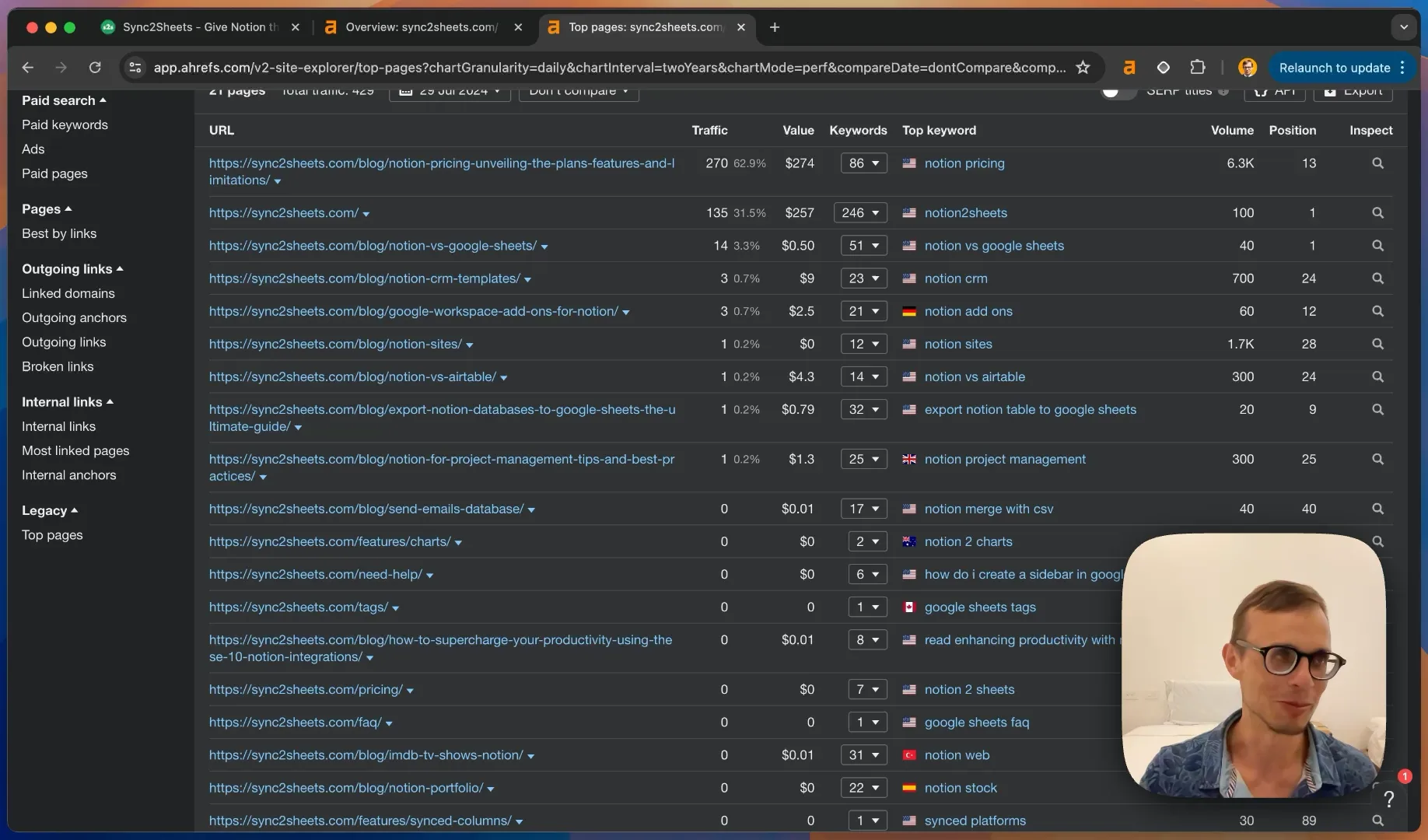
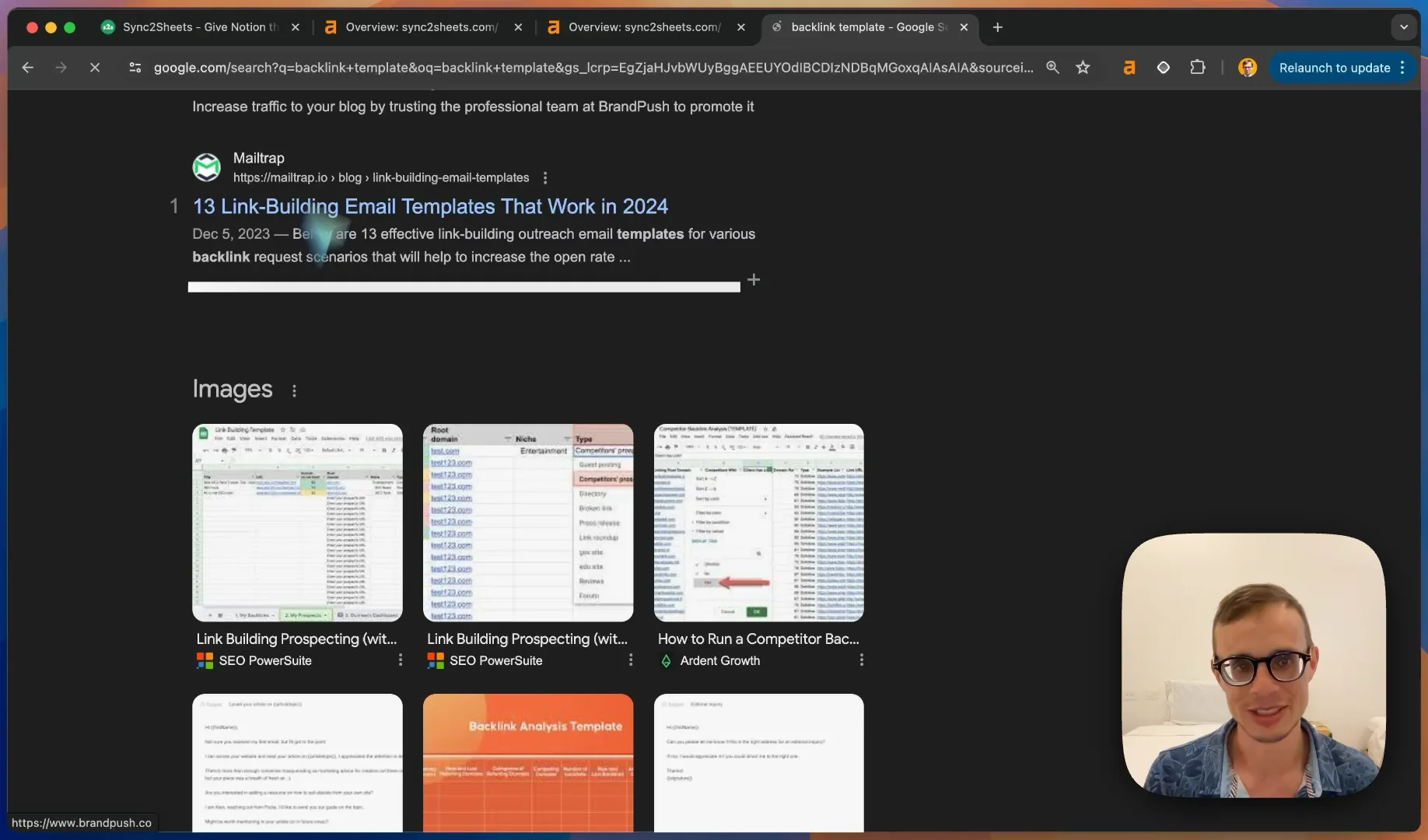
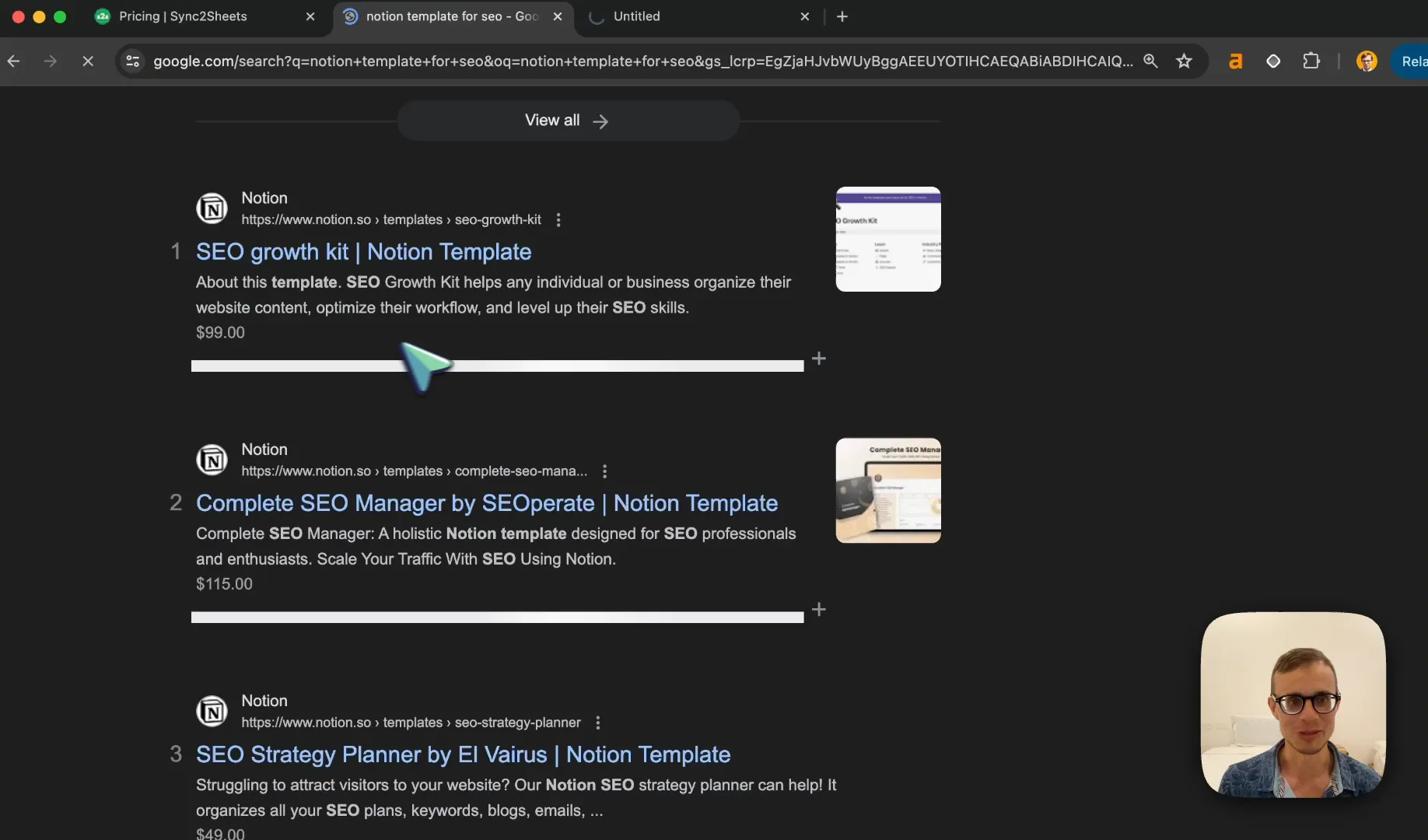
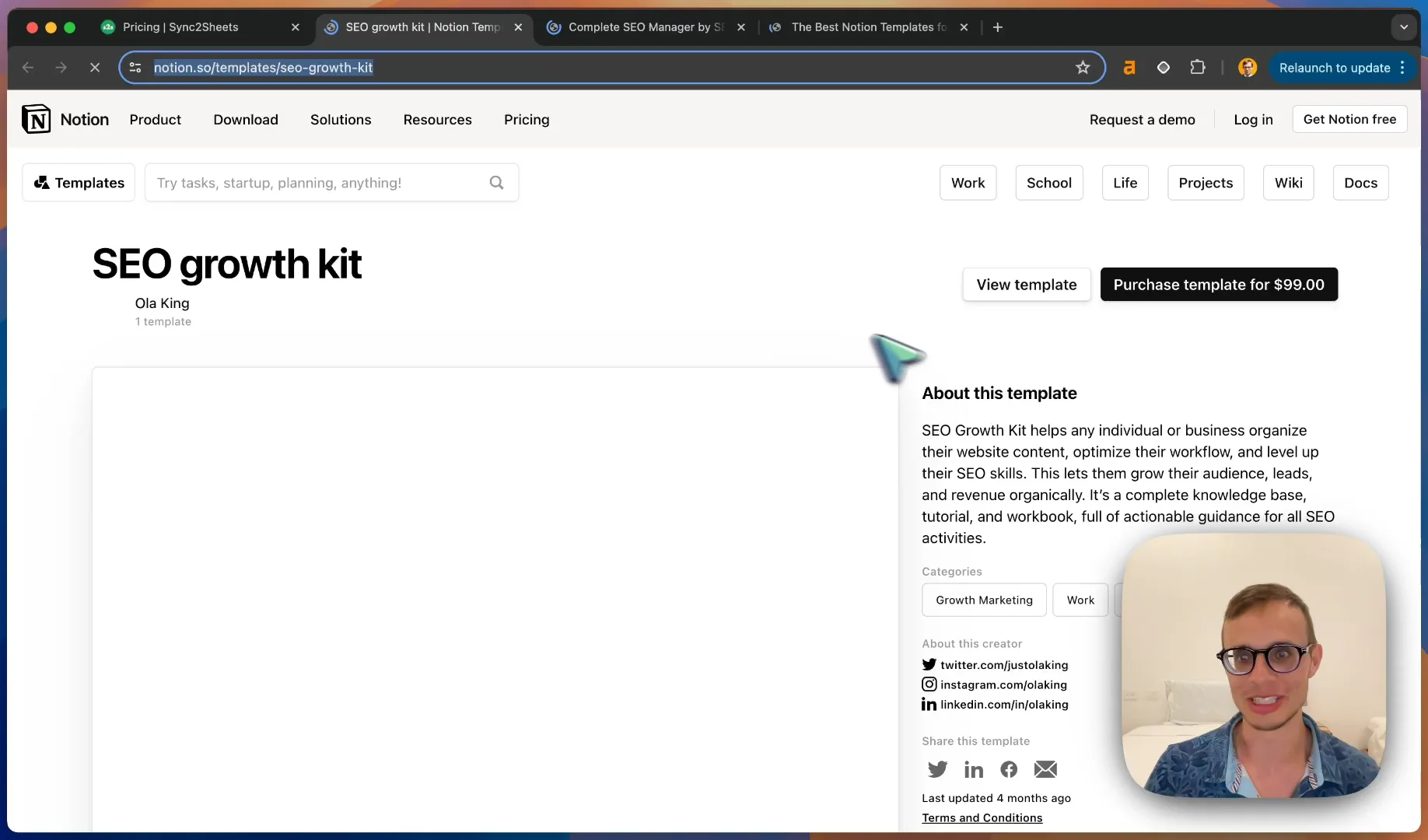
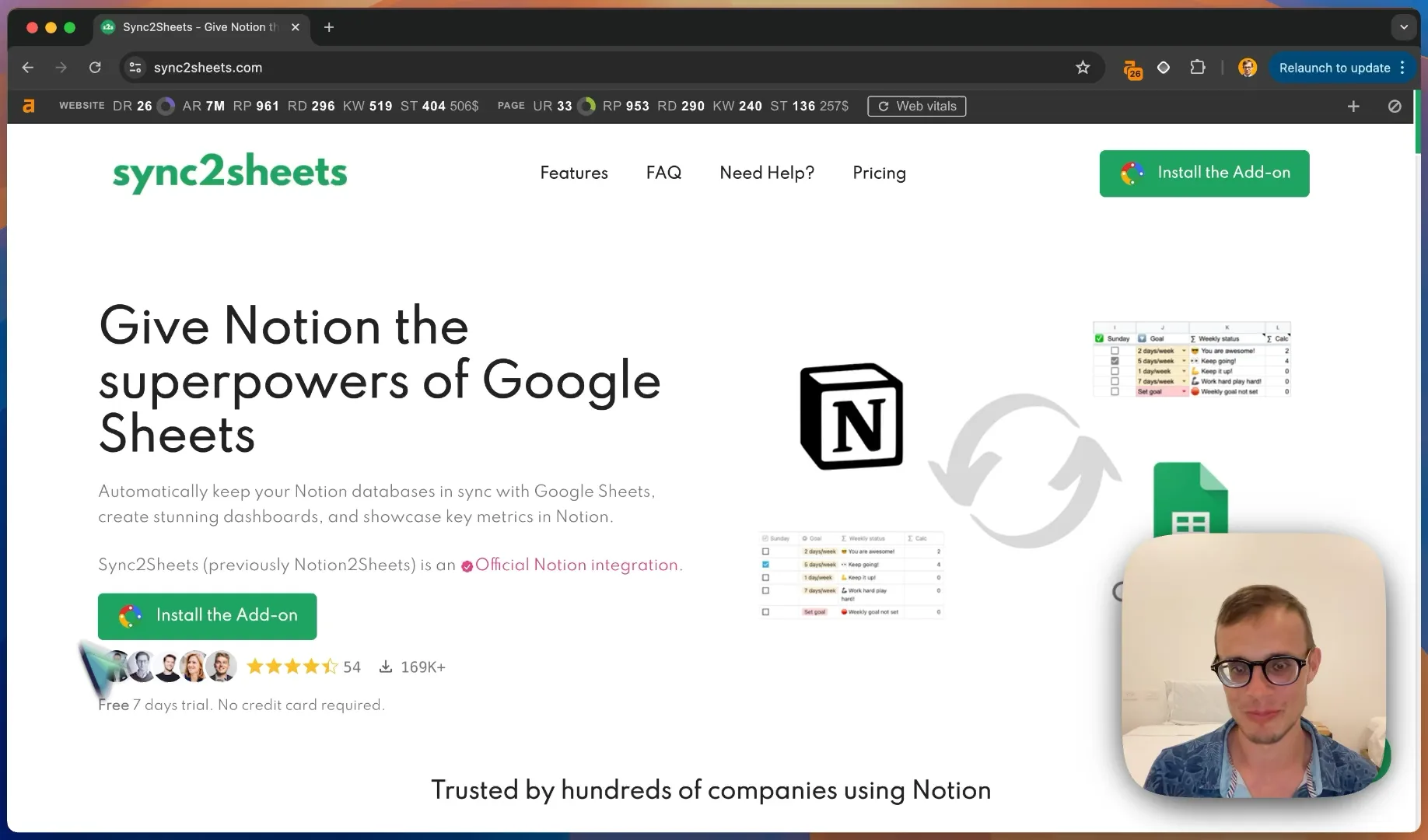
Hi everyone, today we're taking a look at Sync2Sheets. It gives Notion the superpowers of Google Sheets. It's a simple integration that connects your Notion database and keeps it in sync with Google Sheets so that you can run any types of visualization, dashboards, metrics, analysis, and anything else that you might find intuitive in Google Sheets there so that you can keep using both tools in a good way. There are many platforms already using Notion and they are using Sync2Sheets to go from one to the other. So it's a simple integration, you can update your Notion, create pages, do stuff, and then you get a sync with Google Sheets on the other side. It makes a lot of sense because a lot of people are using Notion, a lot of people are using Google Sheets, so the natural thing if a person uses one or the other is they'll want to sync it in some way. The website is really good, in my opinion, it explains everything really well of how to, like the main benefits, how it works, how to keep it like a real-time copy. There's a lot of testimonials already which is really good for social proof and they have a lot of examples to clearly display exactly what it does, so it's like an integration, it lives as a sidebar in the official app. You can simply install the add-on and it goes to your Google Workspace if you click on it and then you're ready to go. It's very simple to get started and that's what I like to see. So let's take a look at how the SEO is set up and anything that we can find of ways to improve it overall. So Sync2Sheets has a good title, in my opinion, and it's less than 60 characters and it gives Notion the superpowers of Google Sheets. So it has the main things like the keywords, Notion, Google Sheets, and it has some benefits that it displays. So if we search for something like Sync2Sheets, we can see that the title is definitely long enough and it gives all the information right here in the description, so that's very useful. If we look at some of the key things that people would be looking for, one thing that you find immediately is that Google gives us some information, so we see already Notion2Sheets, which I believe should be a competitor, and then we see some other keywords that are relevant to this keyword as well. So it's Google's Autocomplete helping us a little bit, so you can see that Sync2Sheets and Notion, it has already a bunch of search volume, like 20 searches per month, and if you're ranking on top, people are ready to purchase whatever you're selling in this position. That definitely helps. Let's take a look at who's ranking for this keyword. Of course, Zapier is running paid ads on this, and there's a bunch of videos first up, so there's a whole video section. So one way that this would help Sync2Sheets to rank is make a lot of videos that clearly explain how to sync Google to Sheets. You can simply display your pop-up, or your plugin, and that will help already. The next thing that we see that is very helpful is there's an official integration with Notion, so they published their app on Notion, and that gives them a little bit of ranking power to rank higher, and we see that it already has a bunch of backlinks, which is a really good sign, because that's very helpful for ranking your page higher. It doesn't mean that your own website, Sync2Sheets.com, has to rank higher. You can also use other Parasite SEO pages to also make sure that you rank high for specific keywords, such as Notion. So you can build links to your Notion page, to your Notion integration, which also gives you the same types of customers. If you have an integration on the other side, for example, on Google Sheets, on Google Workspace, you can also have the same benefit, and also rank higher. Here we can see some developer links, so make sure that these are correct. These seem to be both set, and they go to the Twitter, LinkedIn, and so on. So that's really helpful, and some free backlinks from Notion itself, and it gives you a bunch of helpful backlink juice as well. Otherwise, we see that there's a competitor here, Coefficient, there's a free plan. So what definitely should help is making sure that you have a similar page. So on the subreddit is Art Notion, you can make a similar post that says, like, here's how to sync Google Sheets to Notion, and then mention something like your app in the first comment or directly. Here we see exactly again, the Google Workspace. So that's the next strategy. They're covering this keyword really well, either to Notion, potentially Reddit in the future, you can make a video that's even better, and you can have already a Google Workspace. So this gives you also like reverse backlinks, and also has a few more positions that you can cover. There's even a blog post, Notion versus Google Sheets, which one should you cover? So here we see immediately the other competitor that we mentioned, Coefficient, and syncwith.com. They rank a lot lower, which is really good. So that gives us a lot more power in general. So actually we're covering one, three, and four already, and as our target, sync2sheets.com. So that's very helpful. And here are the other links that we checked. So here are the backlinks for the Notion integration page, and here are the backlinks and the top pages for some of these competitors. So let's take a look first at the backlinks for the Notion integration page. So we are linking from 41 pages from sync2sheets.com, which is really good. That's very helpful, and gives a lot more power to the integration. We see that it's linked here in the footer probably, which is very helpful. Here we see an integration library. That's helpful. I'm not sure if there is a link to the workspace, but I guess it's in the install add-on as well. There's a bunch of other backlinks here. So atomic-asides, these seem to be direct copies in some way. Potentially, this is more of a black hat strategy that we're seeing. Let's take a look and open a bunch of these. So yeah, they are not HTTPS. So that's not a great sign. But otherwise, this seems to be more like a public PBN, like a private blog network that's being in use here. And they all have like a canonical realt Notion. Or it is this Notion itself doing it, but I doubt it. So this seems to help. And it is ranking actually the number one. Yeah, that seems to have worked out fine. Let's close this up and take a look at some of the competitors and their own top pages. So for our top pages for Sync2Sheets already, we are seeing that Notion pricing is ranking okay-ish, but it's not super useful in terms of getting like extra customers. Because, for example, Notion2Sheets is very good, and they're ranking the position one here. So maybe that's like the previous domain that they had that they're still getting a lot of links from. Sync2Sheets.com. The other ones are Notion2Sheets, position three, and Notion Google Sheets, Notion2GoogleSheets, and Notion Spreadsheet. If we start by volume, we see that Notion Database is also being ranked for here. Notion Plugins, Notion Updates, Notion Spreadsheet, and Google Notion. So some of these could be potentially, if we take a look at the longer list of keywords for the homepage, potentially these could also be specific blog posts. For example, Notion Updates, you could list like Notion Updates in general, Notion and Google Doc. The thing that you would have to do, for example, is export Notion Table to Excel. Take a look at what else is being shown in the top 10 here, and seeing what things we can do to improve. Google Sheets and Notion are also very relevant for our position. Otherwise, here we have the coefficient top pages. As we can take a look at, this seems to be a competitor. So they have more top pages on profit and loss statement templates, receipt template, Google Sheet inventory template. So they seem to be more in general terms about Google Sheets, not only about Notion to Google Sheets, so they're a little bit broader. Potentially you could use a lot of these keywords as well to also make like a blog content strategy to Google Sheets, alternating colors, and so on. Potentially this helps, but you just need to find people who are more relevant to Notion. Maybe one way that you can do that is quickly filter here on the words and the keyword, or a keyword here, and then type in Notion, and seeing any pages that they have in the top that also include Notion. Potentially here we have another competitor, syncweb.com. Let's do the same, immediately filter on Notion, and that makes the list a little bit more clear. So here we see, if we filter back on Notion keywords, we export Notion table to Excel, very high, potentially. Notion charts, Notion spreadsheet, Notion PNG, export Notion table to Excel, embed Google Sheet in Notion Google Sheets. Potentially a good keyword as well. Protect pages, and so on. So not super relevant. And here, another one, they just have an integration of SyncWith, and this is the only page. So SyncToWith is already ranking a lot better than the other ones. Export Notion table to Excel. This keyword seems to be taken by Superdata. Superdata is a Notion website builder, so that's relevant to them, but they are just writing about this to attract more people in general who are using Notion for exporting content, and so on. So coefficient is also ranking here in Reddit, so one way you could also include your SyncToWith app, and yeah, mention it in some way, or write a blog post about it. But yeah, it's not super relevant because it's more about Excel and Google Sheets. So a Google Sheet to Notion is a very relevant keyword. So say Peter, again, is running ads on this. Potentially this could be a good way as well to run ads, or make a YouTube video, and one of these coefficients, as you can see, is also running ads videos on this. So this could be a potential way to just record a video like I'm doing, and show your app being created. It doesn't have to be long. This one is only two minutes. And you make the example core use cases, and then you explain how to do it. And then you can even repurpose your video to a blog post, to a Twitter tweet, or like a LinkedIn post, and so on, or other types of content like Pinterest and whatever. So that's very helpful, and it doesn't waste your video time, because potentially we see that. In either case, videos are ranking in the top here, because it's like a how-to tutorial, and videos work really well always in this case. Here we see Google Workspace, again, SyncToSheets. Very high, and then Notion as well, again. Notion, way super low, so SyncToSheets. So in my opinion, actually, for the main keywords, they're ranking really well. So I don't think they need so much more effort to rank higher. Maybe they already reached some kind of maximum. Instead of wasting a lot of time, either try doing more YouTube videos, getting more people to use it. So you need to widen the net a little bit in content marketing, and also write more about things that you can do with Notion spreadsheets. Maybe you could make a Nomad List clone, or you could make some types of apps with Notion and Google Sheets, so you could create a database, or explain how you can do SEO, reporting automatically with Notion and Google Sheets. So for example, if you have Google Sheets data that's being uploaded or updated all the time, you could make automatic reports in Notion. And that's something that also is very helpful. Instead of just writing only for SEO, so like size Notion versus Airtable, and so on, they don't really have so many pages, right? They don't really have so many blog posts. Their content marketing can be very broader a little bit here, more specific to being helpful to users. So it can help them in customer success and sales and marketing as well. If you say, here are more example use cases, why you wouldn't use this type of Notion to Google Sheets integration. So that way that you can explain people, okay, here's more, some useful ideas of why you would use this type of tool. Maybe you want to optimize reporting, but then you could write more blog posts about like reporting templates, or like agency reporting templates, or backlink templates, for example. Also very helpful, so you can see marketing reporting templates. It's very useful, all this type of stuff, for agencies, for marketers, for SEOs, for startups, so that they know exactly, in a better way, how to display their content, either in Notion or in Google Sheets. Either way works. For example, link building, email templates. So these types of tools would be very helpful. So more like about reporting, either find like your customer. Now it's just more like broad and everyone. You are showing some examples of companies using Notion and so on, but it would be more helpful to build some use cases and case studies to explain more in depth why people would need to use this tool. But otherwise, for your main keywords, it is working well. It's just, okay, it's limited, right? You don't really have so much of broadness in here, except if you add more stuff that is not Notion. Maybe you can sync other stuff to Sheets. For example, you can sync a Google Search Console to Sheets or Google Analytics to Sheets. You can embed like HubSpot to Sheets. So that would be also like a much broader way of going in that direction. Otherwise, the competitors for the keywords are of course Notion, because you have so much stuff in common. Superdotas, but they're more like a website builder. Blank Labs, I don't know about them, but we can take a look at some of these competitors and open it up and see if we find just a few more things or examples that we can target. But otherwise, it would also make sense to try to run a few paid ads on your main keywords that you're getting the most traffic from. So that would be very helpful in any case for getting more results. Let's try this again. All right. So yeah, if you are getting a lot of traffic for Notion versus Google Sheets, just build paid ad keywords on Google Ads to these specific blog posts. And also for Notion to Sheets, you can also run just paid ads uniquely for each keyword that you're getting the most traffic from. Just make it unique and link it directly to the same page that it's working. So take a look at Google Search Console, filter it by the pages, go to the pages view, and then build keywords and paid ad groups on Google Ads for all of these. So that will be very helpful, I think, also getting a little bit more traffic and conversions, potentially on a bit more broader net, then you can also run remarketing ads on this Google Performance Max and so on. So that would be a good idea of expanding a bit more and improving the click-through rate in general. The other thing that you can do, of course, is improving the conversion rate on the website, do some A-B testing and so on. So final thing, these are the competitor content gaps. So Landmark Labs, they're writing about Notion templates, Notion AI, Notion calendars, Marko's template. So weekly calendar templates, as I mentioned before, all of these templates are useful and will be useful for you in building like a broader content marketing plan, because as you can see, clearly they have a lot more volume. And Notion template, selling digital products, is Notion free, done for you digital products, highly scheduled template. So all of this stuff can be a little bit more broader in general, scorecard and so on. Here we see how to resize an image on iPhone, note-taking templates. So more stuff about Notion, Notion covers, Notion tutorial, book tracker templates. So I think the templates can really be helpful. So you can build like templates either in Notion or templates in Google Sheets. So maybe you can make like a bunch of like 10 templates in Notion that you can, if you're looking for something, for example, like a CEO reporting template and you make this template in Notion and you can say, okay, now here's how you connect it to Google Sheets. So that would be very helpful. So it's like Notion connected Google Sheet templates. So that would be like a huge benefit to users and it would improve like the value of your app. So you can say, okay, here's how to add on the pricing, maybe you can improve this video by offering also like a bunch of templates for free. Let's finish up the content gap check. So here we have hard copy and paste. So they are more about like emojis, not super relevant. This one seems to have a bit more of everything. So it's not very relevant, just YouTube templates and so on. So yeah, here we see the pricing. Finally, we have five databases, sync templates, page creation. So one thing that you could try in the premium plan that is maybe offer like a bunch of free templates. So you could say, okay, you buy this premium plan. If you buy it right now, you get 10 professional Notion templates for free. And you can also include this as a header section in your app and say, okay, here's 10 professional SEO reporting templates, Notion template for SEO. As an example, a bunch of people are doing this. For example, here, SEO Growth Kit, they are for sale, I believe. Either Notion Stack, Notion Way, offers these types of stuff. Let's take a look what types of templates we have. So either potentially, but maybe a potential is that you can also host these on the Notion templates, and then also either make it as a purchase, which is an extra $50 that you could have. But you can say, okay, this template is actually possible to connect it with Google Sheets, right? And then you could say, okay, if you get this purchase and then you email the creator in some way, you could also have a free trial or a month for free of Sync to Sheets. And if you are able to list a bunch of these templates, that would give you also like extra benefits. So you can sell these templates specifically, or you also have these backlinks from about this creator. So that's maybe some extra things that you can do that will help you get more sales, customers, traffic, and so on. So you would have like multiple Notion templates. So maybe the Notion templates is a really good strategy. It's programmatic SEO, it's valuable. You can add more pricing and add more benefits to write about these templates and how to use them, and so on. I hope this really helps and good luck.
Sync2Sheets

Audit Breakdown

sync2sheets.com
leanzubrezki
leanzubrezki

Notion to Google Sheets

Actual roast notes

The teardown

No template scorecard here. The details below come from this specific audit.

Sync2Sheets SEO Roast: How to 5X Your Notion Integration Traffic

In this SEO audit, we'll dive deep into the organic search strategies of Sync2Sheets, a powerful integration that connects Notion databases with Google Sheets. We'll uncover their current strengths, areas for improvement, and reveal untapped opportunities to significantly boost their search traffic.

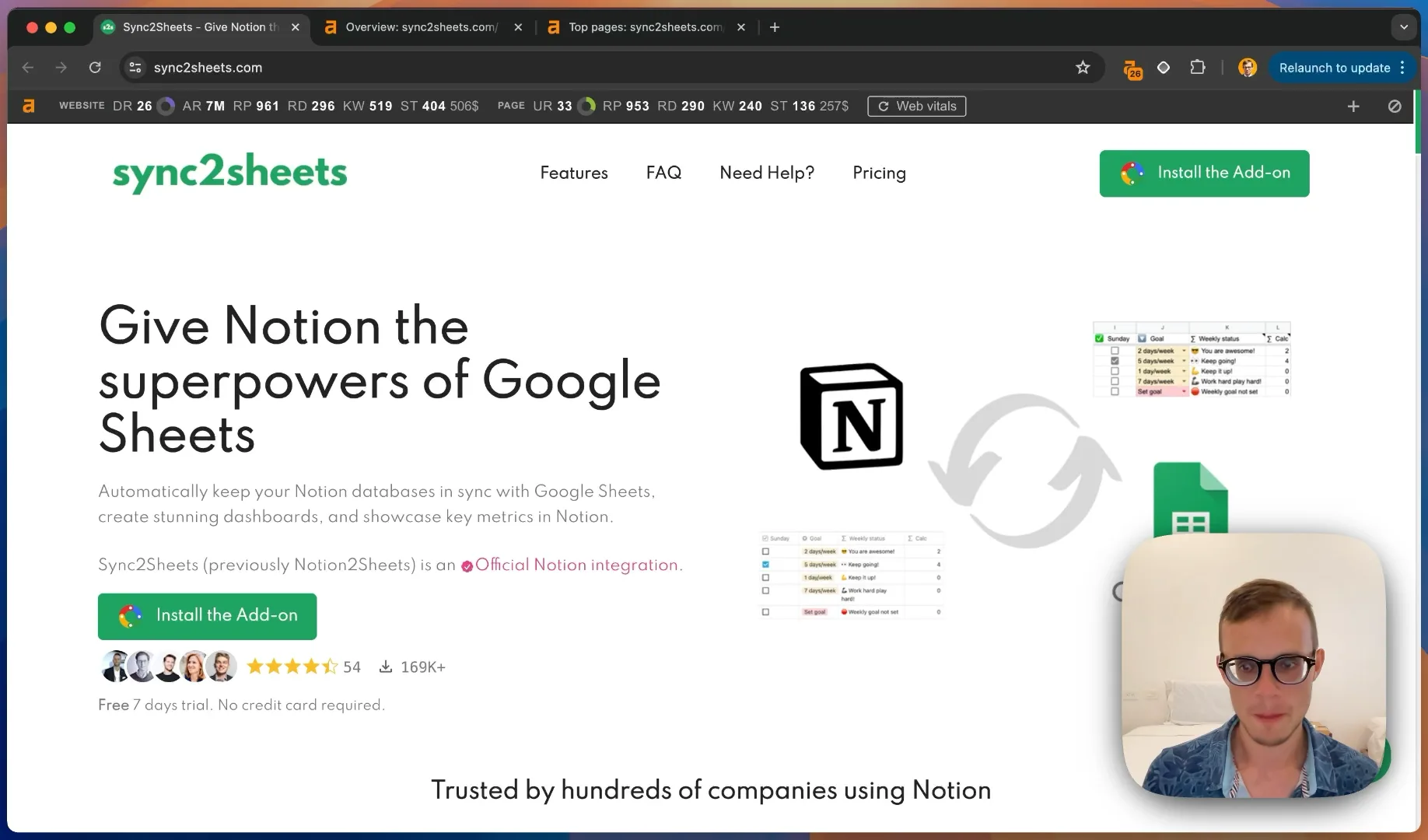
What is Sync2Sheets?
Untitled.png

Sync2Sheets is an innovative tool that gives Notion the superpowers of Google Sheets. Here's what makes it stand out:

  • Seamless Integration: It connects your Notion database and keeps it in sync with Google Sheets.
Untitled.png

  • Enhanced Functionality: Users can run visualizations, dashboards, metrics, and advanced analysis in Google Sheets while maintaining their Notion workflow.
  • Simple Setup: The integration lives as a sidebar in Google Sheets, making it easy to install and use.

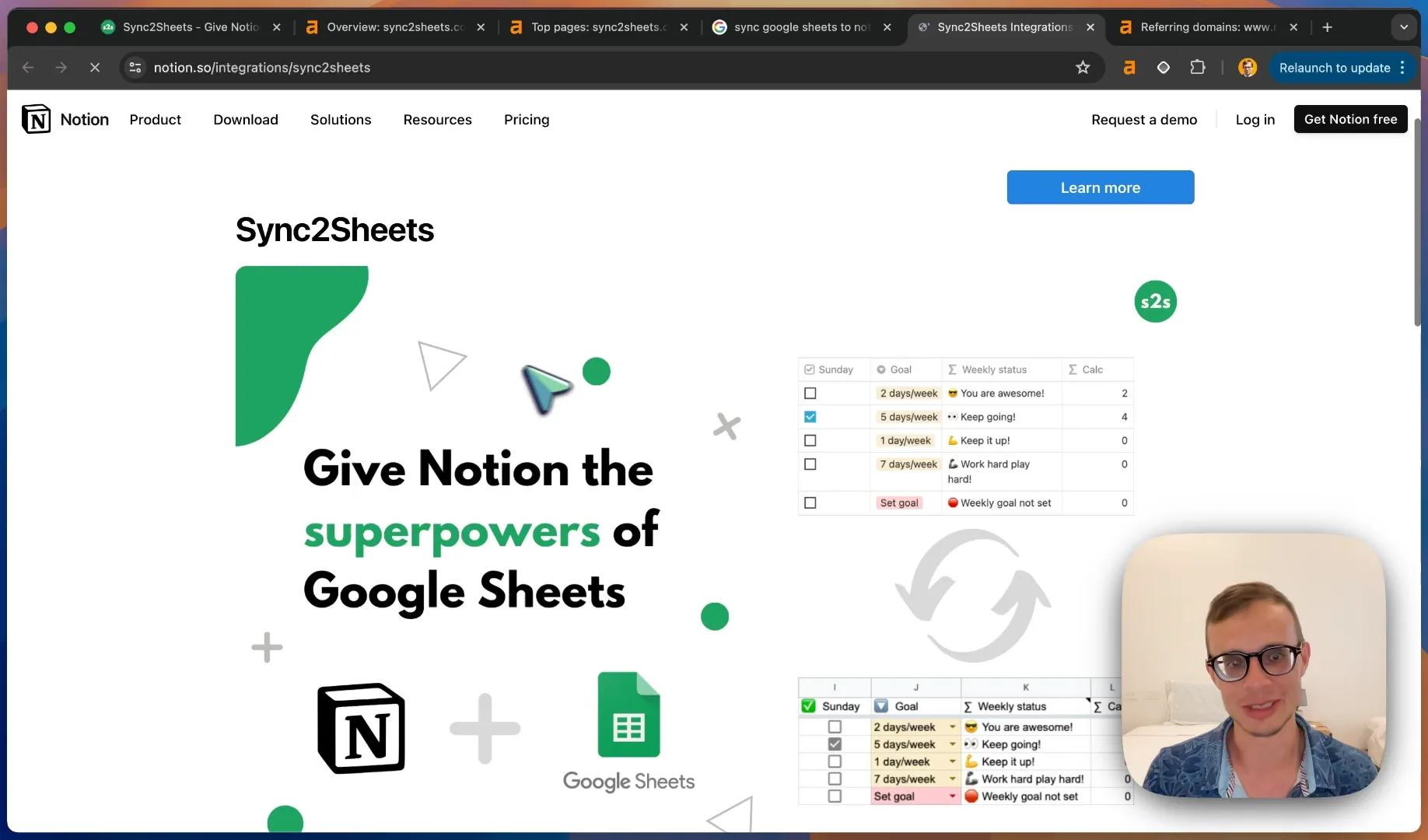
The Sync2Sheets website does an excellent job explaining its benefits, showcasing testimonials, and providing clear examples of use cases.

Analyzing Top Keywords
Untitled.png

Sync2Sheets is performing well for several key search terms:

  1. "Sync Google Sheets in Notion" (20 searches/month)
Untitled.png

  1. "Notion to Sheets"
  2. "Notion Google Sheets"

Key Findings:

  • Sync2Sheets ranks #1 for "Notion to Sheets" on their Notion integration page.
Untitled.png

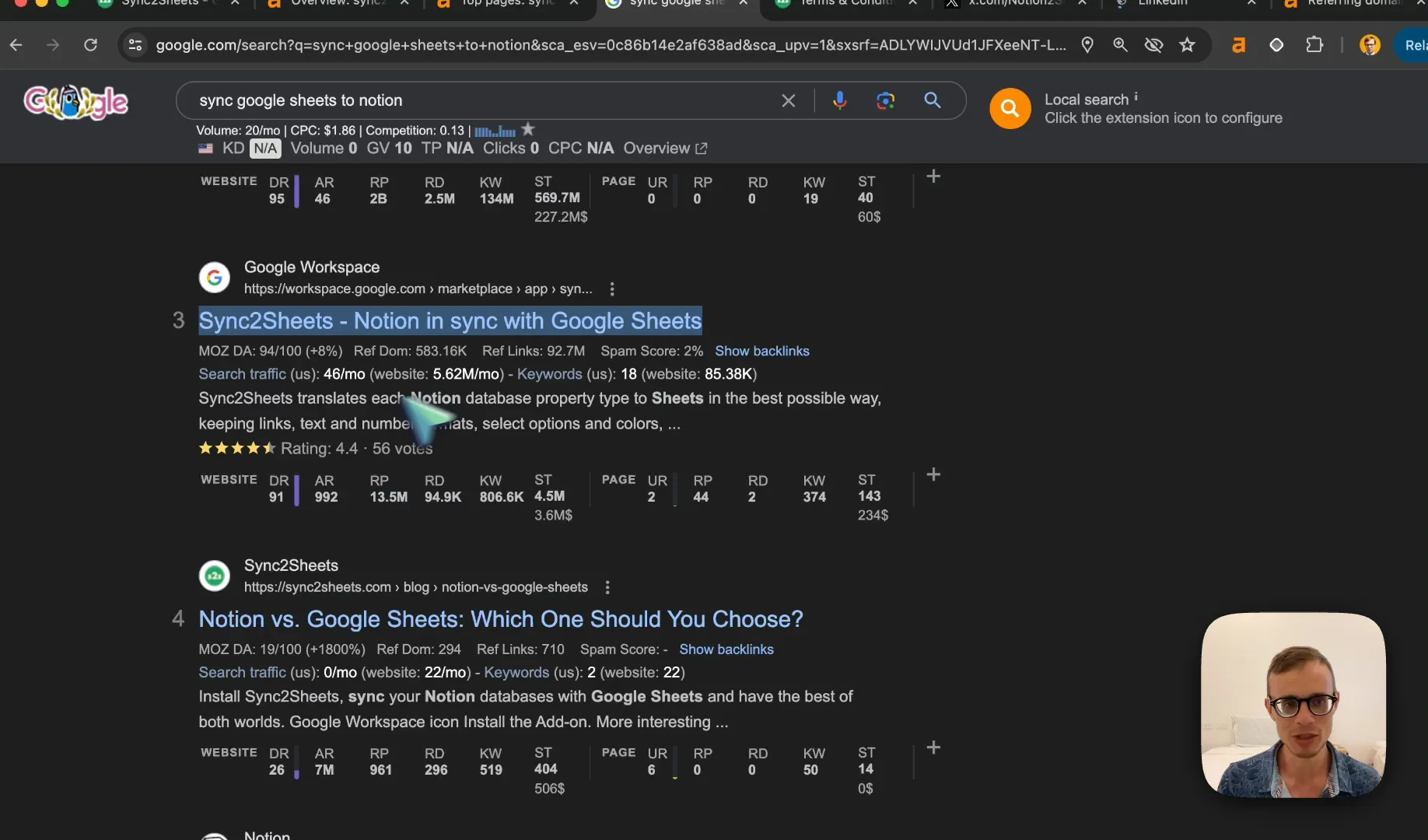
  • They have strong positions (1, 3, 4) for their target keywords.
Untitled.png

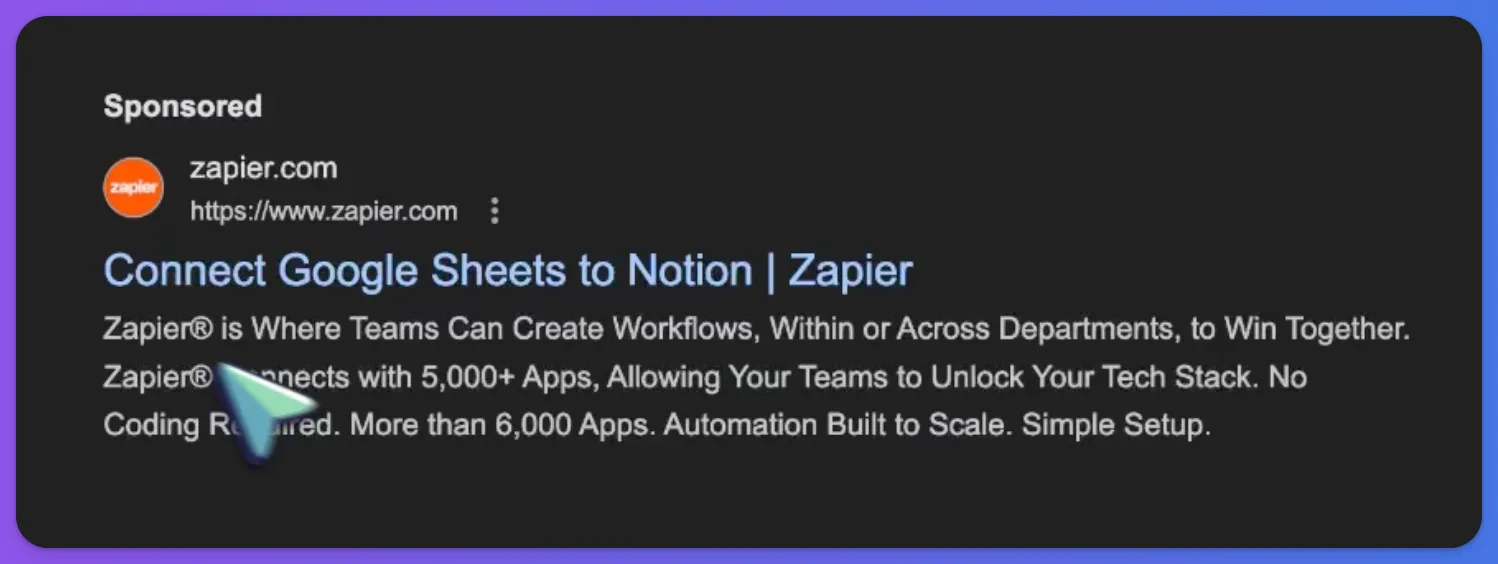
  • Competitors like Zapier are running paid ads for these terms.
Untitled.png

Opportunities:

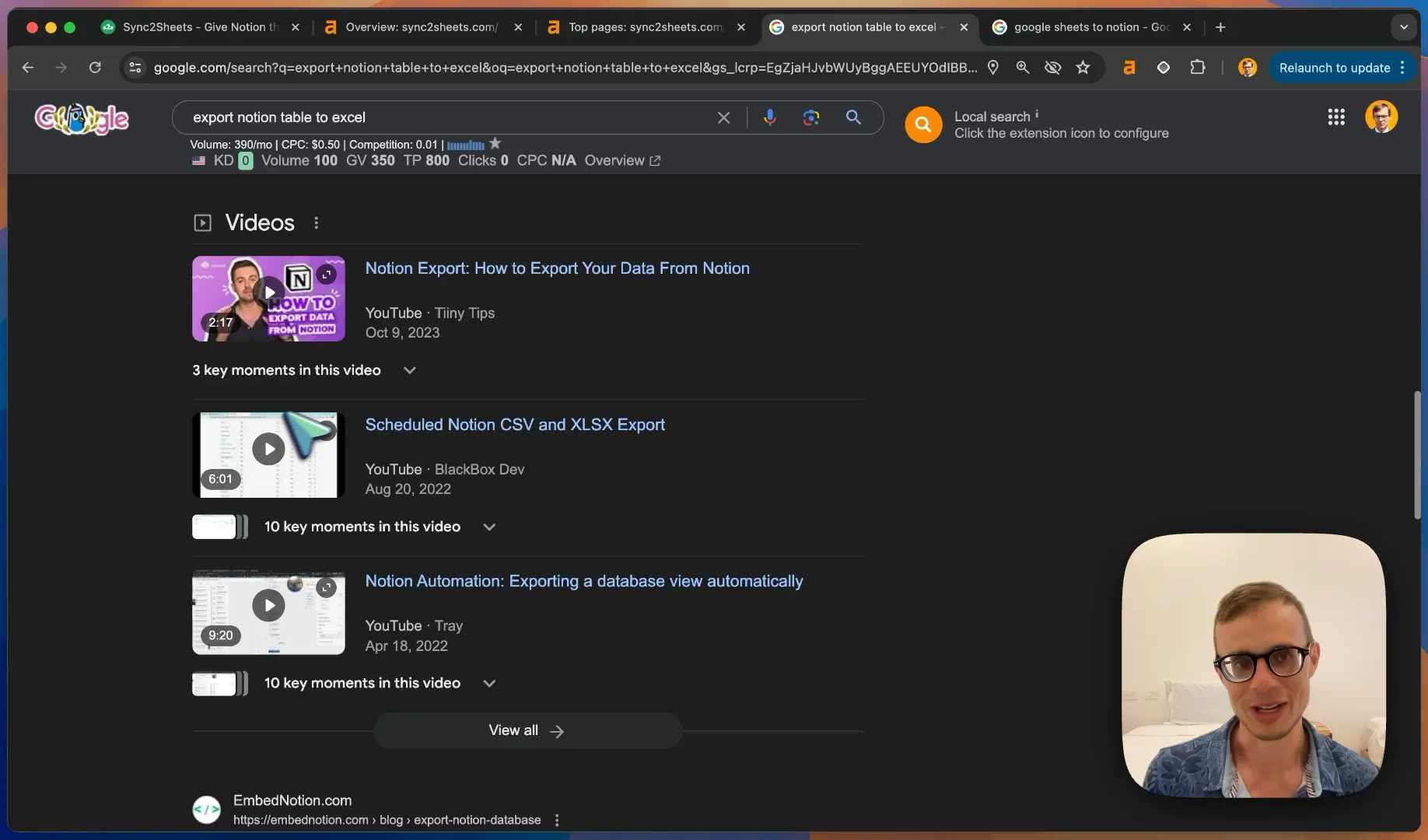
  • Create video content explaining how to sync Google Sheets to Notion.
Untitled.png

  • Leverage parasite SEO by building links to integration pages on Notion and Google Workspace.
Untitled.png

  • Consider running targeted Google Ads for top-performing keywords.
Untitled.png

Competitor Analysis

We analyzed several competitors, including Coefficient and SyncWith. Here are the key takeaways:

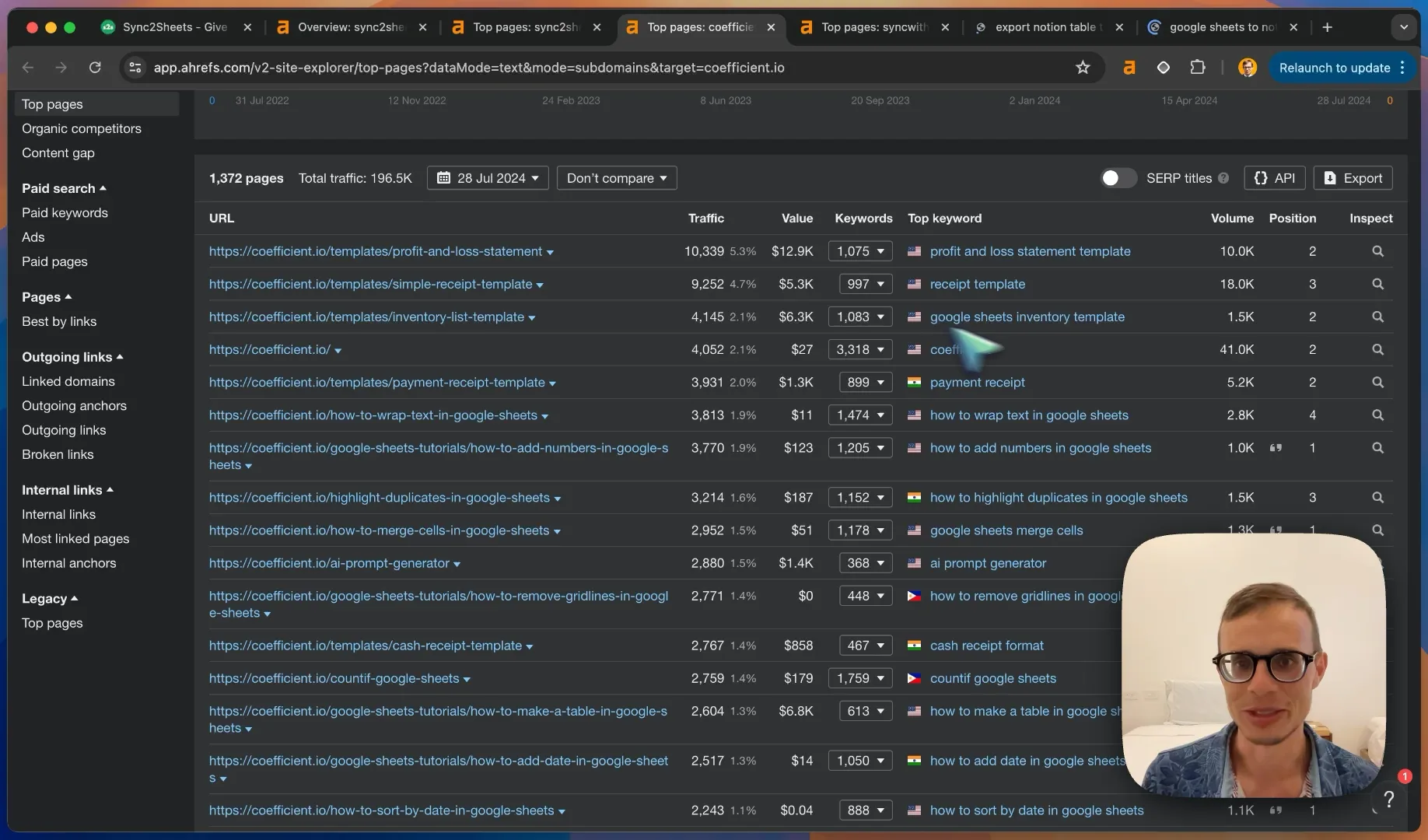
  1. Coefficient:
    • Focuses on broader Google Sheets topics (e.g., templates, inventory management)
    • Ranks for many non-Notion related keywords
  2. SyncWith:
    • Ranks well for "Export Notion Table to Excel"
    • Has fewer Notion-specific pages
  3. Other Competitors:
    • Super (Notion website builder) ranks for "Export Notion Table to Excel"
    • Zapier and Coefficient are running video ads for key terms

Interesting Discovery: One competitor appears to be using a private blog network (PBN) to boost their rankings. While this black hat strategy seems to be working for them, it's not recommended due to the risk of penalties.

Content Gap Opportunities

To expand Sync2Sheets' reach, consider creating content around:

  1. Use Case Tutorials:

    • SEO reporting with Notion and Google Sheets
    Untitled.png

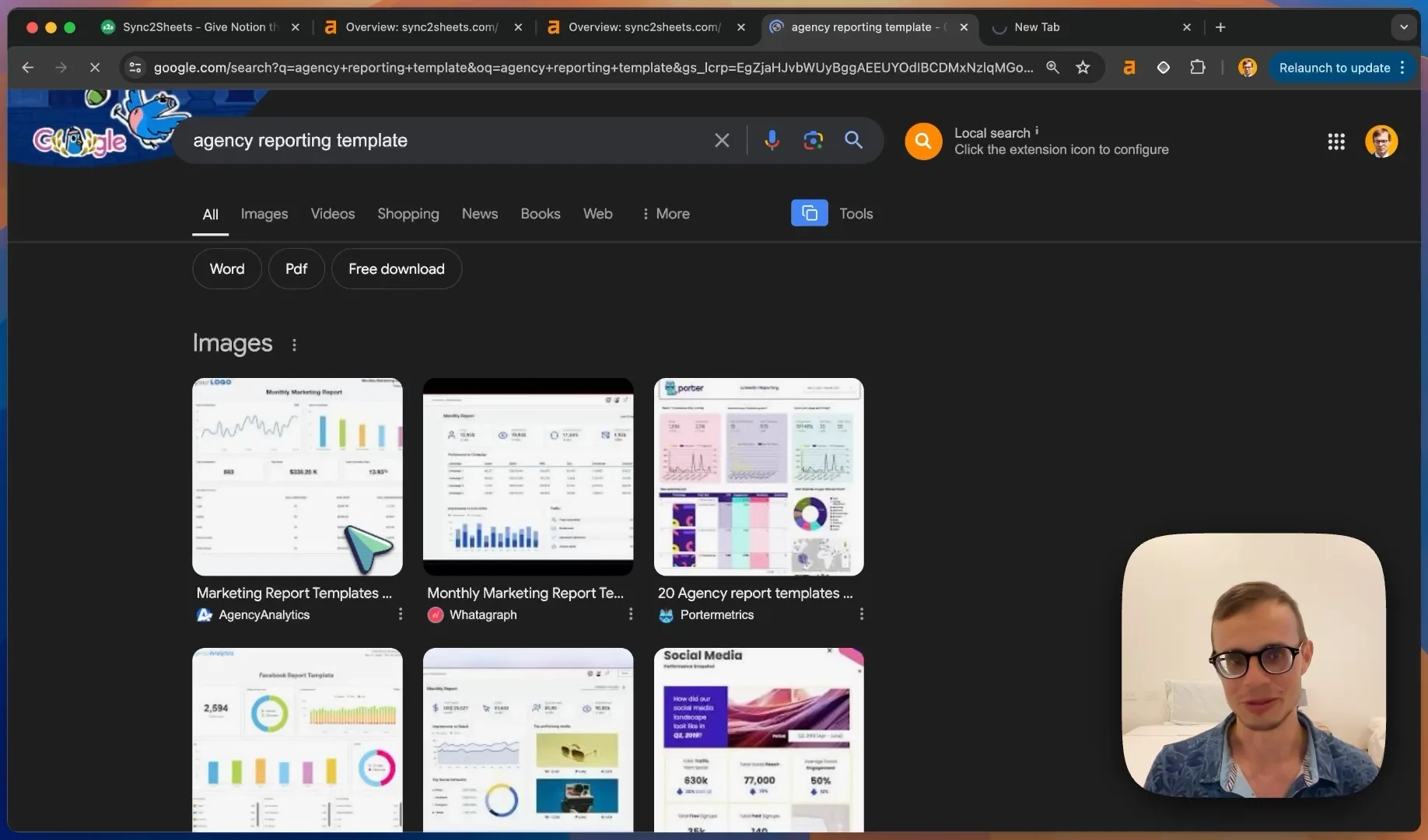
    • Agency reporting templates

    Untitled.png

    • Marketing KPI dashboards

    Untitled.png

  2. Comparison Content:

    • Notion vs Airtable
    • Notion vs Excel
  3. Template Collections:

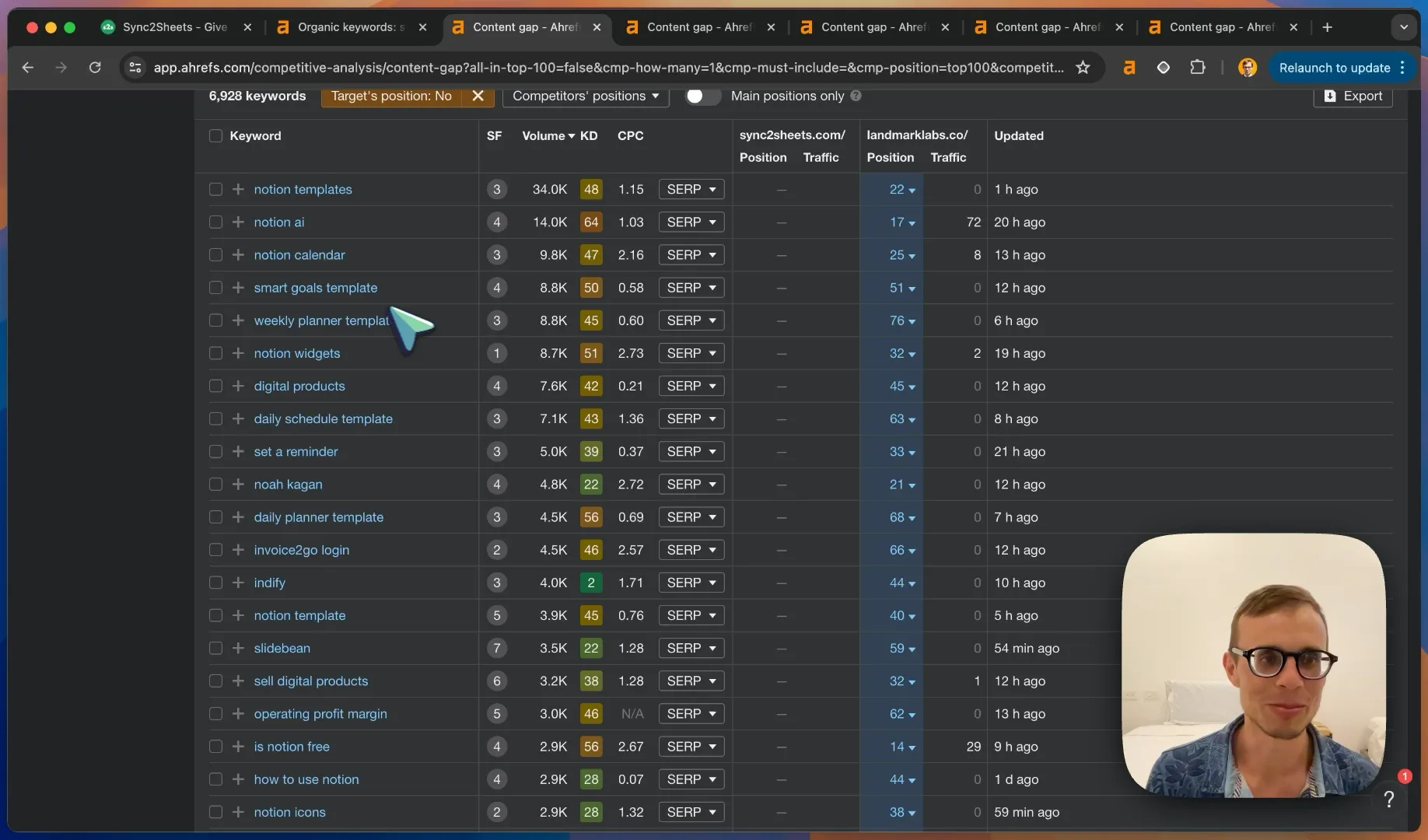
    • Notion templates for various industries
    Untitled.png

    • Google Sheets templates that sync with Notion
  4. How-To Guides:

    • Resizing images in Notion
    • Creating custom Notion covers
    • Advanced Notion tutorials

Untitled.png

Template Strategy Goldmine

Untitled.png

There's a massive opportunity in creating and marketing Notion + Google Sheets templates:

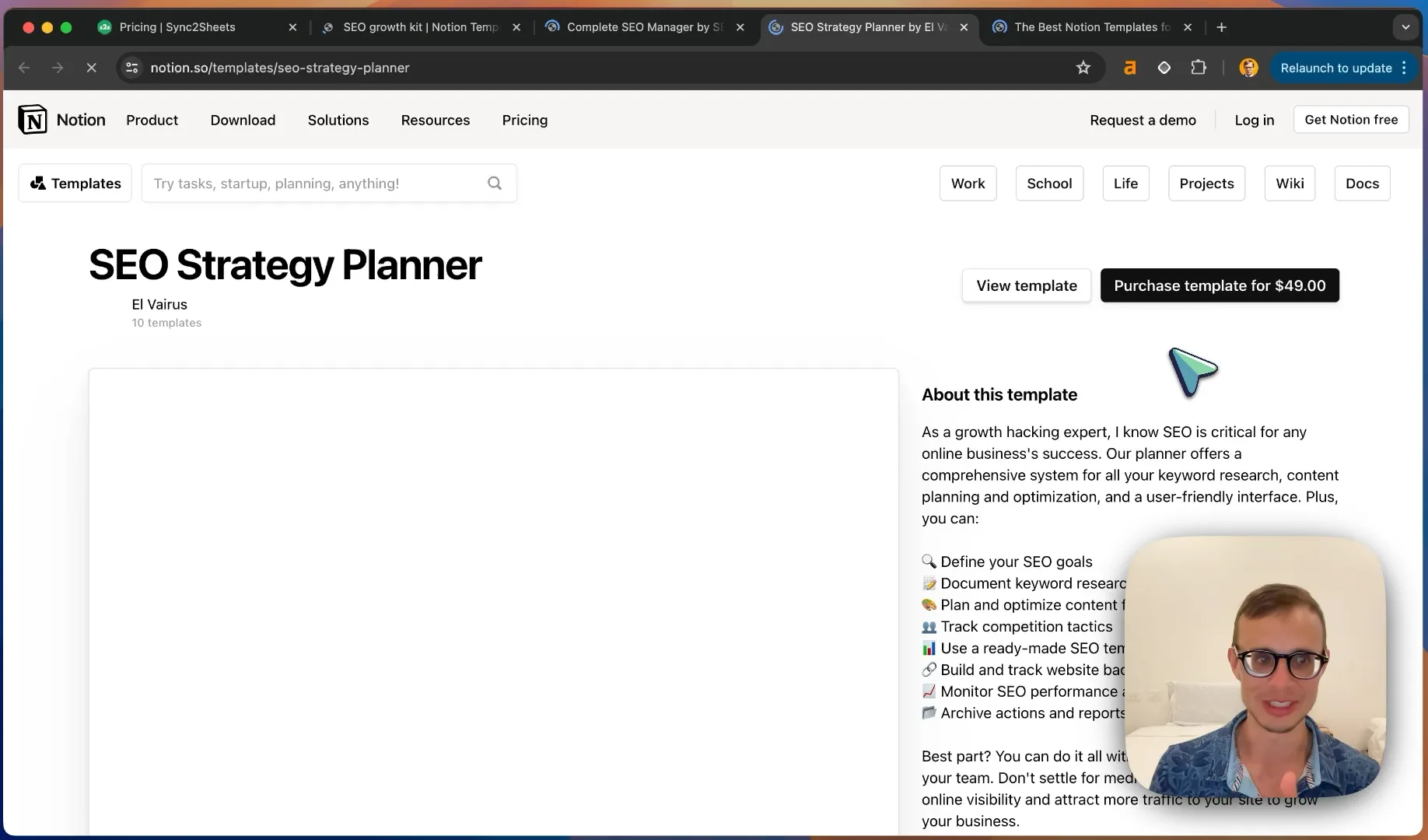
  1. Develop a suite of professional templates (e.g., SEO reporting, project management, CRM)
Untitled.png

  1. Offer free templates as lead magnets
  2. Create a premium template marketplace
  3. Use templates to showcase Sync2Sheets functionality

Pro Tip: Consider offering a bundle of 10 professional Notion templates for free with the purchase of a premium plan. This adds significant value and can boost conversions.

Final Recommendations
Untitled.png

  1. Expand Content Strategy:
    • Create more in-depth blog posts about Notion + Google Sheets use cases
    • Develop video tutorials for YouTube and embed them on your site
  2. Leverage Parasite SEO:
    • Optimize listings on Notion and Google Workspace marketplaces
    • Build high-quality backlinks to these pages
  3. Paid Advertising:
    • Run Google Ads for top-performing keywords
    • Experiment with remarketing and Google Performance Max campaigns
  4. Template Marketplace:
    • Create and sell Notion + Google Sheets templates
    • Use templates as a marketing tool to showcase Sync2Sheets functionality
  5. Conversion Rate Optimization:
    • Conduct A/B tests on the website to improve conversion rates
    • Consider offering limited-time deals or bundles to boost sales

By implementing these strategies, Sync2Sheets can significantly expand its reach, attract more qualified traffic, and ultimately drive more conversions and sales.

Remember, the key to success in this space is providing value through education, templates, and seamless integration between Notion and Google Sheets. Good luck!