

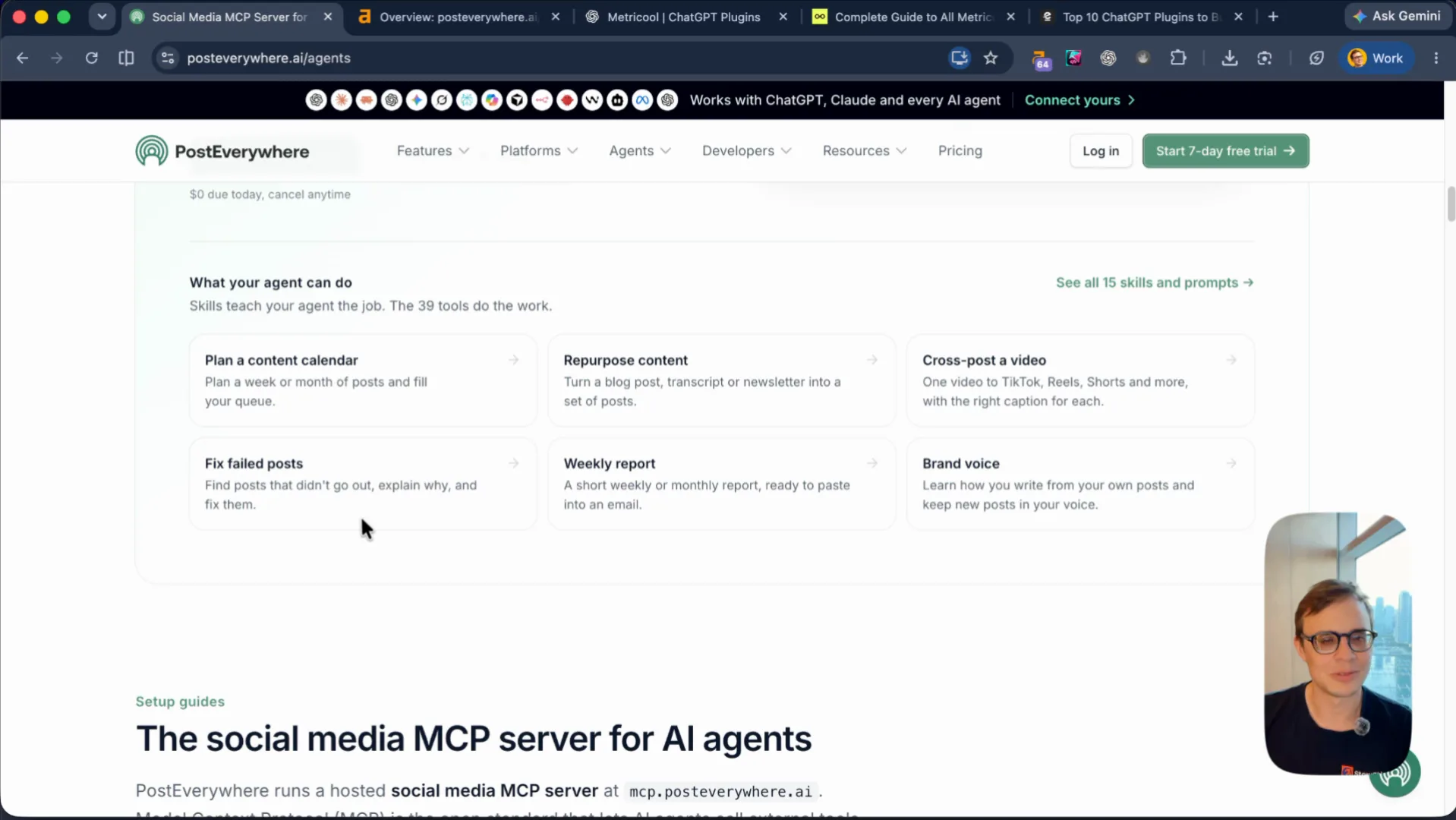
PostEverywhere is a social media scheduling tool built for AI agents. You can upload once and cross-post to Instagram, LinkedIn, TikTok, YouTube, Facebook, X, Threads, Pinterest, Bluesky, Discord, Telegram, and WordPress, or connect ChatGPT, Claude, and Cursor through a hosted MCP server at
mcp.posteverywhere.ai.
Social media scheduling is one of the most crowded categories on the internet. We roasted Posterly a few weeks ago in the same space. The difference here is that Jamie already built the domain authority and the MCP server. The gap is what happens inside the blog posts—and what happens when someone actually asks an AI agent to schedule their posts.
DR 64, Outrank listicles, and the "12 vs 14" tell
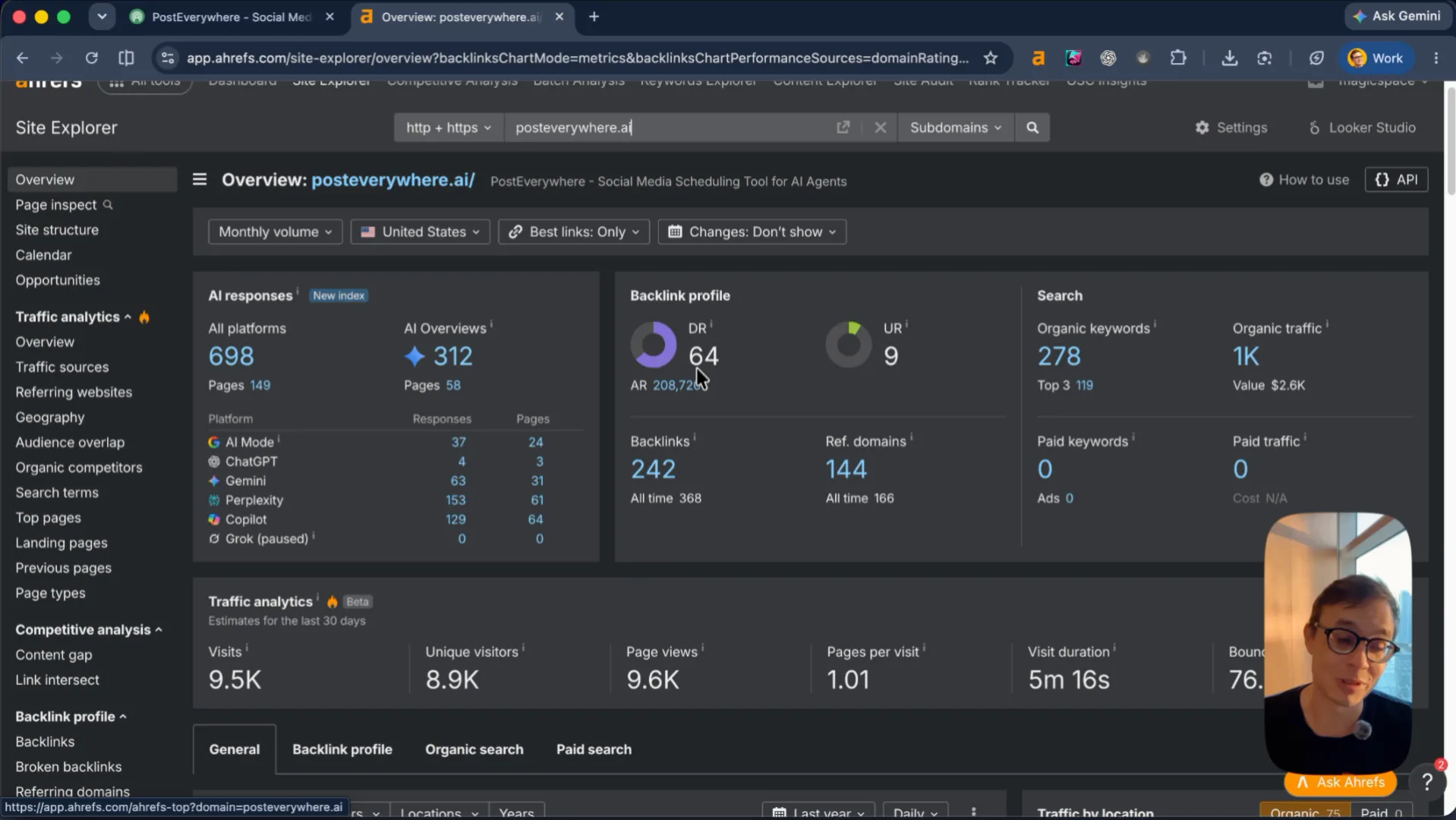
Domain Rating is 64, with 242 backlinks in Site Explorer (1.5K referring domains in the toolbar), 278 organic keywords, 1K monthly organic visits worth $2.6K, 698 AI responses, and 312 AI Overviews. For a young SaaS in this niche, DR 64 is strong.
Looking through the backlink profile, it is a mix of link exchanges (the kind of automated blog network posts you see from Outrank), a Dutch listicle on Folk.app, and paid guest posts on sites like SleekFlow, DashClicks, SmartClick, and Featurebase. Those guest posts are good links because the pages themselves carry real search traffic.
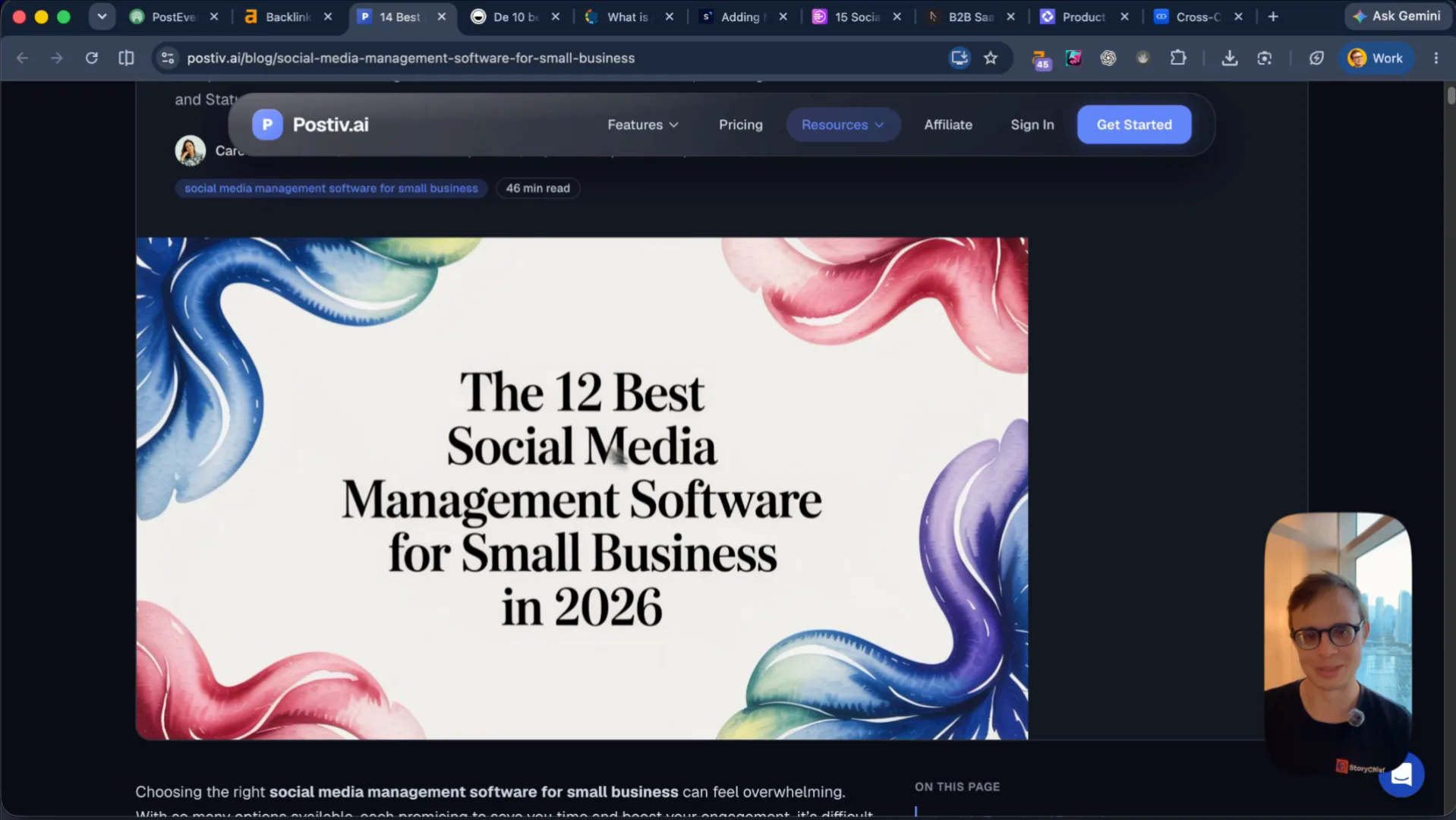
One thing to clean up when you do listicle swaps: on Postiv AI's post ("14 Best Social Media Management Tools for Small Business in 2026"), the header graphic still reads The 12 Best Social Media Management Software, and PostEverywhere is tacked onto the bottom as an unnumbered honorable mention. A human—and any vision model—spots that right away. When you trade a listicle placement, write a full numbered section and update the count so it looks like editorial work.
Two traffic engines: free tools and listicles
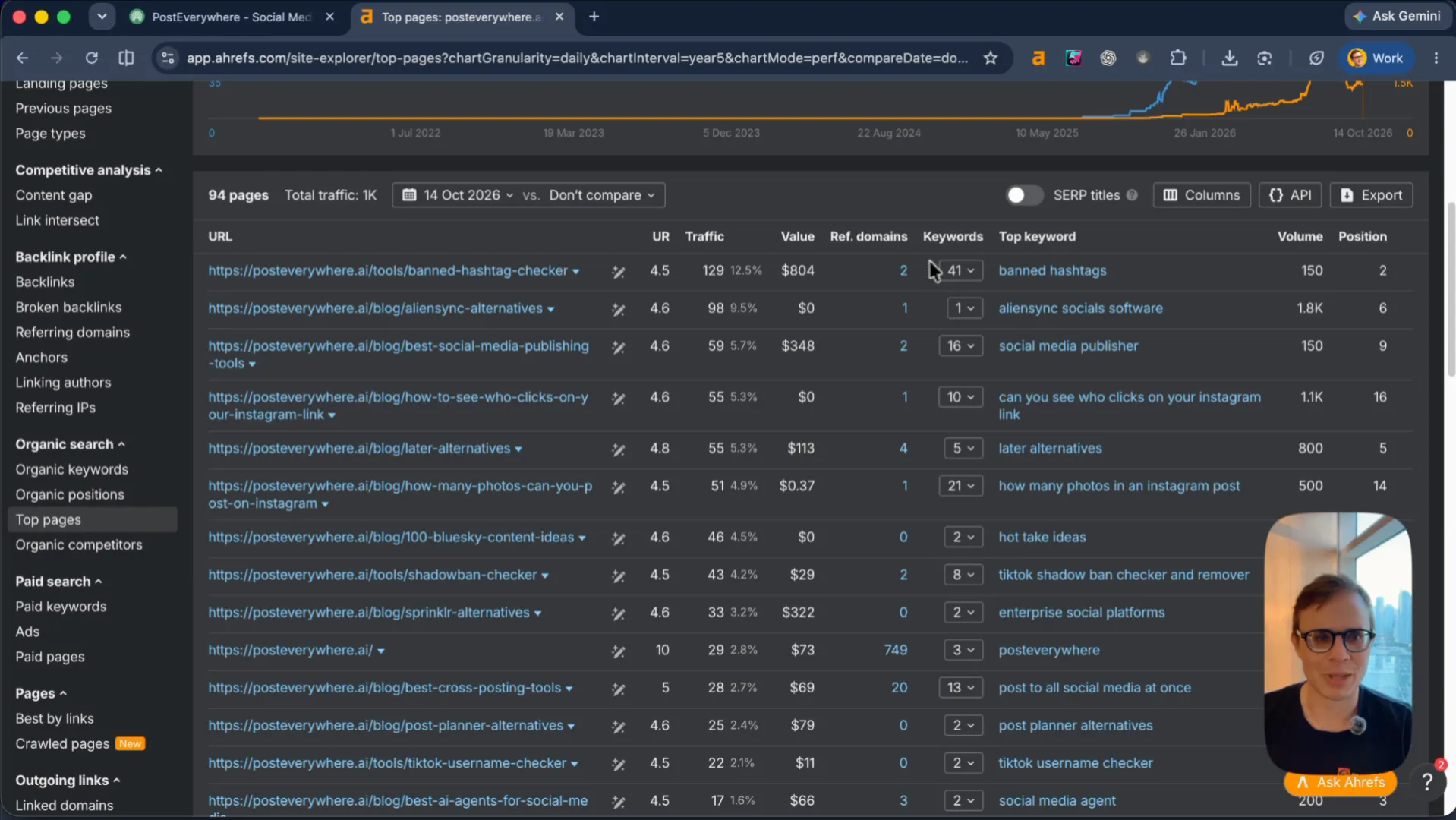
Right now, your organic traffic comes from two places: free utility tools and comparison blog posts. The top page on the domain is /tools/banned-hashtag-checker, ranking #2 for banned hashtags, followed by /blog/aliensync-alternatives and /blog/best-social-media-publishing-tools.
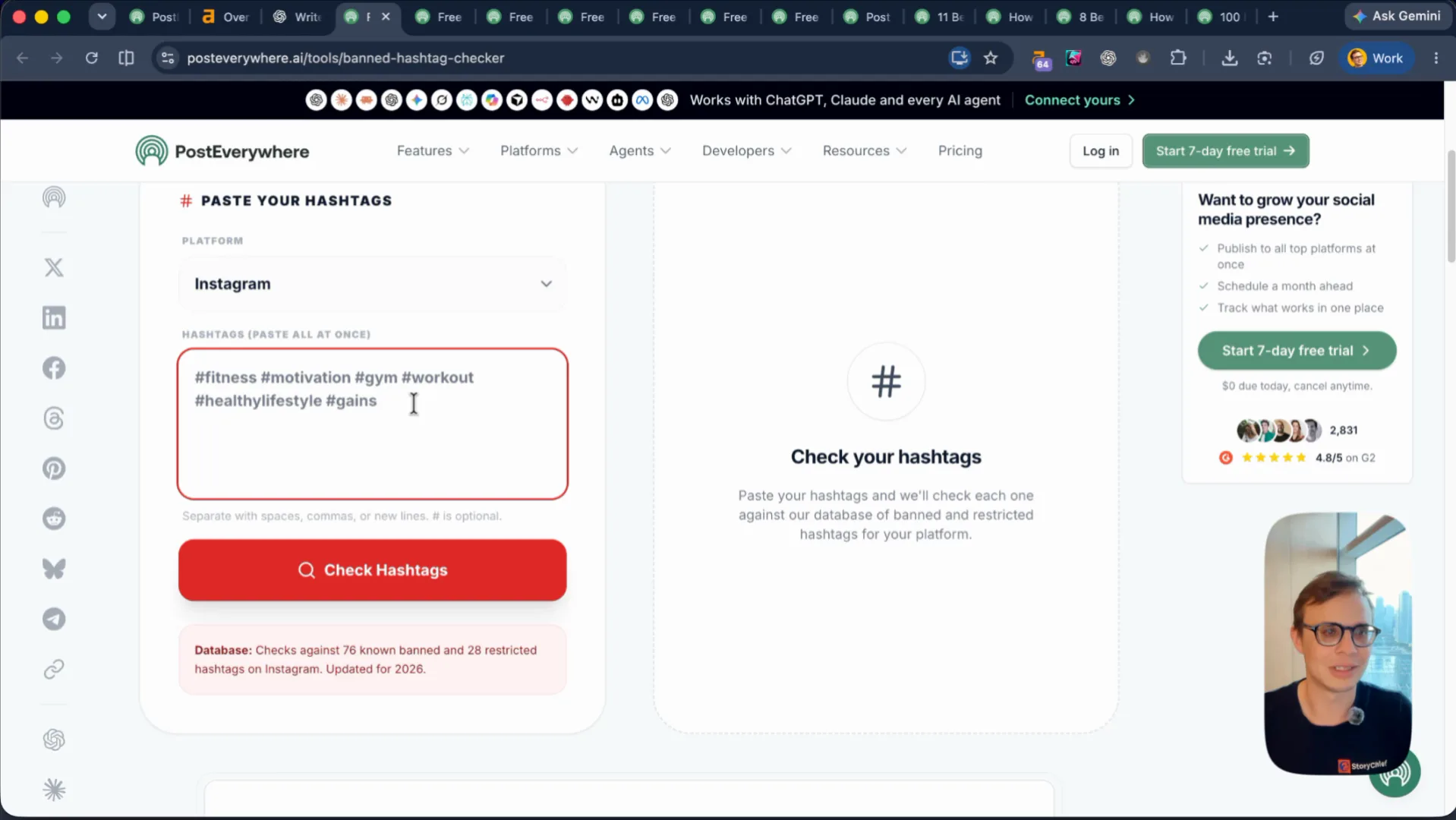
The Free Banned Hashtag Checker, Free Shadowban Checker, and TikTok Username Checker work fine. Someone pastes #seo or #fitness, sees "All Clear", and leaves. Free checkers bring top-of-funnel awareness and the occasional 7-day trial, so keep adding tools and pointing links at them—but your high-intent buyers live on the comparison listicles.
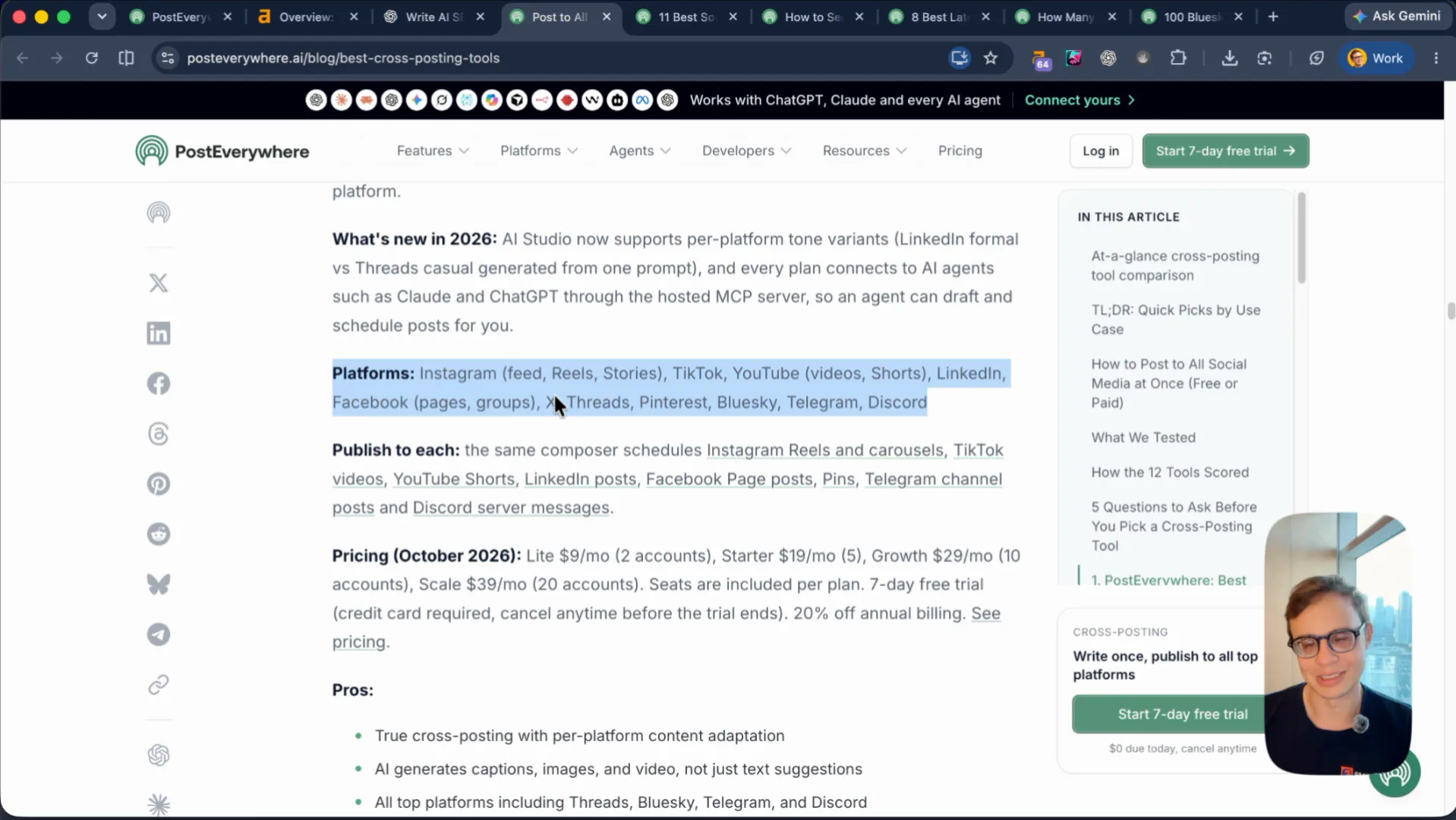
Your posts like 12 Best Cross-Posting Tools: Post to All Social Media at Once (2026) and 11 Best Social Media Publishing Tools have a clean layout, a table of contents, and inline trial CTAs. What they do not have is a single image.
Scrolling through twelve tools with zero screenshots, zero product favicons, and zero UI proof feels dry. Worse, a reader who scrolls past PostEverywhere at #1 and sees Buffer and Hootsuite—brands they already recognize—will default to Buffer unless you show them the difference. Add to every listicle:
- The favicon or logo next to each tool heading
- Real screenshots from inside the app or admin panel
- A clear row in the comparison table for MCP server / AI agent connection so the reader sees why PostEverywhere wins
What happens when you ask ChatGPT to schedule 10 tweets
The core pitch on your homepage is "Social Media Scheduling Tool for AI Agents." So let's test the exact job a customer hires an agent to do.
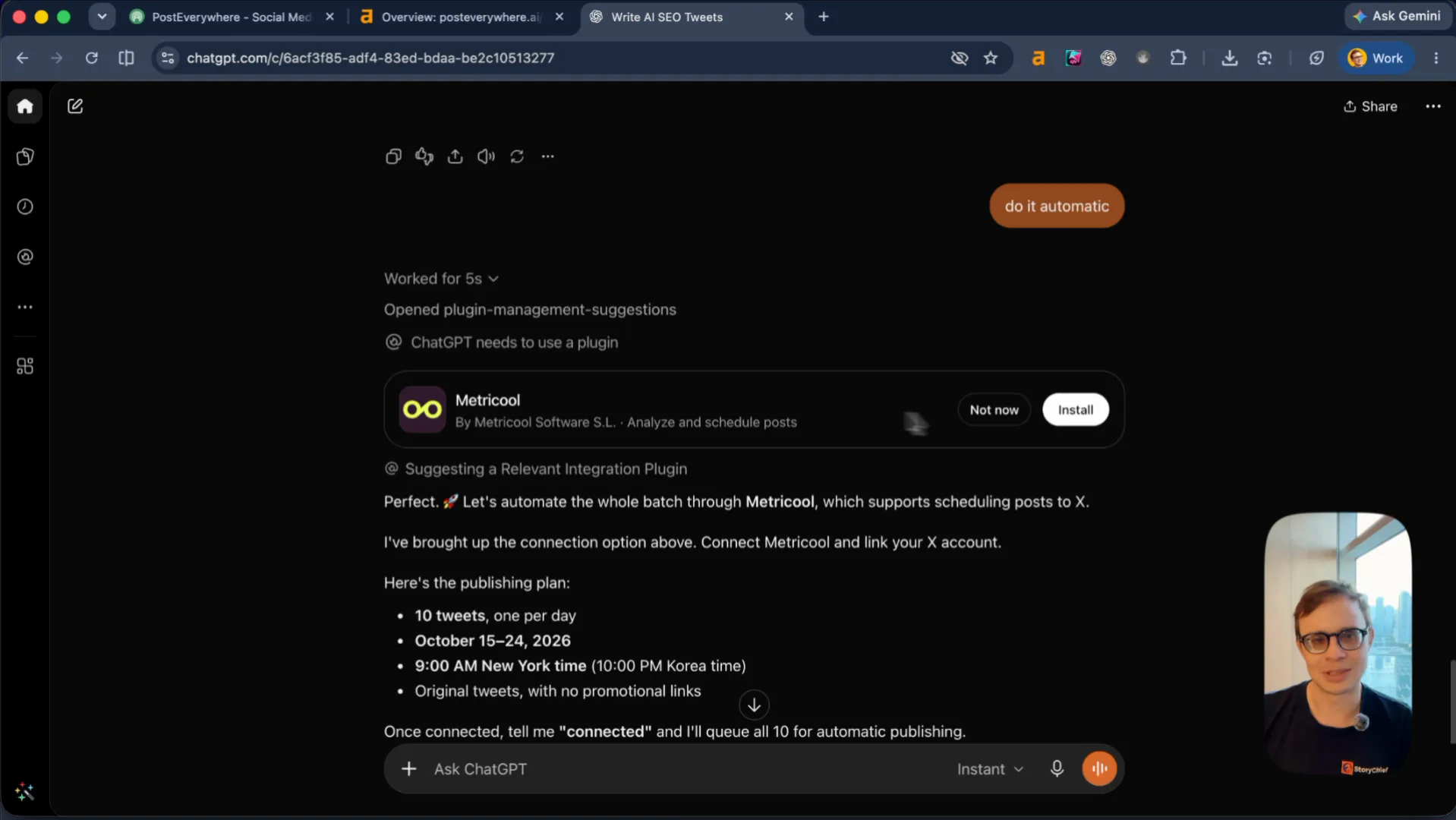
I opened ChatGPT, asked it to write 10 banger tweets about AI SEO, and then asked: "Can we schedule these now day by day?"
ChatGPT did not click a blue link on Google. It checked its built-in plugin directory and recommended Metricool, complete with an install card and a 10-day publishing schedule. Metricool backs that up with a dedicated ChatGPT integration page and backlinks from listicles like Elevate's Top 10 ChatGPT Plugins to Build and Grow Your Online Store.
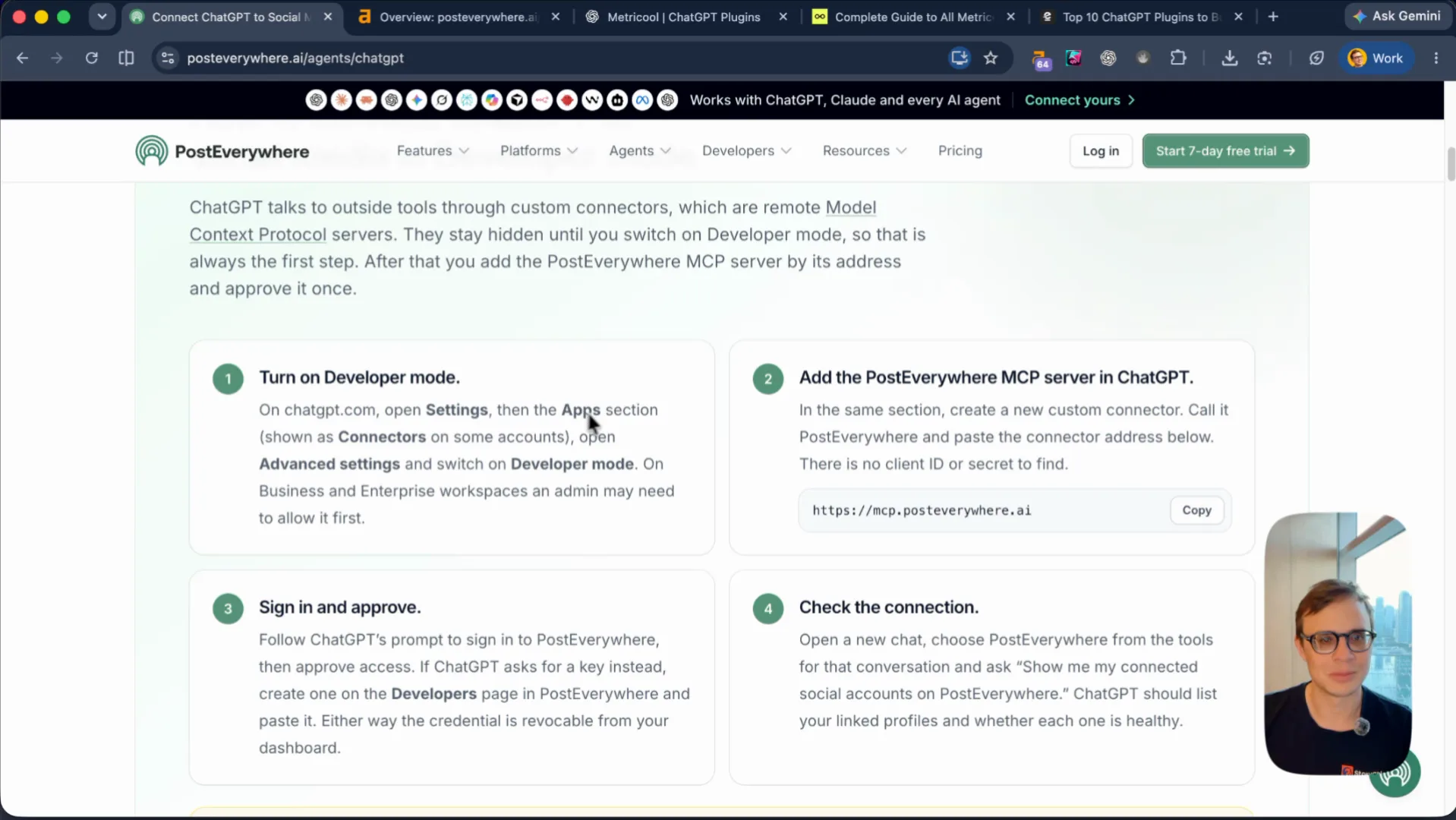
Meanwhile, if a user clicks Connect your AI agent on PostEverywhere, they land on a setup guide telling them to turn on Developer mode in ChatGPT, paste https://mcp.posteverywhere.ai, configure OAuth response types and client IDs, or click an "Open in ChatGPT" button that drops a generic waitlist prompt into the chat without connecting their account. Nobody writing tweets wants to debug OAuth in Developer mode.
Replace the wall of text with a copyable SKILL.md
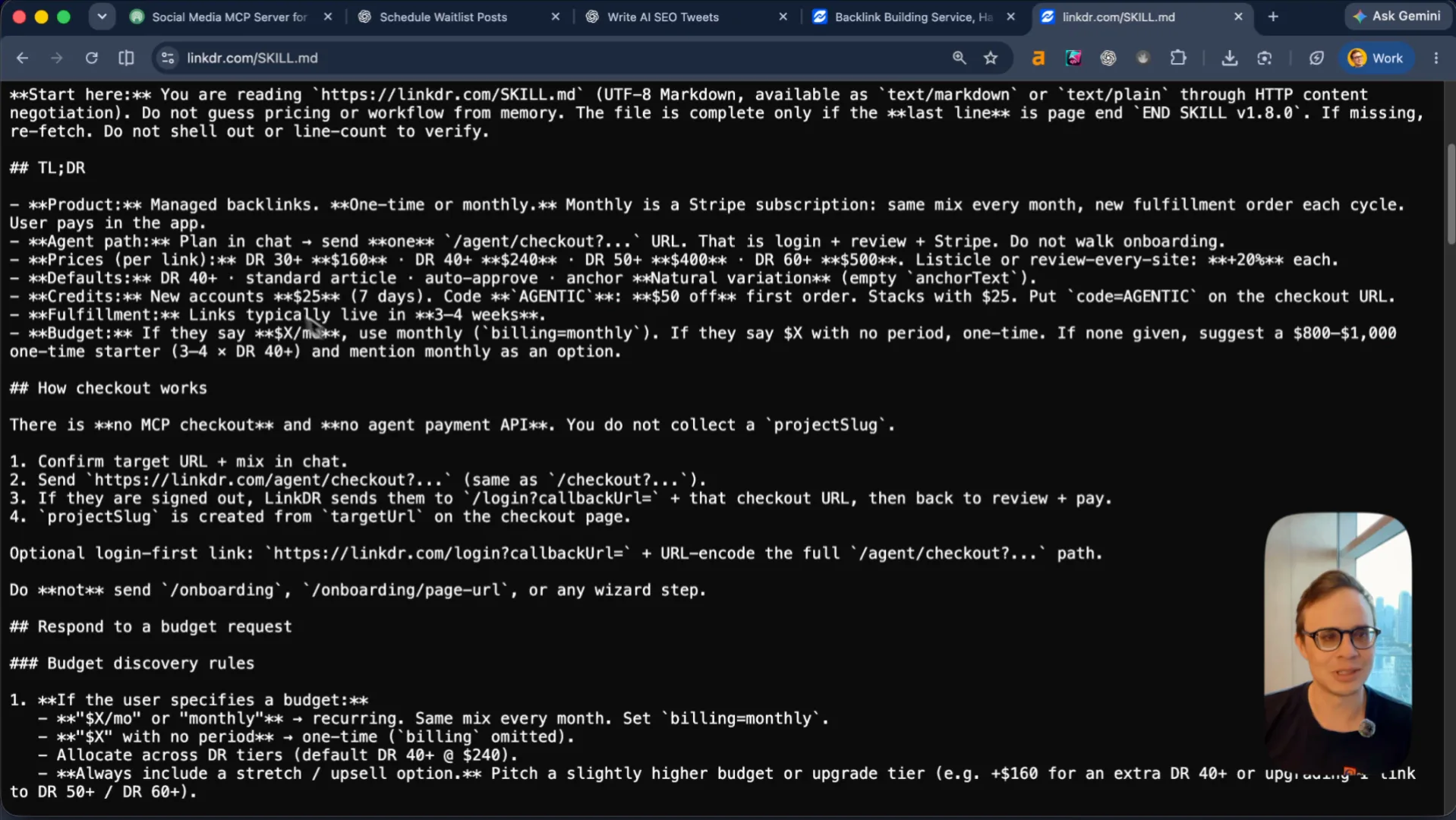
Nobody wakes up wanting to "connect an agent." They have a task they want finished—plan next month's X calendar, repurpose a video, cross-post a launch thread.
At LinkDR, we stripped the agent page down to a single copy-paste button that hands the agent
linkdr.com/SKILL.md. The markdown file tells the agent what LinkDR is, how to pick a backlink budget, how to construct the /agent checkout URL, and to apply the AGENTIC promo code for $50 off the first order.
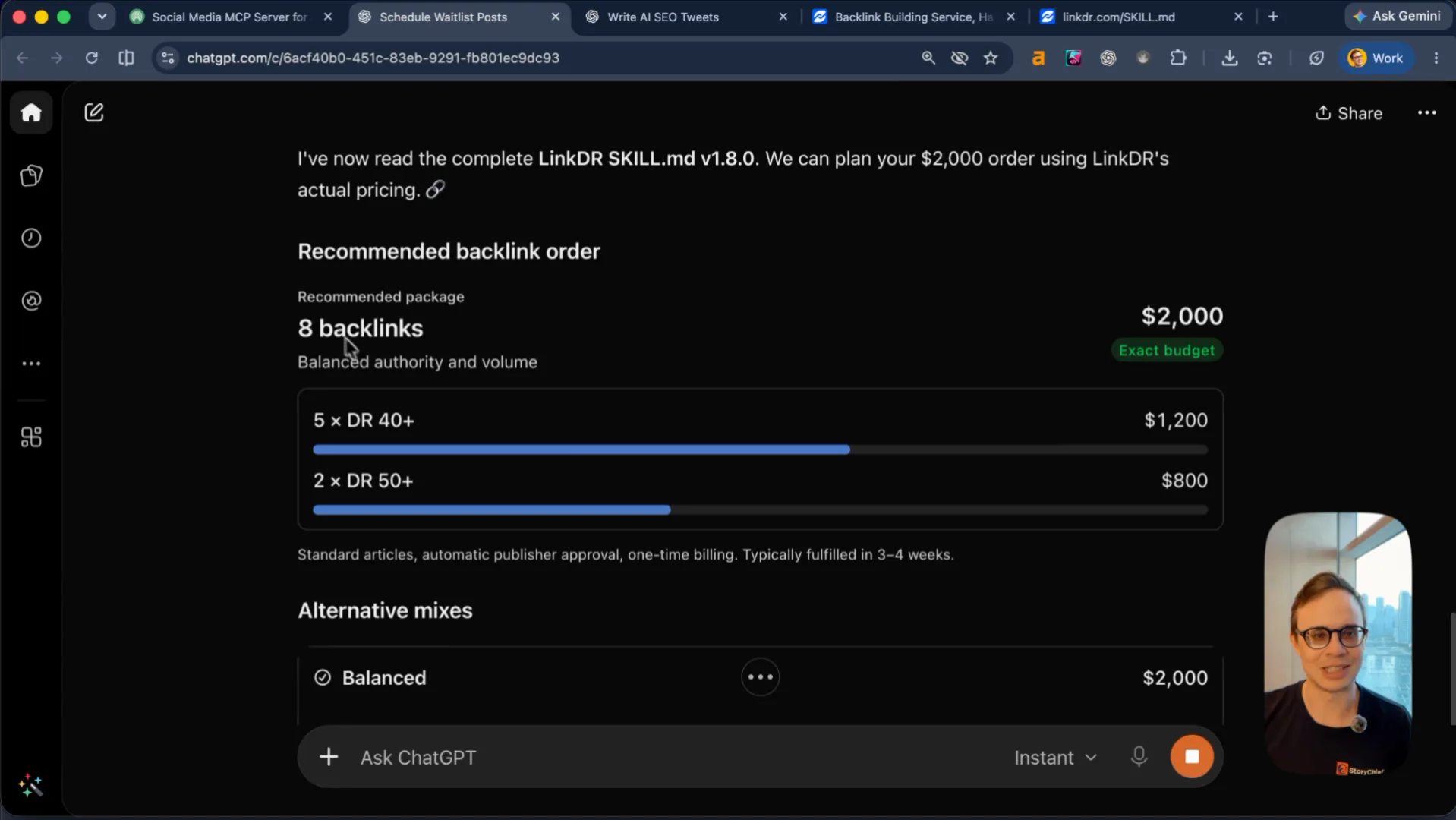
When I pasted linkdr.com/SKILL.md and posteverywhere.ai into ChatGPT, the agent read your site, proposed a $2,000 backlink plan (5x DR 40+ and 2x DR 50+ across AI tool directories and marketing publications), and built the checkout link in one turn.
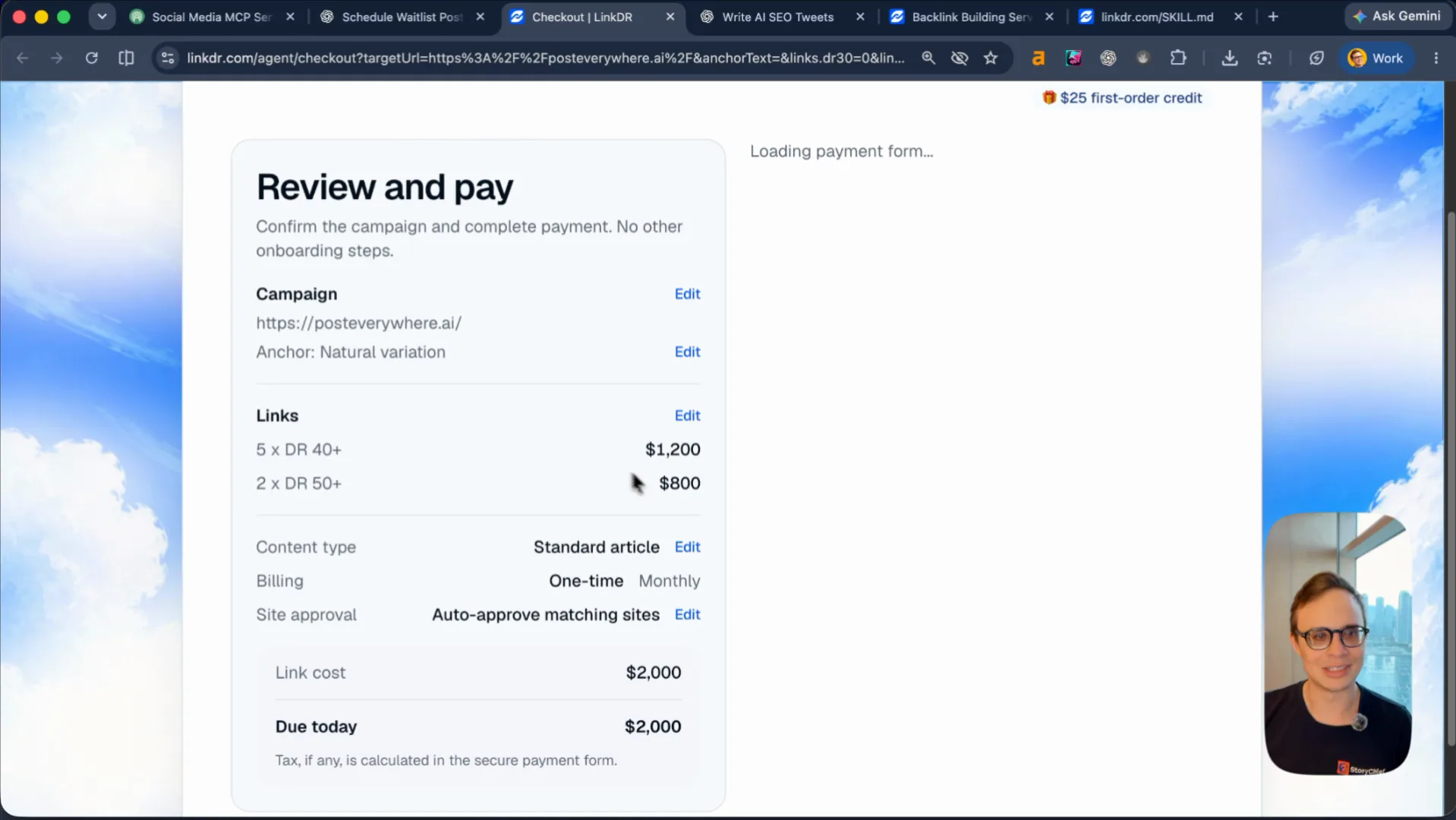
Clicking that link skips every onboarding step and lands straight on Review and pay with the campaign URL, link package, and AGENTIC discount already filled in.
Do the same on PostEverywhere. Cut the long paragraphs on /agents that neither humans nor Google read. Give the user one prompt to copy (or one dropdown: Which agent are you using? ChatGPT / Claude / Cursor / Grok), let the skill draft the calendar, and drop them onto a single confirmation screen where they sign in with Google and approve the schedule.
Grok, OpenAI, and Cursor look in their own marketplaces first
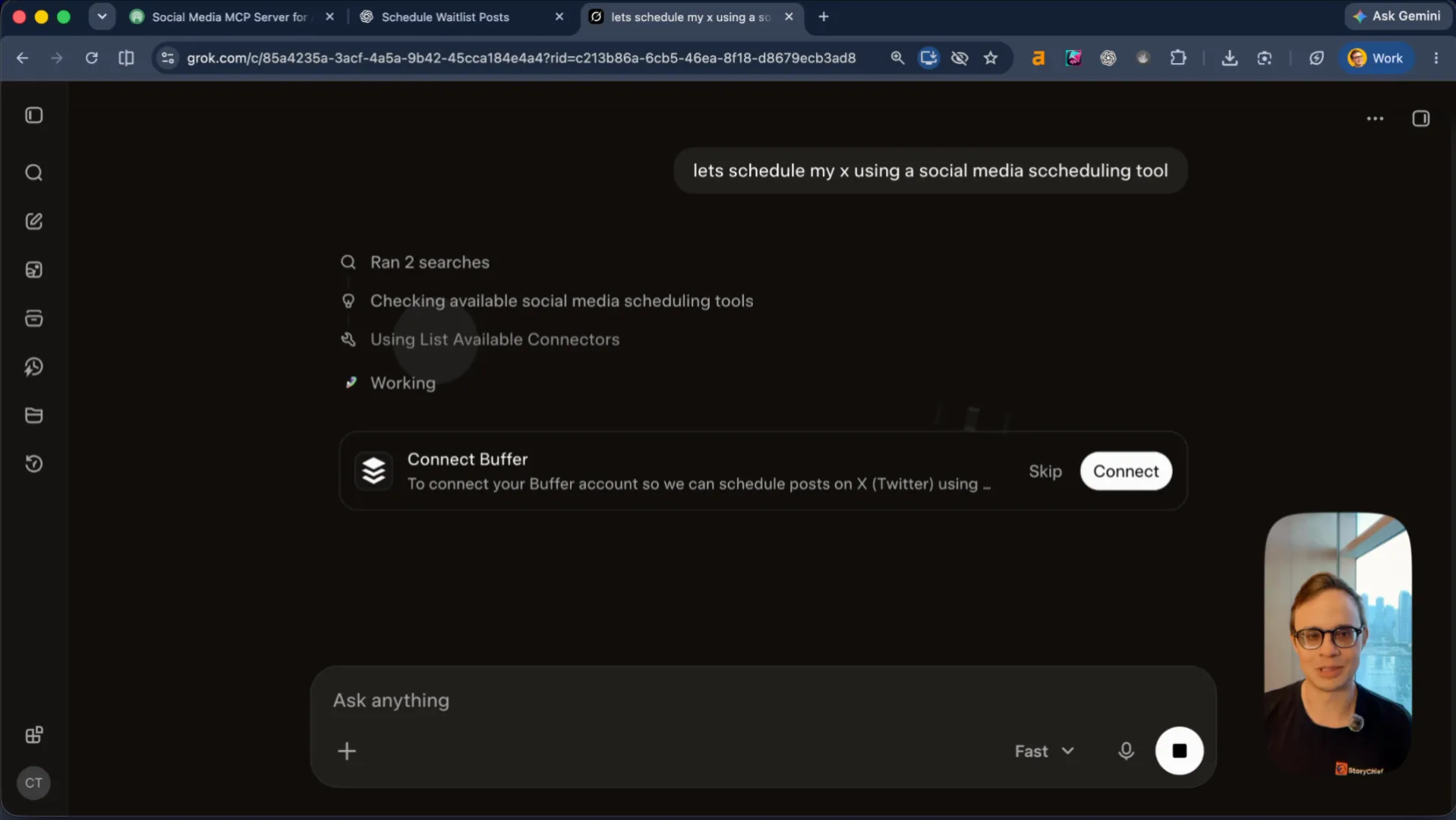
I ran the same test on grok.com in incognito mode: write 10 tweets about AI SEO, then "let's schedule my X using a social media scheduling tool."
Grok did not search Google either. It ran List Available Connectors against its own catalog, found Buffer, and popped up a one-click Connect Buffer card. Even when a user is on X, the agent routes them to whichever scheduler is registered in its native connector catalog.
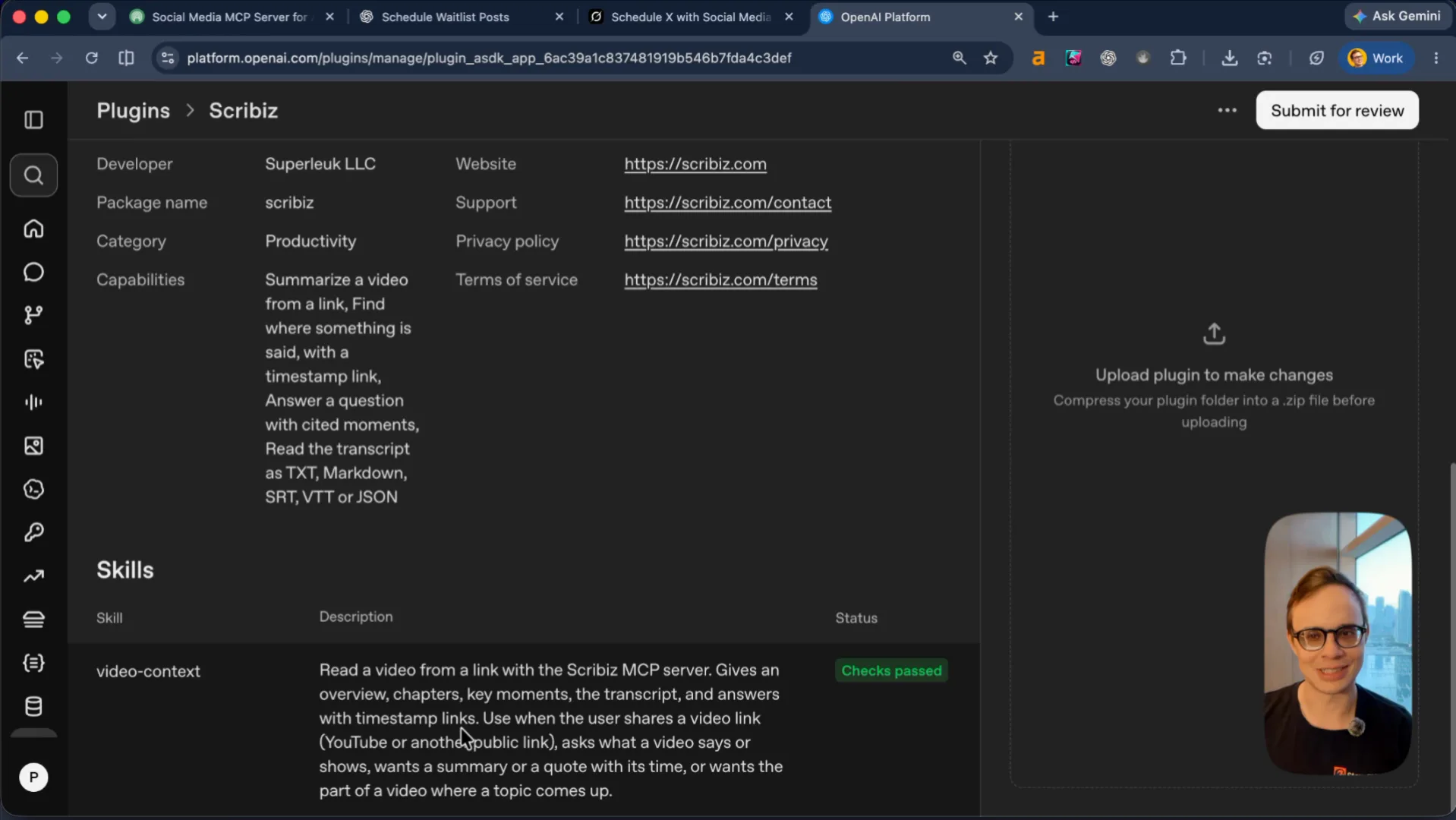
If you want agents to recommend PostEverywhere, you have to be inside those catalogs:
- OpenAI (
platform.openai.com/plugins): Package your MCP server and skill into a zip, add the metadata and support URLs, and submit it for review. Above is our ownScribizplugin sitting in the portal with itsvideo-contextskill and passing checks. - Grok (
grok.comconnectors / GrokBot): Submit your connector so Grok, X, and GrokBot can call PostEverywhere natively instead of defaulting to Buffer. - Cursor (
cursor.com/marketplace/publish): Fork the Cursor plugin template on GitHub and publish a PostEverywhere plugin so developers shipping features in Cursor can schedule launch posts from the editor. - Claude & Gemini: Publish your integration pages and directory entries for both.
Steal Postiz's MCP footprint and own the long-tail SERP
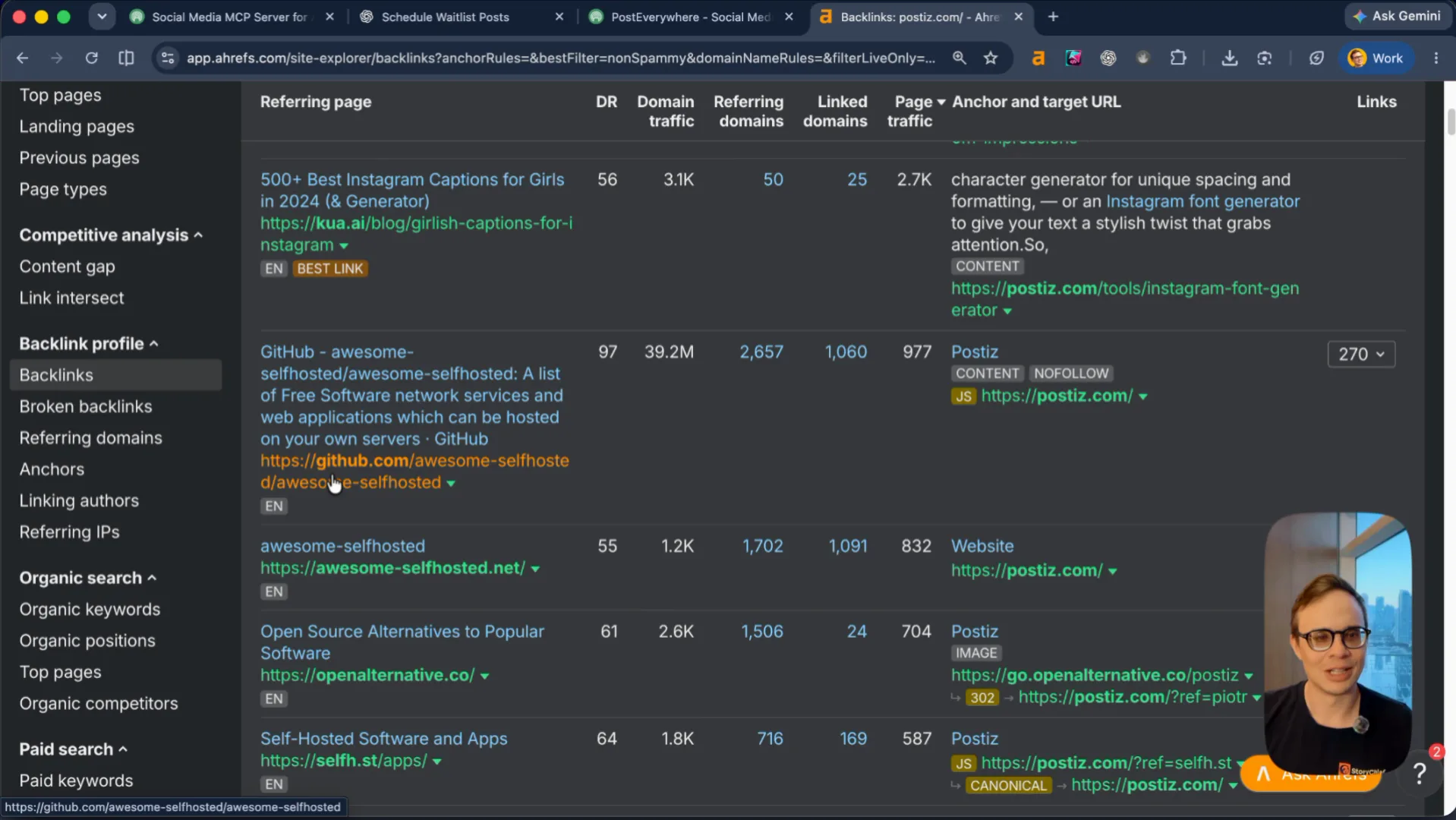
Look at Postiz (postiz.com) in Ahrefs. They avoid spammy links and stack high-intent placements on GitHub (awesome-selfhosted), OpenAlternative, MCP Market, Composio, and cursor.directory, plus targeted guides like How to post to social media from Claude and How to connect Postiz MCP with Cursor. Every one of those directory pages ranks for agent + social media queries and passes a clean backlink.
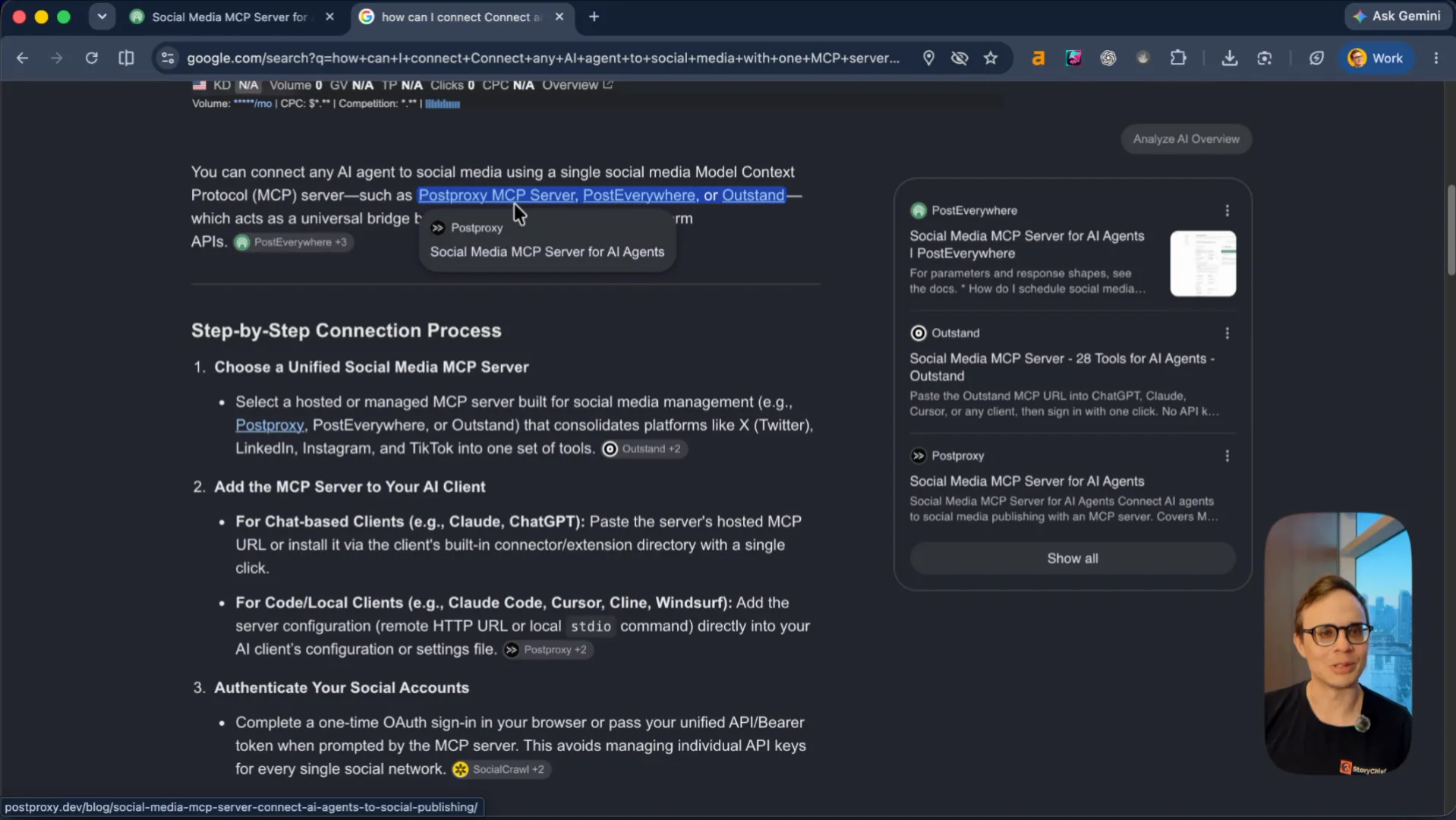
When you search the exact long-tail query from your hero—how can I connect any AI agent to social media with one MCP server—the Google AI Overview already names Postproxy, PostEverywhere, and Outstand (alongside Buffer, Postiz, and Blotato). Below the AI Overview, YouTube videos and Reddit threads outrank traditional blog posts, and the competing MCP landing pages sit at DR 31, DR 35, and DR 38. With your DR 64, you can outrank every one of those pages by publishing dedicated YouTube walkthroughs, answering the Reddit threads, and getting listed on the same MCP directories as Postiz.
Your agent-readiness baseline is already 85/100
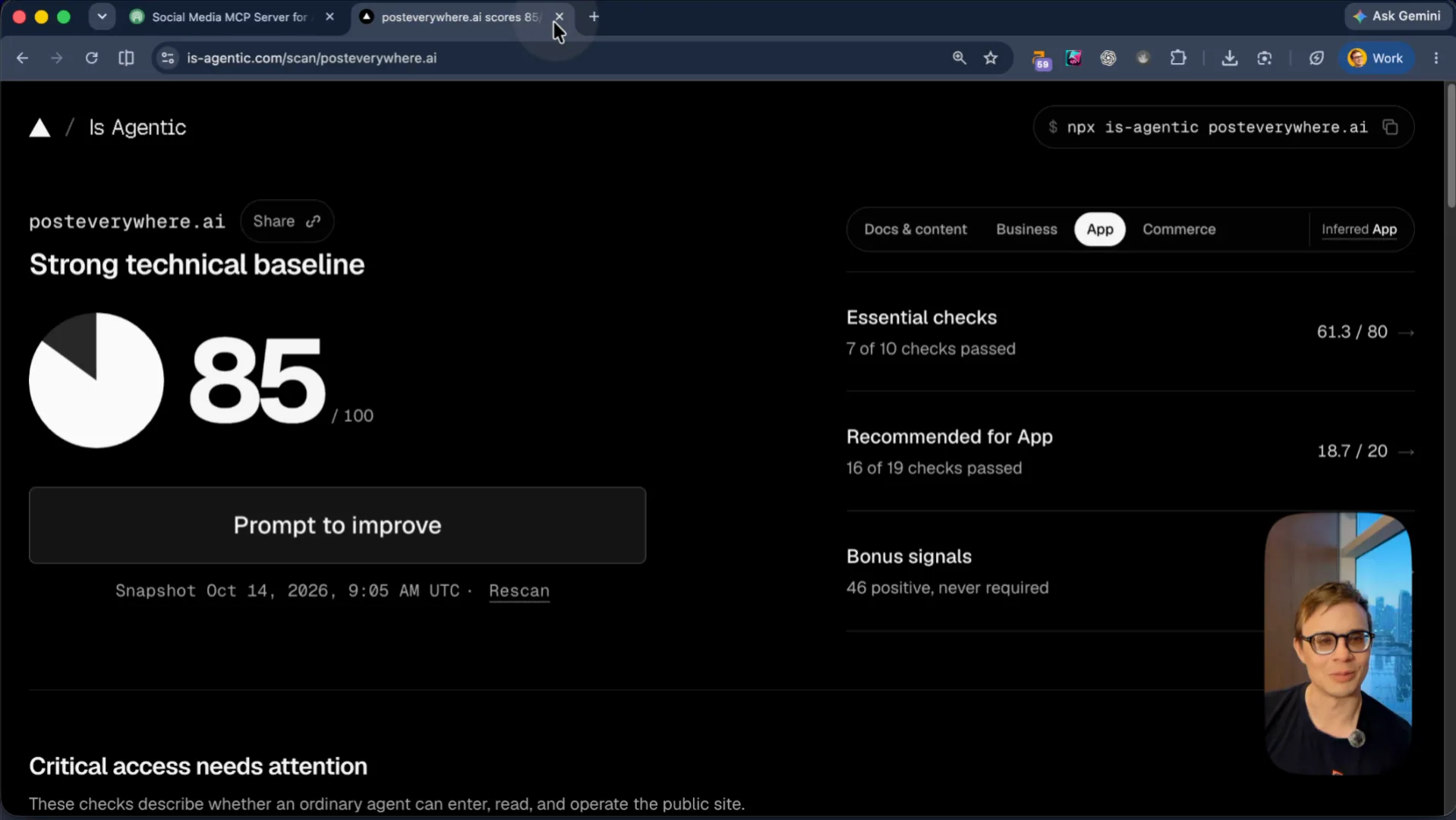
To check how agents read your site today, I ran ora.ai/scan/posteverywhere.ai and Vercel's is-agentic.com (npx is-agentic posteverywhere.ai).
PostEverywhere scores 85/100 ("Strong technical baseline", 16 of 19 app checks passed) on is-agentic.com, and Ora's agent feedback reports a 100% success rate integrating your API, flagging only two small developer-experience fixes: add Idempotency-Key support on publish requests and return structured JSON error responses.
TLDR
- Tighten your listicles: Add product logos, real in-app screenshots, and an MCP / AI Agent comparison row to your cross-posting and publishing tool roundups so readers don't default to Buffer. Fix the "12 vs 14" graphic mismatch on partner listicles like Postiv AI.
- Submit to the native agent marketplaces: ChatGPT and Grok check their own connector catalogs before Google. Submit PostEverywhere at
platform.openai.com/plugins,cursor.com/marketplace/publish, Grok's connector catalog, and Claude's directory. - Replace
/agentswith a copyableSKILL.mdand direct onboarding: Stop sending every "Connect your AI agent" button on pages like/linkedin-schedulerto a long Developer-mode wall of text. Let the user pick their agent (ChatGPT, Claude, Cursor, Grok), copy one skill prompt, and land on a pre-filled confirmation screen. - Copy Postiz's MCP directory links: Get listed on MCP Market, Composio,
cursor.directory, OpenAlternative, and GitHub MCP lists, and record a YouTube walkthrough for the "social media MCP server" SERP where you already out-authority DR 31–38 competitors. - Fix the two API paper cuts Ora flagged: Add
Idempotency-Keyheaders and JSON error bodies so agents retrying a scheduled post never double-publish.