Public SEO Roast

Hoverify SEO Audit

Programmatic SEO strategies & free tools to grow to 1M+

tryhoverify.com339 transcript segments
Roast my site next
0:00 / 0:00

Full Video Transcript

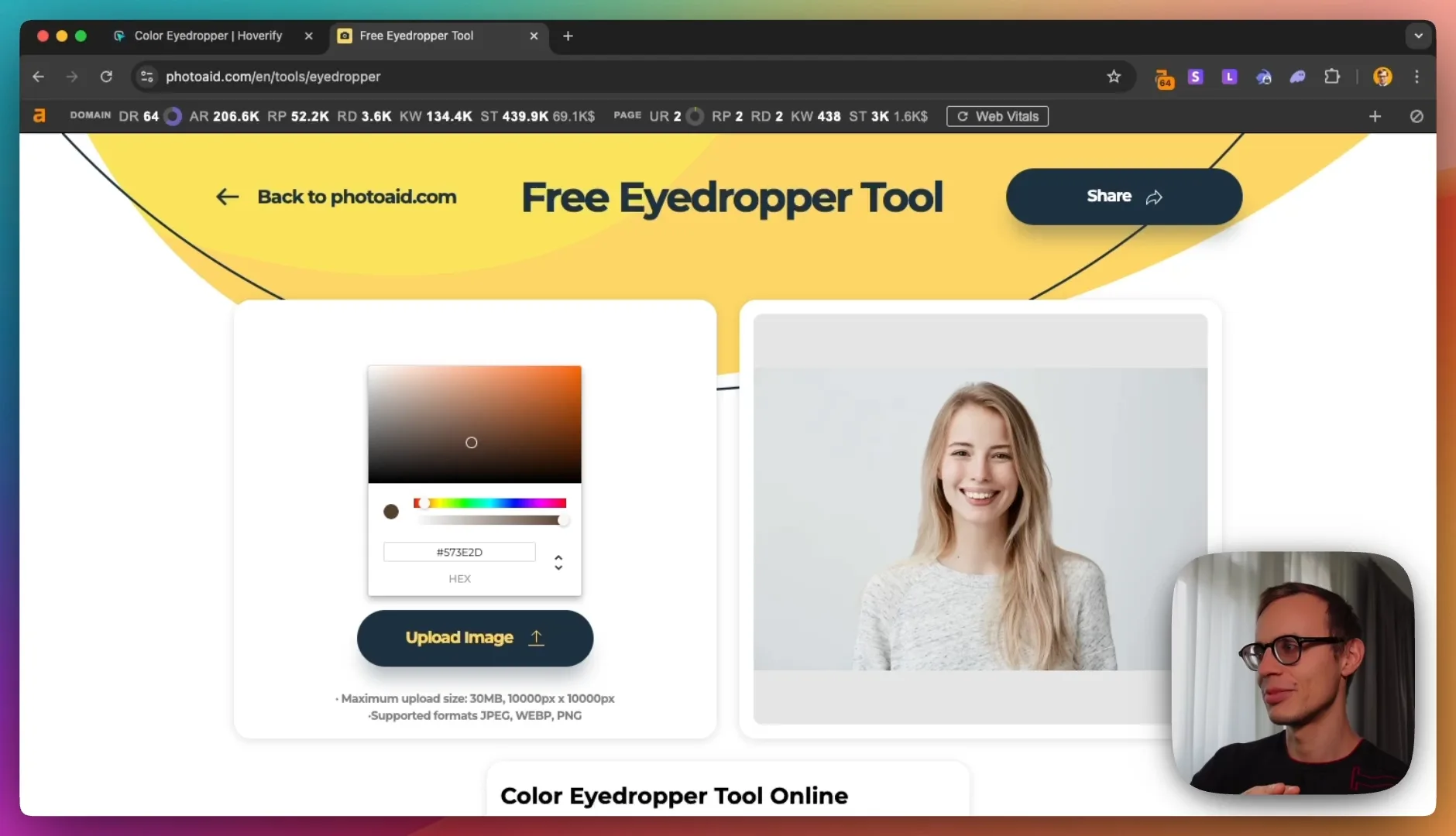
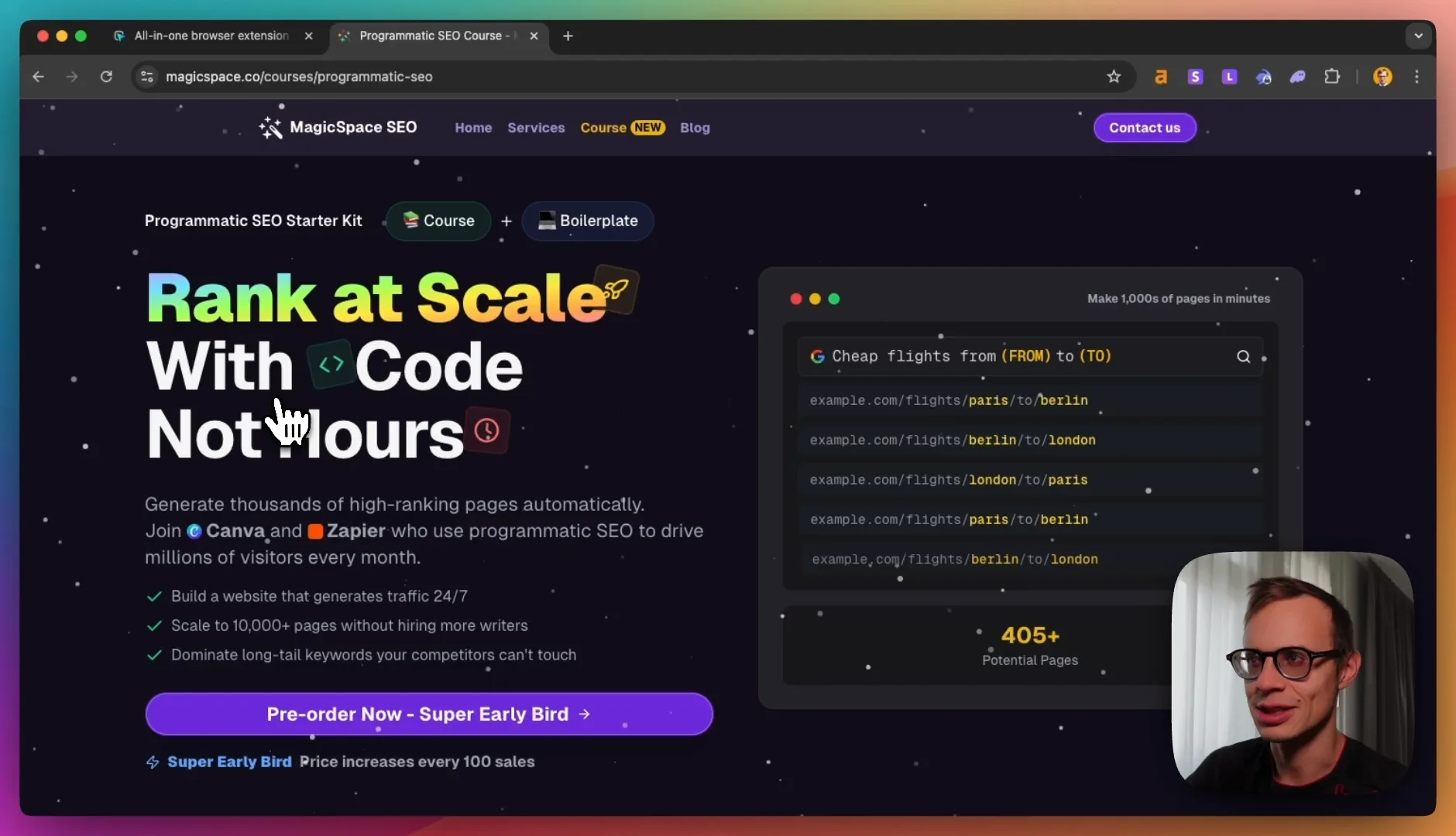
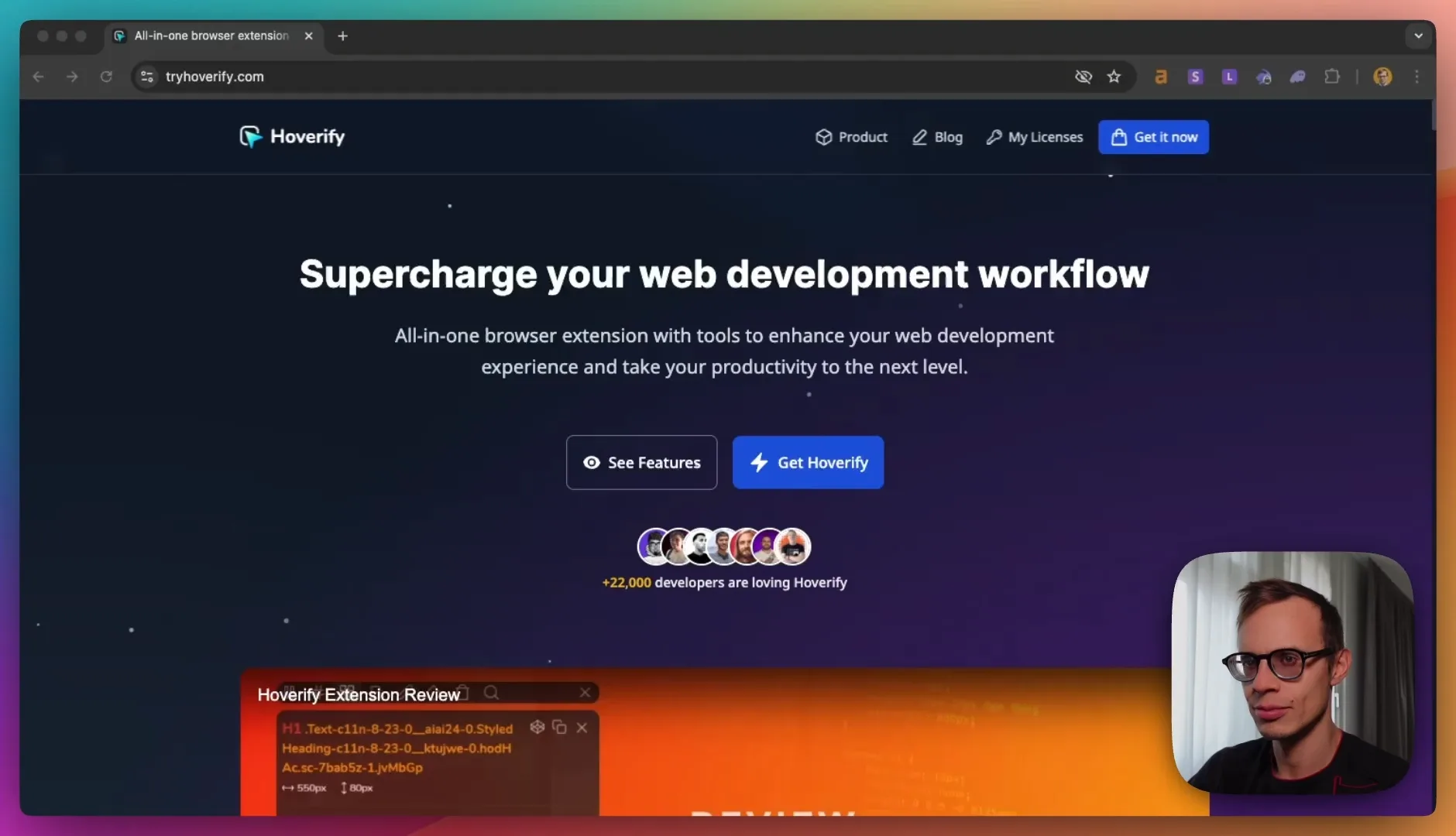
Hey everyone, welcome to another SEO roast. Today we'll be taking a look at TriHoverify, a Chrome extension that has many different useful tools for software or web developers. We'll be taking a look at what type of things that they can do to improve their SEO and grow faster. So before I start, we launched something called the Programmatic SEO course at magicspace.co. So you can go over here, check out the Programmatic SEO Threader Kit and pre-order for sale. We've been using this Programmatic SEO strategy for a lot of customers and they've been able to grow faster. So that's why we're packaging all the things that we did and all the strategies we use and even all the code and starter kits that we used before. So for example, in our audit of TriHoverify, I'll highlight definitely a lot of stuff that they can do for Programmatic SEO, which also makes sense for them. So before we start, we can take a look at the website and see if there's anything that we can improve just on the first glance. Usually it has a personal opinion, but also some on-page SEO work. We use Ahrefs SEO Toolbar for this and we generally check the main stats. So here we can see the metrics right away. For example, the main rating is 30, they have 320 backlinks and they have a little bit of traffic on their website. The next thing that we check is the content, which means like the on-page SEO. For example, we see that their main keyword or the main title that they have here is an all-in-one browser extension for web development. If we Google this, we will see right away that they are number one, but it also doesn't have so much volume. Like people get it, but the SERP keywords that they generally use are a little bit different. For example, the things that we can see here using our extension that is also called Keywords Everywhere, we see that the keywords that generally are being used here on this list, for example, here try hoverify is ranking for hoverify, but the second one is ranking for Chrome extensions. The next one is Chrome extension for web developers. And we can also see if we use the toolbar for Ahrefs that we can click and see the specific keywords that some of these SERP pages use. For example, the third one, they have the organic keywords for Chrome extension for web developers. If we then sort it by volume, you will see that Google extensions is of course very big. Best Chrome extensions is being used, but they're not really ranking for this. So a quick way to filter for that is to filter out by position up to 10. And we see that, okay, this is a better list. It's sorted by volume, but they're also ranking for this here. And the best, most relevant keyword that we see is a web developer extension. And in this list, we see that the cool Chrome app store is being ranked first, which is good, right? Because you can rank your own page here, but it's even better instead of having this as a like a paid tool, that they already get people to download it to itself. Without get hoverify, they just download it right away on the Chrome developer store like here. And they, for example, web developer just added to Chrome. And then you can ask later for a payment. So I would change this to improve the conversion rate, to remove get hoverify and just get it now, just make it like immediately like download to Chrome. And then you ask for a payment later to in the Chrome extension pop-up or toolbar or whatever, or you offer some features for free and then get paid later. Because if you were able to rank on Google, you'll get, as you can see here, a million plus users. This is gonna be a lot easier to close a lot of these people and get a lot more sales than to sell something that you first have to get a payment for. Even they have a lot of ratings and everything. So the competition is quite difficult. The other ones that we see here, mostly because Google.com that we're browsing on, that they showed like their own properties. So they will show another Chrome app store. Here's another one with 10,000 users. Here's someone who works as a web developer and making Chrome extensions, or there's also like a page similar. The title is just web developer, but they're ranking because they have a 76 domain rating. Meanwhile, yours is 30, right? That's what you remember. Then the other examples here are also docs for Chrome developers, Firefox add-ons. BrowserStack has a listicle on the 22 best Chrome extensions for web developers. So what you want for sure to get listed on this result for this keyword is you don't want a Chrome app store plugin that you can just sell right away. You can add backlinks to this from your website. Plus you make sure that you get listed in the listicles. To get listed in those listicles, I would recommend using linkedr.com. And then you find a lot of these examples and you can email everyone in bulk. But if you don't have this tool, that's fine. It just simplifies a lot of work. But the idea is you would go to the about us section, try to figure out like the email, who they are, maybe contact them on LinkedIn or Twitter and send them something like here. Hey, I'm interested in other. I would like to get mentioned for my tool in the Chrome web extensions listicle. And that will move up your position in the Chrome web extensions listicle. And then you can also find a lot of these examples that you can actually get listed here. You'll get a lot more traffic for free, right? Maybe you can offer them some things like an affiliate program or a free usage of your tool and so on. So this will be the most relevant, but also it will help to change your title a little bit to web developer extension hoverify or hoverify web developer extension. This will make your title just a little bit shorter. And the other things here is if we check the on page H1, here, Alex Napier Holland, he made a little tweet about it that you can improve your conversion rate by a lot by really talking more about what specific things you can do. So this will help a lot. Read this guide by him, and then you will see a lot of tips that you can improve for your landing page. For example, instead of supercharging web development workflow, it doesn't make sense because this could be like a cursor AI. This could be like a Chrome plugin. This could also be like a smart AI assistant. This could be just to get help copilot. It doesn't really say anything what it is about. You could just say the web developer extension that will help you do a lot of things or something, right? But you have to think about it yourself maybe because it's quite a lot, right? So as far as your traffic goes, if we go deeper into an exploit that we see on Ahrefs, the overview that you have been growing for some time. So we started zero traffic and now it's going up. So you take the time to invest into SEO rows and get this, purchase this rows that we're doing publicly. Now for your backlinks, they're quite good. So you have the hoverify reviews, you're getting reviews, that's good. It drops off quite quickly. So you might want to try some of these ideas for Googling the keywords and trying to contact everyone to get backlinks. That's one that works the best, but also you need a bit more pages. So you have the tools list and you have just one blog. For a start more than a website with this simple trick. This is decent. I wonder if this title is long enough. So one thing you can check is you Google the URL and this will show us that the pattern was being showed correctly, except the last part is missing. So that's fine. But I would see, for example, for your blog, to Google this, for example, voice dark mode, and then see what else ranks. And then you compare your site to another one. And for example, you can check the first blog post here, how to voice dark mode on every website in Chrome. For example, here, they talk about Chrome specifically and you talk about Firefox and Chrome. So one way you could improve this is just having two different variants. So you have a blog post for Firefox and another blog post for Chrome. And to be a bit more specific, I'll potentially get you to rank higher because you can add more examples, right? You can, you will show this example, but they show a lot of screenshots. There's like an experiment where you add auto dark mode for web content and so on. You go to the Chrome Flex. So your examples and theirs is like completely different. So you would want to write more blog posts like this, but just compare your keyword to the other SERP competitors. So otherwise we have a bunch of tools here. So we have an inspector, a color eyedropper, responsive viewer, assets, a SEO side stack, a website screenshot and so on. These are really good tools. So there's a lot of possibility here. The only thing is that I saw on Ahrefs that you just have one tools page. So it goes to tools and this is like a free tool for a color eyedropper, which is not bad. Okay, it's nice that you have this. Just might not be enough for Google because let's say you Google color eyedropper, you actually have this example anyway. Free eyedropper tool, this seems a bit more specific and potentially a little bit better result if you compare left to right, you'll see that there's one, they have an image in the top, you have a share button, it says free, it has the result and everything. So that's nice. This will help you a lot better. So let me show you otherwise some ideas for programmatic SEO that you can use. So for example, you can have a programmatic SEO for like hex colors. So that's something that we did at gradient page. For example, you would have a lot of different UI gradients or list of colors over here. So as an example, you can have every color listed like 0080 and this is the blue color. This will allow you to have a million pages plus and you can use this one for your color eyedropper. For example, you select it and you have a backlink with a specific color page link to that one. So that would be a bit useful. Otherwise you can have a previewer. So maybe you have a screenshot on your website where you can list a lot of examples. Otherwise you can have, the site stack is also very good. So if you have a site stack, maybe you have a free site stack checker, but you can also list all these websites. So what is the tech stack behind, for example, hrefs.com. We see that we have WebAlice, websites using hrefs. So they are doing some of this, but also I know, for example, about buildhub.com. So find out all the websites to build with. If we drop in your own website here, we'll be able to do a lookup and we'll see that you installed plausible and so on. So they have a specific landing page for your websites out here. And it's, for example, here, build with try hoverify and it's an unique page. And this way they have about 25,000 pages, 500K views. And they are showing basically all of this stuff here. So for each domain that people look up in your Chrome extension or in your website, we'll be able to show a huge list. But then if you have this build with idea, the next bite is you can build the relationships. For example, you can do a reverse check. Like here, the top website's using Dolt and then show the Dolt usage statistics, analytics and so on. And this would move your simple Chrome extension website to more like a database where people can look up anything and find anything. And this way you would have like millions of programmatic SEO pages and potentially get the same amount of traffic as build with because this is very useful information. So maybe you could even have SSL stuff or is it using WordPress or DNS statistics, make move all of these to like free tools or checkers or a domain directory where you can have the simple results like this with categories and everything. This would help you also get backlinks because someone would be like, okay, here's a reporter, a journalist. He would say, here's a Dolt usage analytics. Here's how many people use Google analytics. Maybe it's dropping, maybe it's something else. And then you can also do the locations. For example, here's the USA versus Switzerland and the usage of specific tools based on IP address and so on. So this would be definitely very useful. Website previewer, maybe optimizer SEO. Yeah, you can have the free on-page SEO checker. Green shots are also good. For example, you could have this in a free tool section where you have a screenshot that you could take rather than see you have this one yet. But I think for programmatic SEO, the build with idea is very good. And the colors idea is also very good because it definitely works. Web analyzer also has a bunch of stuff. Let's see. They have lookups for the specific website and they also have like specific technologies. For example, websites using shop pay and so on. So this definitely is a good strategy. For gradient page, let me show you the statistics that we have already here. So it's growing quite quickly. As you can see, even I relaunched this website like last year or about last year. And now it's really being shown a lot more. So we have all of these UI gradients. So for each gradient, we have a little programmatic SEO page. For example, showing blue to orange Instagram gradient. And people look for this and then they find it and they copy it. And this is something you could also have for try hoverify. Just all the colors you picked have like a unique link or like a shareable link. And this would be very useful for people to get more info. And this way you would also get a lot more traffic. I hope some of these ideas help and try it out, give it a try. Thank you for taking in a SEO roast and definitely check out the course that I made on actually implementing a lot of this programmatic SEO stuff. Good luck.
Hoverify

Audit Breakdown

tryhoverify.com
hmnshumishra
hmnshumishra

Web Developer Extension

Actual roast notes

The teardown

No template scorecard here. The details below come from this specific audit.

SEO Audit Report: Hoverify

image.png

Chrome Extension for Web Developers

Current Status
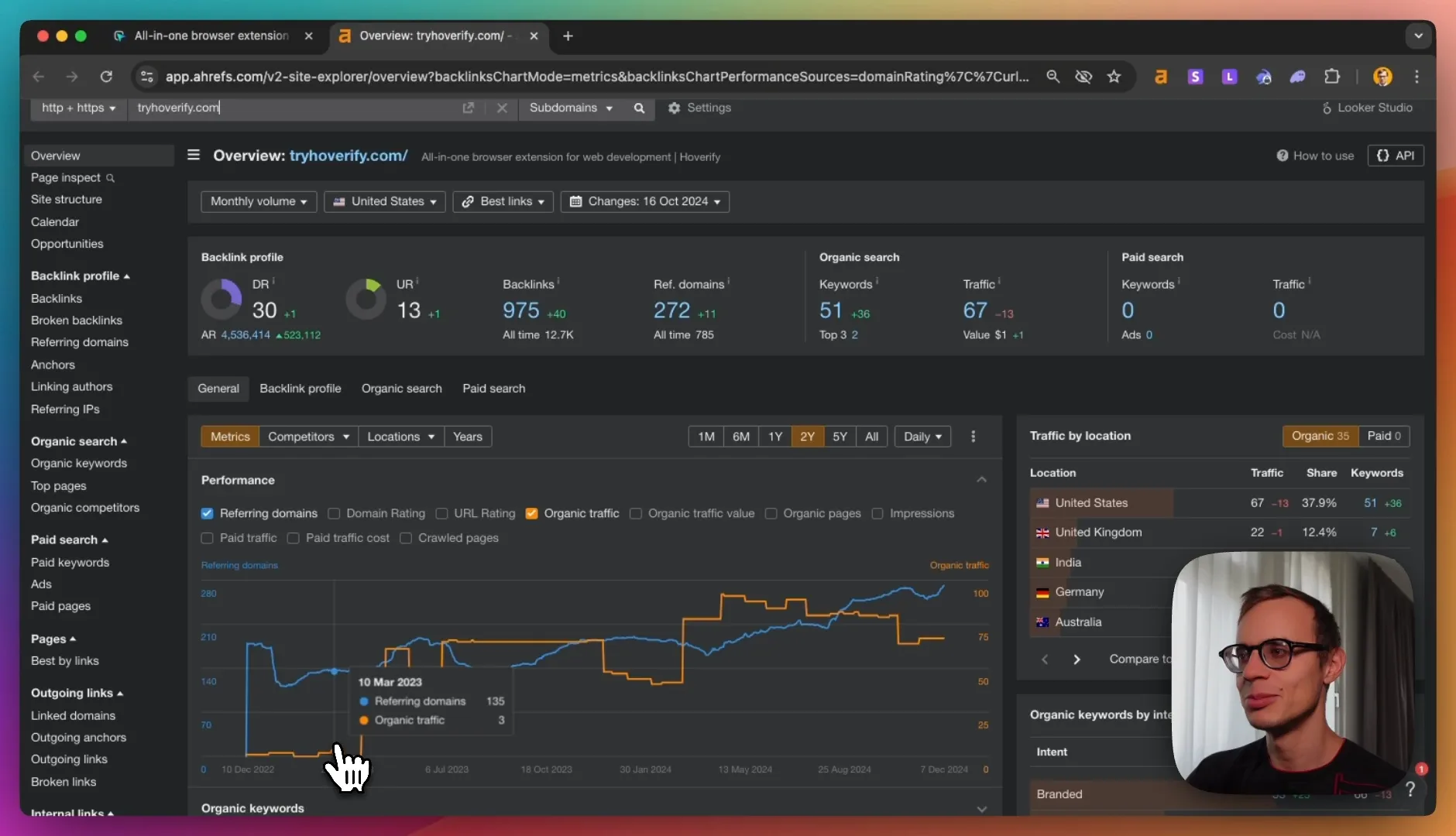
image.png

  • Domain Rating: 30
  • Backlinks: 320
  • Traffic: Growing but significant room for improvement
  • Current positioning: Ranking #1 for "all in one browser extension for web development" (low volume)

Key Issues & Opportunities

1. On-Page SEO Improvements

Title Tag Optimization
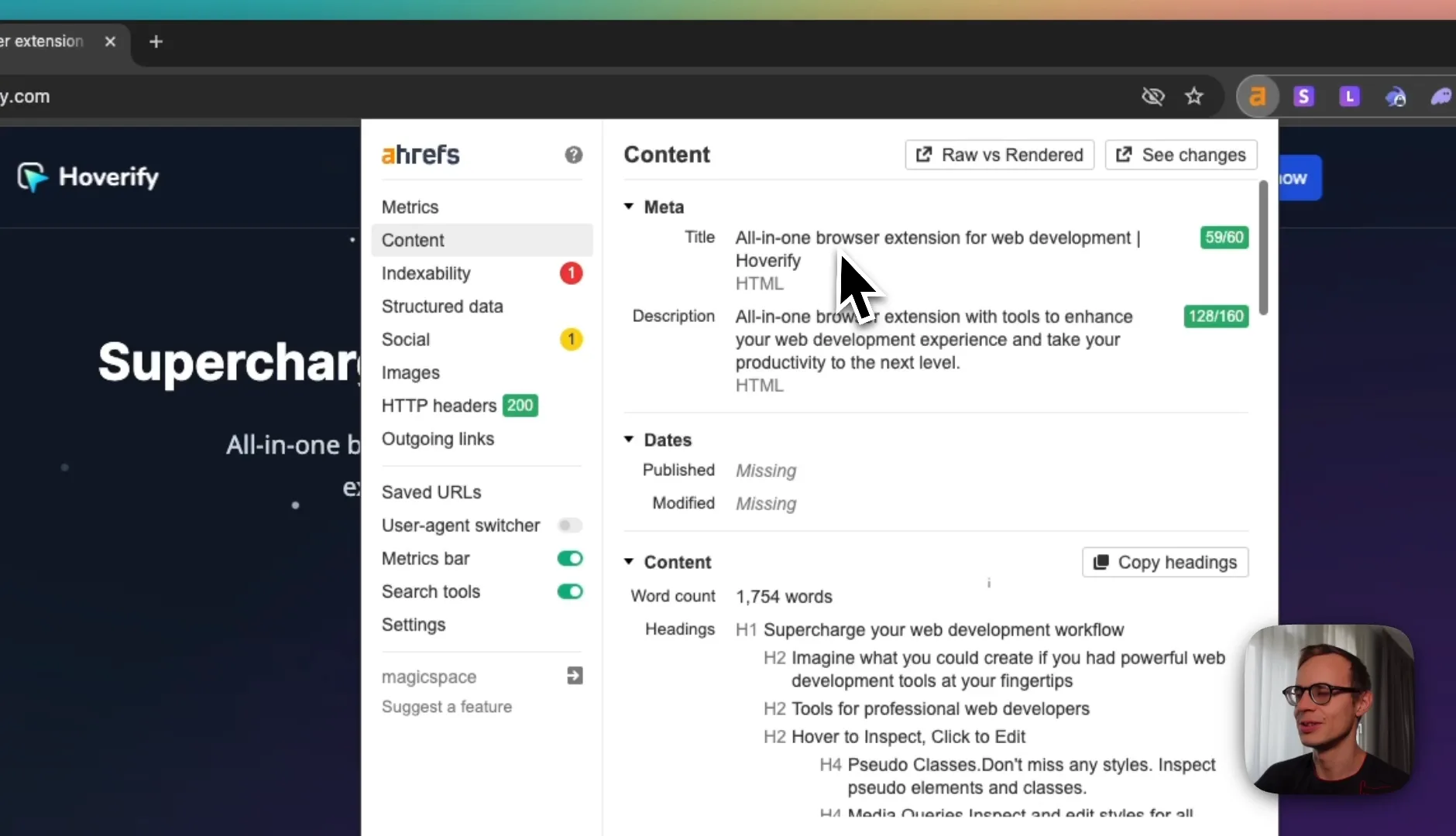
image.png

  • Current: "All in one browser extension for web development"
  • Recommended: "Web Developer Extension Hoverify" or "Hoverify Web Developer Extension"
  • Target higher-volume keywords like "web developer extension" (identified from competitor analysis)

H1 Optimization
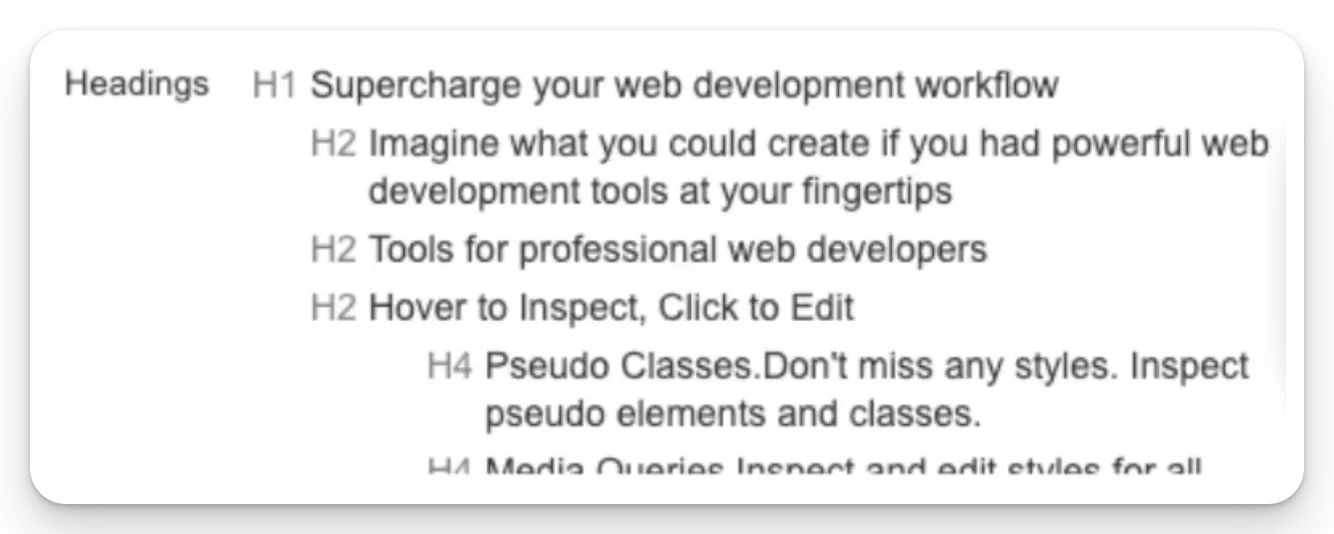
image.png

  • Current: "Supercharged web development workflow"

  • Issue: Too vague, doesn't specify what the tool actually does

  • Recommendation: Be more specific about features and benefits, e.g., "The Web Developer Extension That [Specific Benefit]"
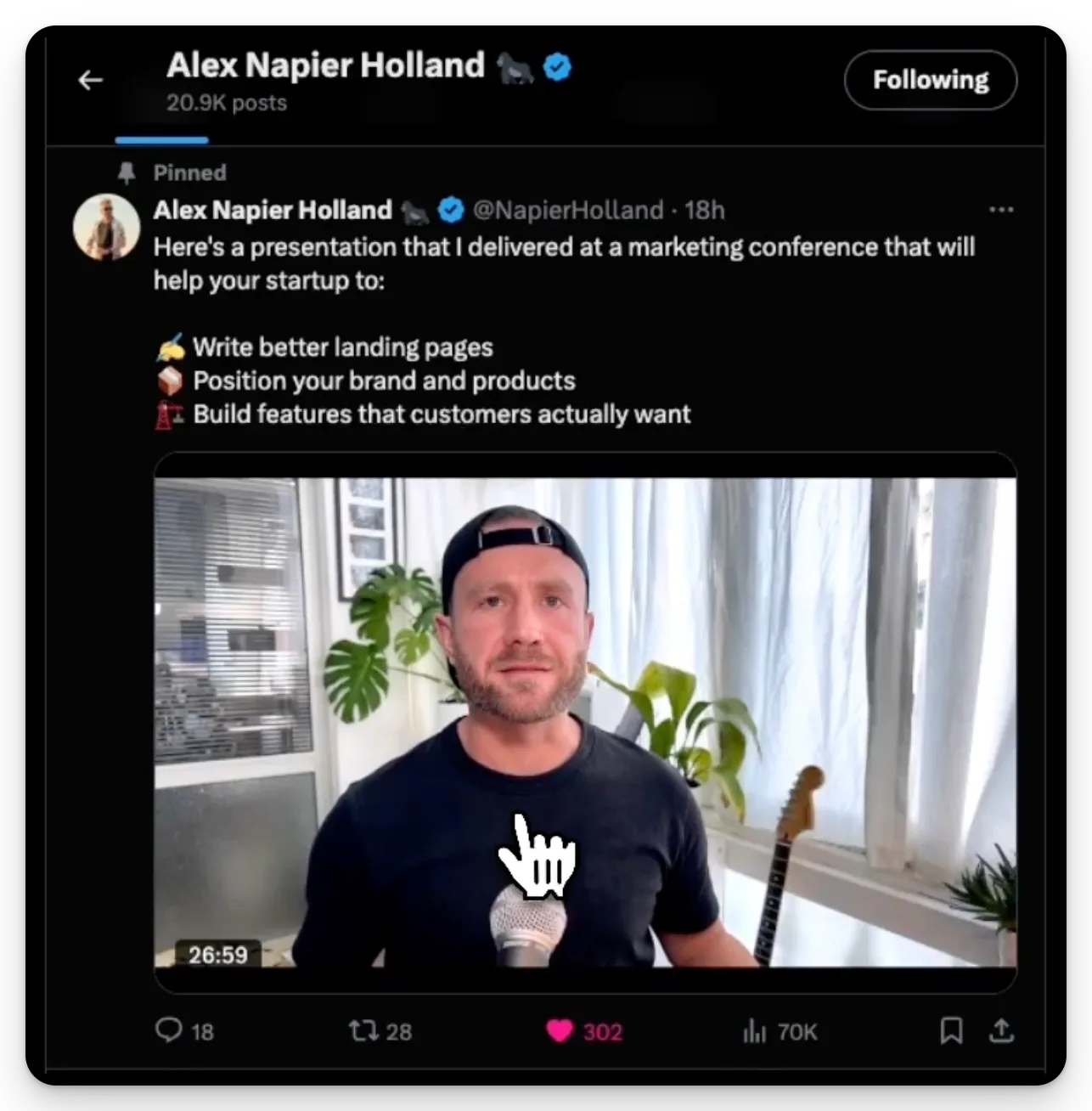
    image.png

2. Conversion Rate Optimization

Critical CTA Change
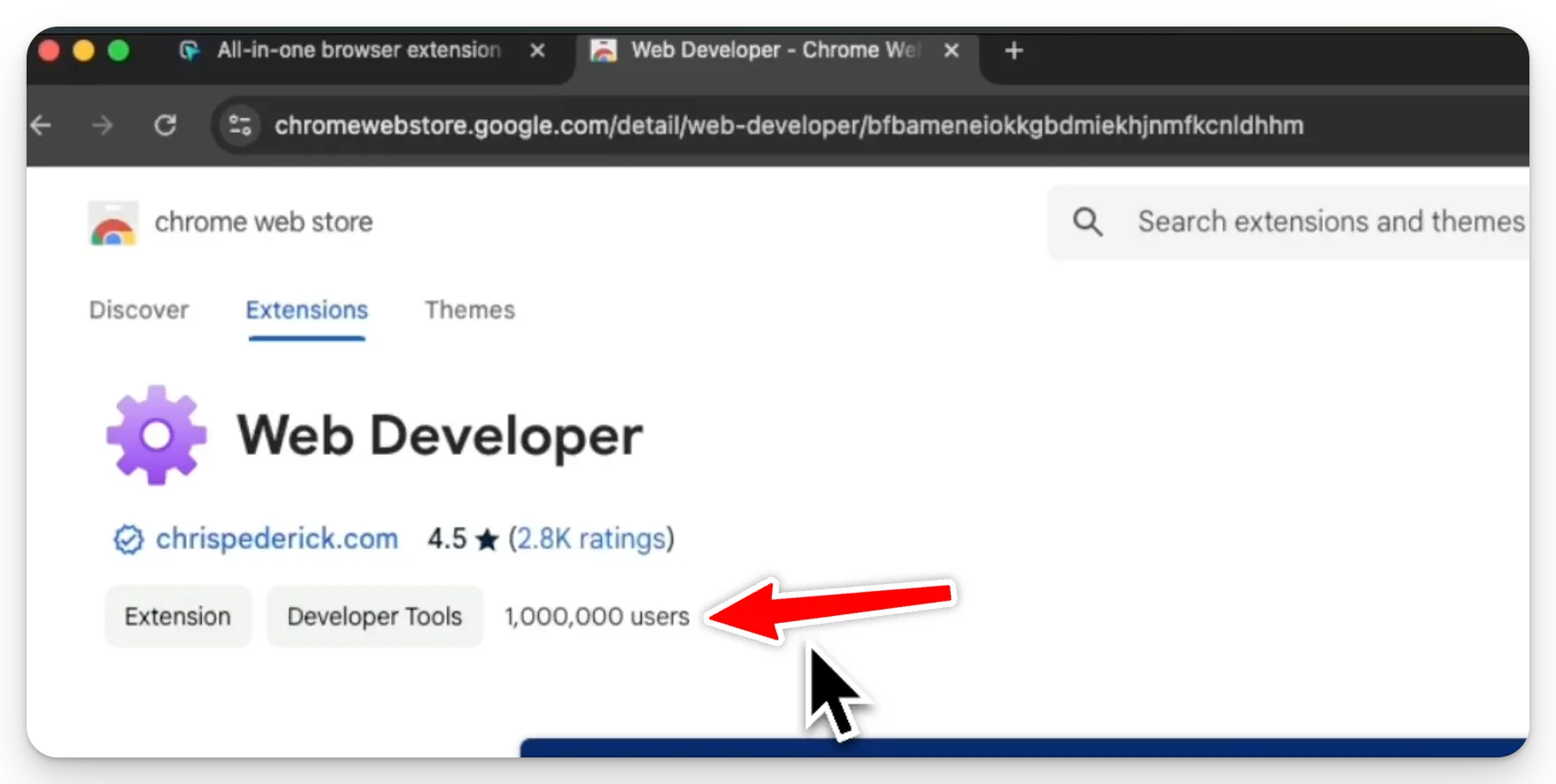
image.png

  • Current: "Get Hoverify" button
  • Recommendation: Change to direct Chrome Store installation
  • Rationale: Reduce friction, follow successful competitor model of free install first, monetize later
  • Example: Million+ user competitors use this model successfully

3. Content Strategy

Blog Content
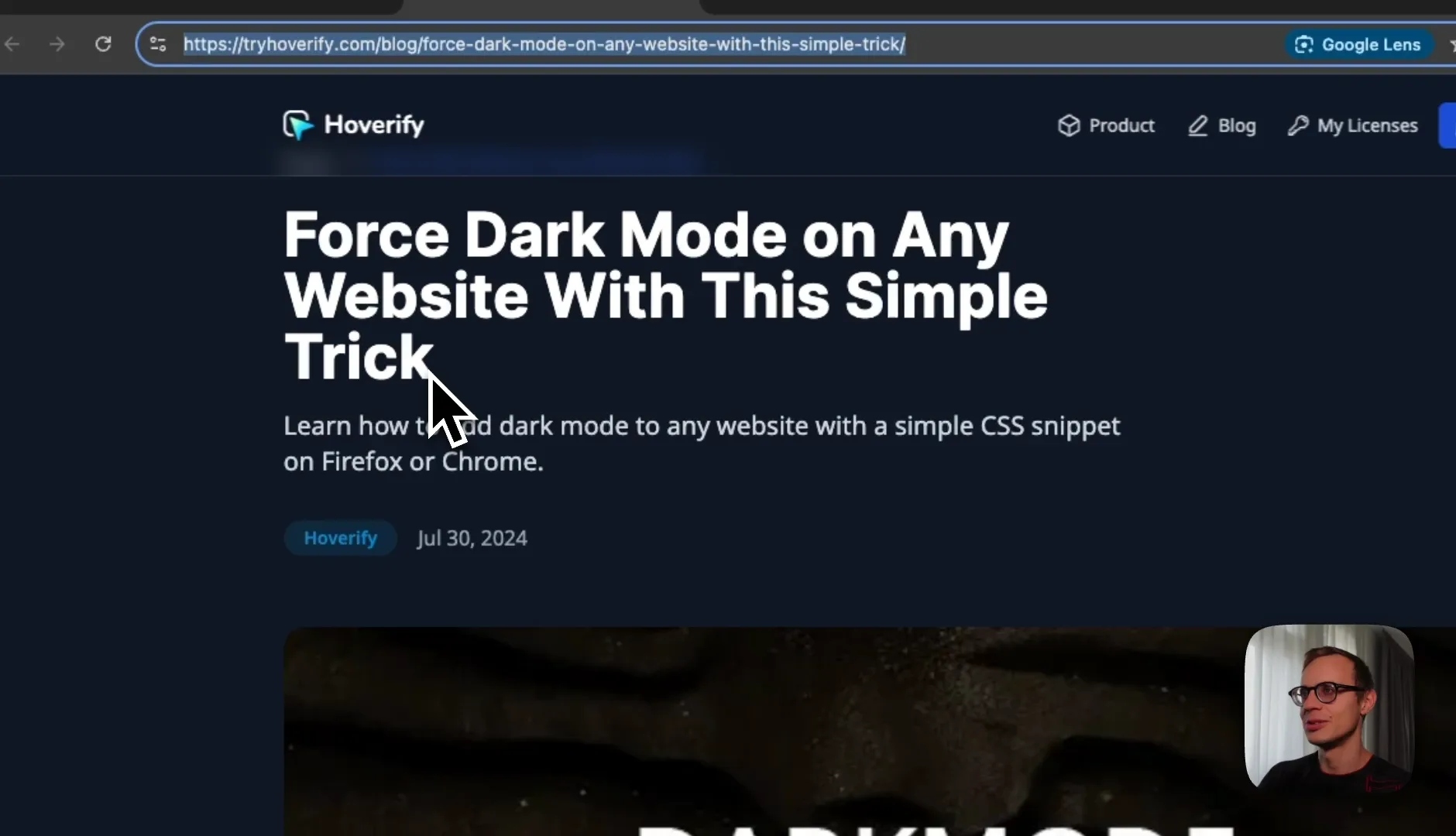
image.png

  • Current: Single blog post about dark mode
  • Opportunity: Split content into specific browser versions
  • Example: Separate posts for:
    • "How to Force Dark Mode in Chrome"
    • "How to Force Dark Mode in Firefox"
  • Add more detailed screenshots and technical instructions

Tools Pages
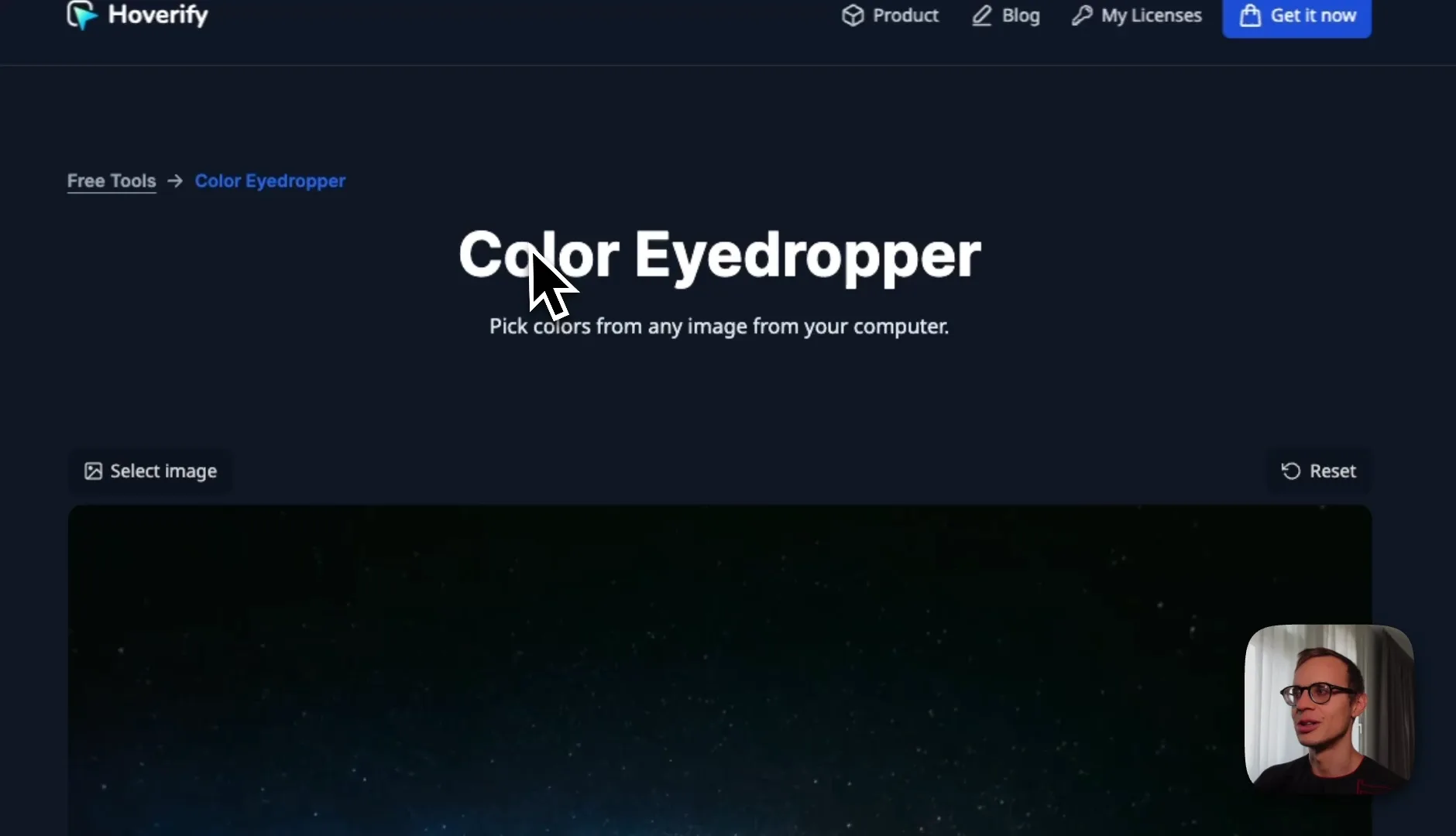
image.png

  • Current: Single tools page for color eyedropper
  • Recommendation: Create individual landing pages for each tool:
    • Inspector
    • Color eyedropper
    • Responsive viewer
    • Assets
    • SEO tools
    • Site stack analyzer
    • Website screenshots

image.png

4. Programmatic SEO Opportunities

image.png

💡 Learn programmatic SEO with our new course:
https://magicspace.co/courses/programmatic-seo

Color Tools Section

  • Create individual pages for hex colors

  • Example implementation like gradientpage.com
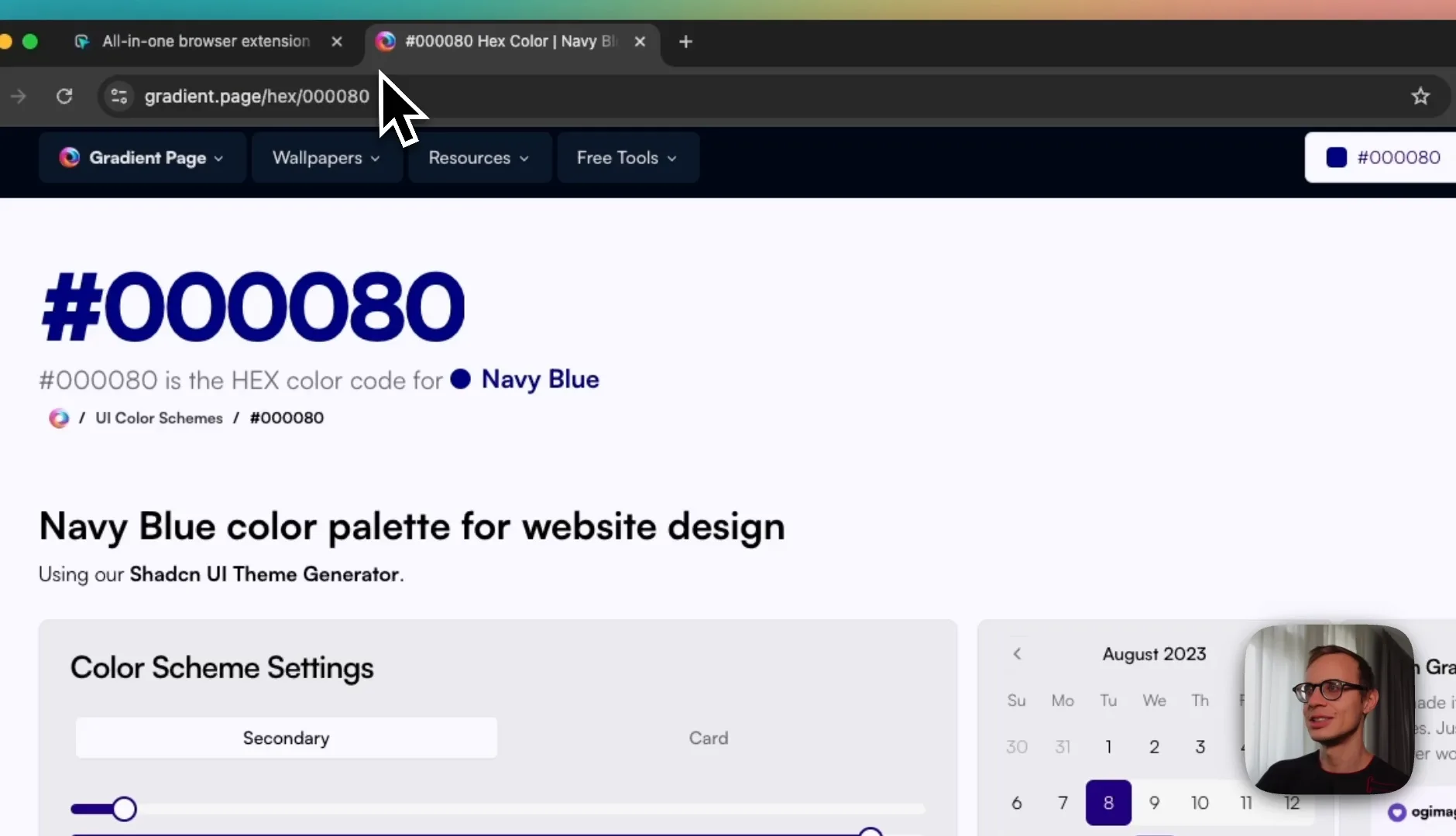
    image.png

  • Potential for millions of indexed pages

  • Each color could have its own landing page with tools integration

Tech Stack Analyzer
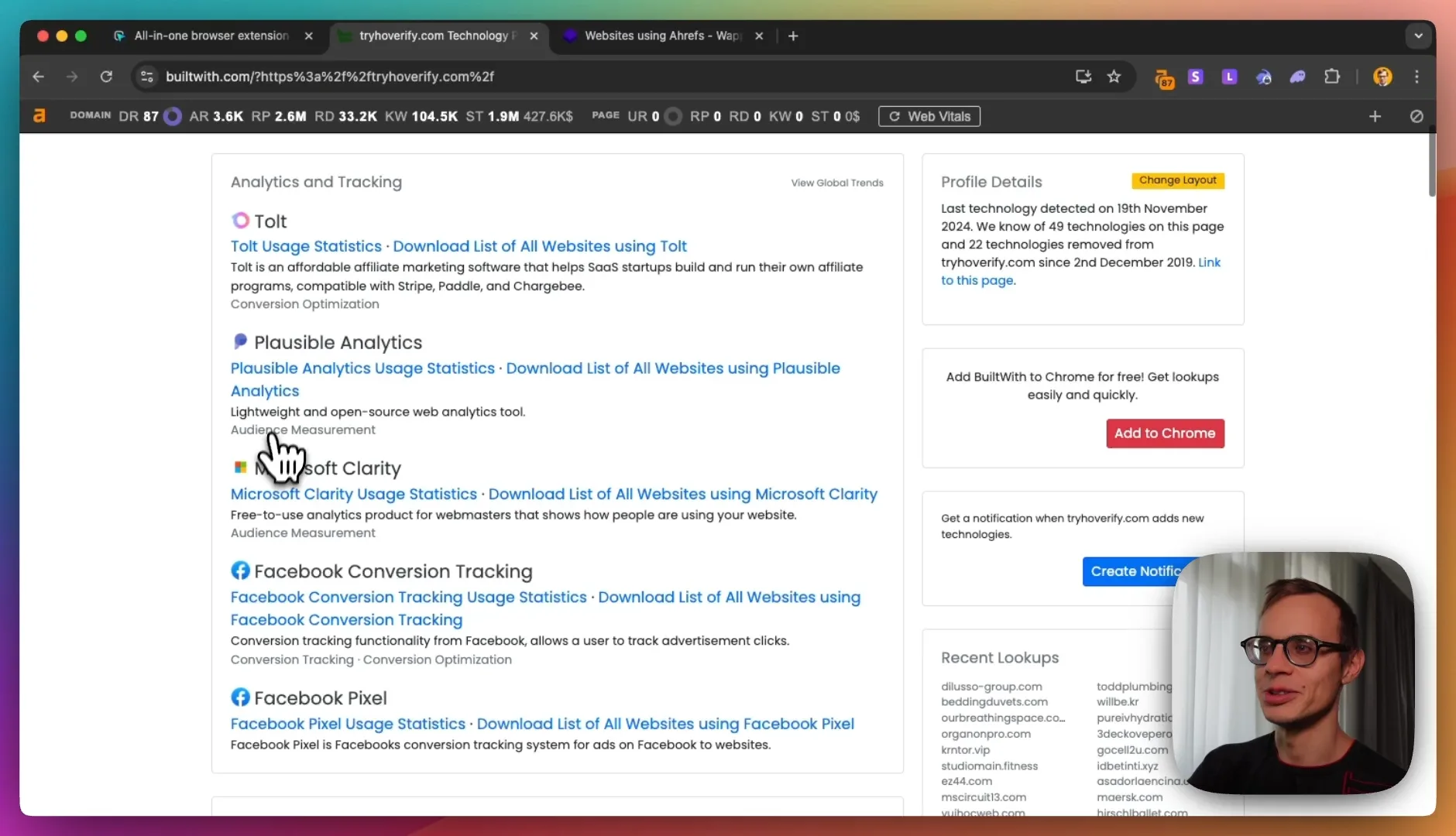
image.png

  • Similar to builtwith.com model
  • Create individual pages for:
    • Website technology profiles
    • Technology usage statistics
    • Analytics implementations
    • SSL configurations
    • WordPress installations
    • DNS statistics

Additional Programmatic Pages
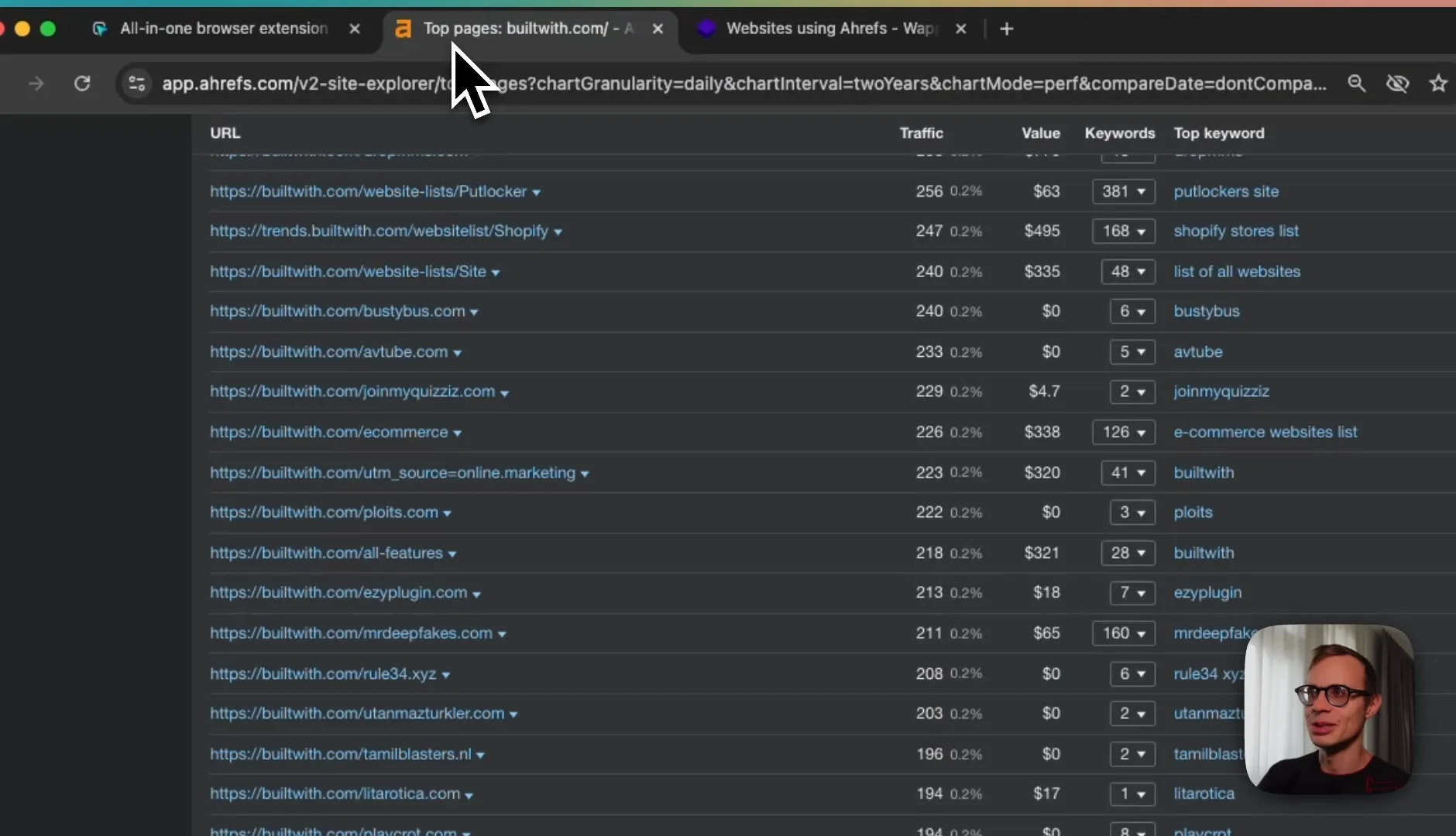
image.png

  • Location-based technology usage
  • Industry-specific tech stacks
  • Comparative analysis pages

5. Backlink Strategy

Listicle Outreach

  • Target websites listing Chrome extensions for developers
  • Use linkdr.com for bulk outreach
  • Offer affiliate programs or free tool access for inclusion

Review Sites

  • Current: Getting some review backlinks
  • Recommendation: Expand review site presence
  • Create dedicated program for reviewer outreach

Technical Implementations

  1. Create shareable links for each tool feature
  2. Implement proper URL structure for programmatic pages
  3. Ensure proper indexing of new pages
  4. Set up analytics tracking for new sections

Competitor Analysis Insights

Leading Competitors

  • Chrome Web Store listings
  • High DR (76+) developer resources
  • BrowserStack's listicles

Success Factors

  • Direct Chrome store installation
  • Comprehensive documentation
  • Strong backlink profiles
  • Extensive content coverage

Action Items (Prioritized)

  1. Immediate:
    • Update main page title and H1
    • Change CTA to direct Chrome store installation
    • Start listicle outreach campaign
  2. Short-term (1-3 months):
    • Create individual tool landing pages
    • Expand blog content with browser-specific posts
    • Implement basic programmatic SEO for colors
  3. Long-term (3-6 months):
    • Build out tech stack analyzer
    • Develop comprehensive programmatic SEO structure
    • Create automated backlink outreach system

Expected Outcomes

  • Increased organic traffic through long-tail keywords
  • Higher conversion rates from direct installations
  • Improved domain authority through quality backlinks
  • Expanded indexed pages through programmatic SEO
  • Better competitive positioning in developer tools space

This audit provides a roadmap for significant organic growth through strategic content development, technical SEO improvements, and systematic backlink acquisition.