
How to Create SEO Friendly URLs That Boost Rankings
Learn how to create SEO friendly URLs that drive traffic. This guide covers URL structure, keyword usage, and redirects to help you improve search visibility.

To create SEO-friendly URLs, focus on making them short, descriptive, and keyword-focused. A clean URL acts as a clear signpost for both people and search engines. Getting it right can boost your click-through rates and search rankings.
Why Optimized URLs Are a Game Changer for SEO
Does that jumble of letters and numbers in your browser's address bar really matter for SEO? The short answer is yes—a lot. Your URL is often the first thing a visitor sees, giving them the very first clue about your page's content.
A clean, descriptive URL is like a roadmap for both search engines and users. It tells them exactly what to expect before they click, which is an easy way to build trust.
The Immediate Impact of a Clean URL
When a URL is easy for a person to read, it does more than just look professional. It directly affects user behavior and how search engines view your page. In fact, studies show that pages with a keyword in their URL get a 45% higher click-through rate than those without.
This makes sense. When someone sees their search term in the link, they feel confident your page has the answer they need. A messy, auto-generated URL does the opposite—it creates confusion and feels untrustworthy.
Just look at the difference:
- Poor URL:
https://example.com/store/index.php?category=4&product_id=879 - SEO-Friendly URL:
https://example.com/womens-shoes/running-sneakers
The second one is easy to understand. It gives people a clear idea of the content and sends strong signals to search engines like Google, helping it rank for the right terms.
An optimized URL is an underrated on-page SEO factor. It’s a small detail that communicates relevance and trustworthiness at a glance, making it a powerful tool for earning clicks in crowded search results.
Good vs. Bad URL Examples at a Glance
To make this crystal clear, let's break down the practical differences between a good URL and a bad one. This table gives you a quick side-by-side comparison.
| Characteristic | SEO-Friendly URL Example | Poor URL Example |
|---|---|---|
| Readability | /blog/how-to-train-a-puppy | /blog/post?id=123&cat=pets |
| Keyword Use | /services/emergency-plumbing | /services/svcs_pg_4.html |
| Length | /about/our-team | /pages/view/default.aspx?pID=ab_tm |
| Hierarchy | /products/electronics/headphones | /?prod_cat=2&item=5543 |
As you can see, the good examples are simple and informative, while the poor ones are confusing and offer no value to users or search engines.
Beyond Clicks: Building a Logical Foundation
The benefits of a good URL strategy go beyond just getting more clicks. A consistent, logical structure helps search engine crawlers understand and index your website more easily. When your URLs follow a clear hierarchy—like using folders for categories—it helps Google see how the pages on your site relate to each other.
This organized approach is a core part of a strong content marketing strategy. For startups, getting this right from the start builds a solid foundation for growth. If you’re in e-commerce, these small details are key. You can learn more with these 10 Ecommerce SEO Best Practices.
Deconstructing the Perfect URL Structure
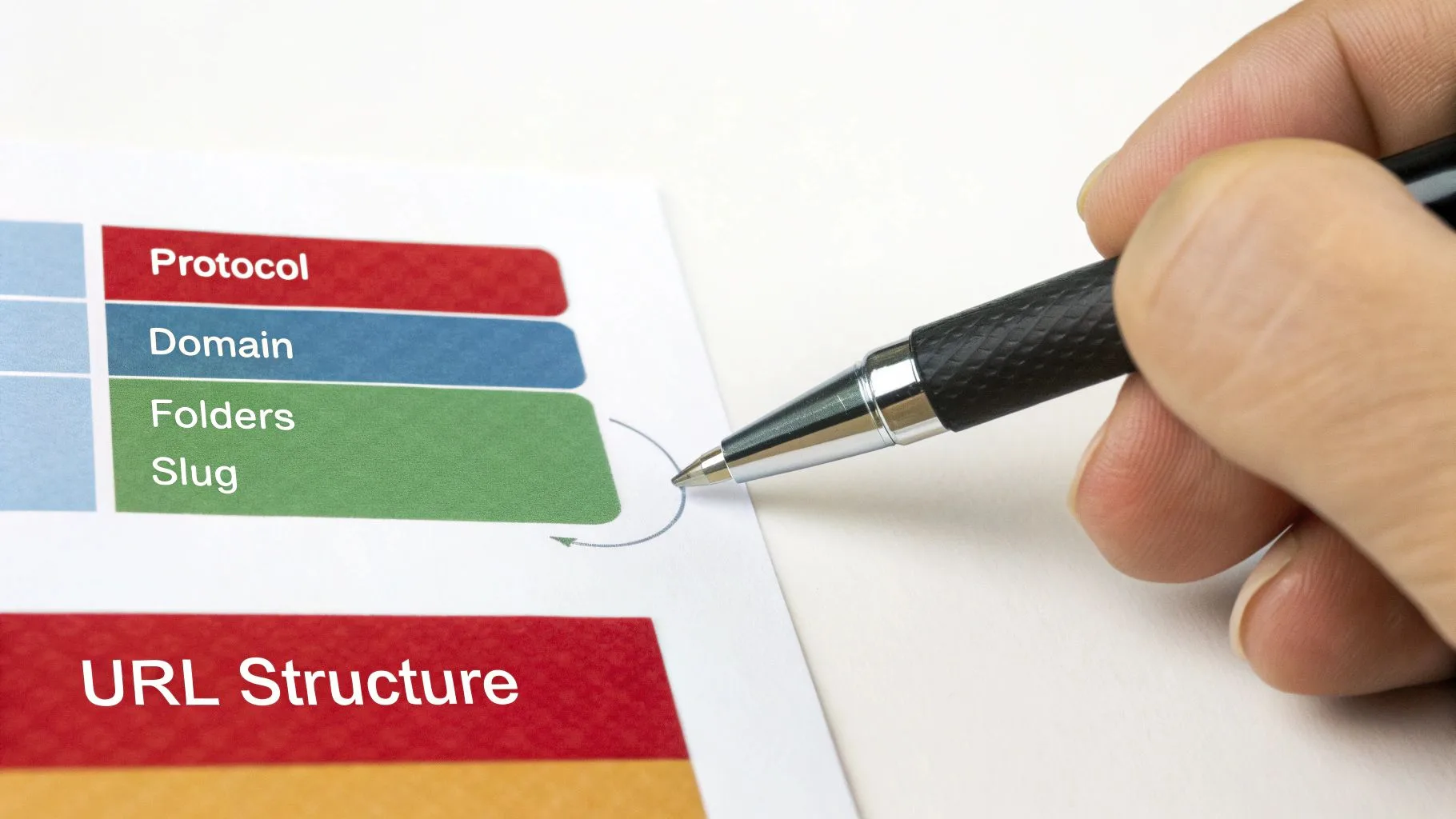
A URL might look like a long string of text, but a great, SEO-friendly URL is like a well-organized address. Each part has a specific job. Getting these parts right is the first step to building a logical site foundation.
Every URL starts with the protocol, which should always be https://. The 's' means your site is secure, which is essential for user trust and a small but confirmed ranking factor for Google. Next is your domain name, your unique address on the web.
But the real SEO magic happens in the parts after the domain.
Building a Logical Folder Structure
The parts of the URL after your domain are often called subfolders or subdirectories. Think of them as digital filing cabinets that help you group related content. A clean folder structure builds a clear hierarchy, telling users and search engines how your website is organized.
Let’s say a startup sells software. They could structure their blog URLs like this:
- Good:
https://example.com/blog/saas-marketing-strategies - Better:
https://example.com/resources/blog/saas-marketing-strategies
The "better" example puts the blog inside a /resources/ subfolder. This shows that the blog is part of a larger content hub that could also include things like whitepapers or case studies. It creates a logical path and adds valuable context. This type of clear URL hierarchy is a key part of an effective site architecture for SEO.
A structured approach makes your site much easier to understand at a glance.
Your URL structure should mirror your website's navigation. If a user can understand the site's layout just by looking at the URL, you’ve created a simple experience that search engines will also appreciate.
Crafting the Perfect Slug
The final part of the URL is the slug. Its job is to describe the page's specific content. This is the best place for your primary keyword. Your goal is to be descriptive but short, without stuffing in too many keywords.
Here’s how this works for different types of sites:
- E-commerce Store: Instead of
/product-id-8871, a better URL is/womens-boots/leather-ankle-boot. - Blog: Avoid generic slugs like
/post-123and use descriptive paths such as/blog/saas-seo-strategy. - Service Business: A URL like
/services/emergency-roof-repairis much clearer than/srv-04.
A clean slug instantly tells a potential visitor what the page is about, which builds confidence and makes them more likely to click.
The Hyphens vs. Underscores Debate
Let’s settle an old SEO debate: should you use hyphens (-) or underscores (_) to separate words in your URLs? The answer is simple: always use hyphens.
Google's own guidelines are clear on this. They see hyphens as word separators, which helps them understand the individual words in your slug. Underscores, on the other hand, are often seen as word joiners. This means Google might read seo_friendly_urls as one jumbled word: seofriendlyurls.
Using hyphens ensures your URLs are easy to read for both people and search engines. It's the clear winner.
Getting Practical: How to Craft Clean URLs
Creating a great URL is as much about what you leave out as what you put in. It may seem like a small detail, but getting it right directly impacts your users and your SEO. The key is to build a few simple, consistent habits.
The most important rule? Keep it simple. Long, cluttered URLs are hard to read, annoying to share, and confusing for search engines. By focusing on being brief and clear, you create an address that works for you.
Start with Shorter, Cleaner URLs
When it comes to URL length, shorter is almost always better. Shorter URLs are easier for people to remember, type, and share on social media. They also look cleaner and more trustworthy in search results, which can convince someone to click your link instead of a competitor's.
This isn't just a guess; there's data to prove it. Google Search Central recommends keeping URLs simple, and performance data shows the average URL ranking on page one is around 53 characters. A short URL gets straight to the point, giving both users and search engines what they need without extra fluff. You can find more insights into URL length and performance.
Your goal is to be descriptive, but not write a novel in the address bar.
Stick to Lowercase Letters. Always.
This is a simple but critical rule: always use lowercase letters in your URLs. While some web servers don't distinguish between cases, others treat uppercase and lowercase letters as completely different.
This can cause serious SEO problems. For example, a server might see these as two separate pages:
example.com/Blog/My-Postexample.com/blog/my-post
When that happens, you’ve created a duplicate content problem. This splits your ranking signals and confuses search engines. Just stick to lowercase—it completely avoids this risk and ensures there’s only one official version of every page.
What to Leave Out of Your URLs
Knowing what not to include is just as important. Filling your URLs with junk will only hurt you. Here’s a quick checklist of things to remove.
- Special Characters: Avoid symbols like
!,*,',(, and). They often break URLs or get turned into ugly code (like%20for a space), making them unreadable. The only symbol you should use is a hyphen (-) to separate words. - Stop Words: These are common filler words that search engines usually ignore—like 'a', 'an', 'the', 'in', 'of', 'for', and 'but'. Removing them makes your URL shorter and more focused. For example,
/a-guide-for-seo-beginnersbecomes a much cleaner/guide-seo-beginners. - Unnecessary Numbers or Parameters: Unless a number is essential to the content (like in "10-best-laptops"), get rid of it. Randomly generated text like
post-id=123or session IDs adds no SEO value and just makes the URL look messy.Building a clean URL is like editing a sentence. Your first draft might be long, but you trim it down until only the most essential message remains. A great URL is one that someone can understand at a glance.
The platform you use matters when putting this into practice. Choosing one of the best ecommerce platforms is a big decision, as some give you more control and better built-in SEO tools for managing your URLs. Making these small changes a habit will help you build a solid, SEO-friendly foundation.
Handling Complex and Advanced URL Scenarios
As your startup's website grows, you'll run into more complex URL challenges. Simple, clean URLs work well for core pages and blog posts, but things get tricky with e-commerce, international sites, and frequent content updates. Handling these advanced situations correctly is key to keeping your SEO strong.
A common problem comes from dynamic URLs, especially on sites with filters and sorting options. Imagine an e-commerce store where shoppers can filter products by size, color, and price. Each combination can create a unique URL full of parameters, like ?color=blue&size=large. This can quickly cause a massive duplicate content issue, with search engines seeing hundreds of nearly identical pages.
The solution is the canonical tag. By adding a rel="canonical" tag to all those filtered pages, you tell Google which page is the main one—usually the main category page without filters. This simple tag combines all the ranking signals into one official URL, preventing penalties and boosting its ranking power.
This visual breaks down the core idea of creating clean URLs: keep them short, lowercase, and simple.
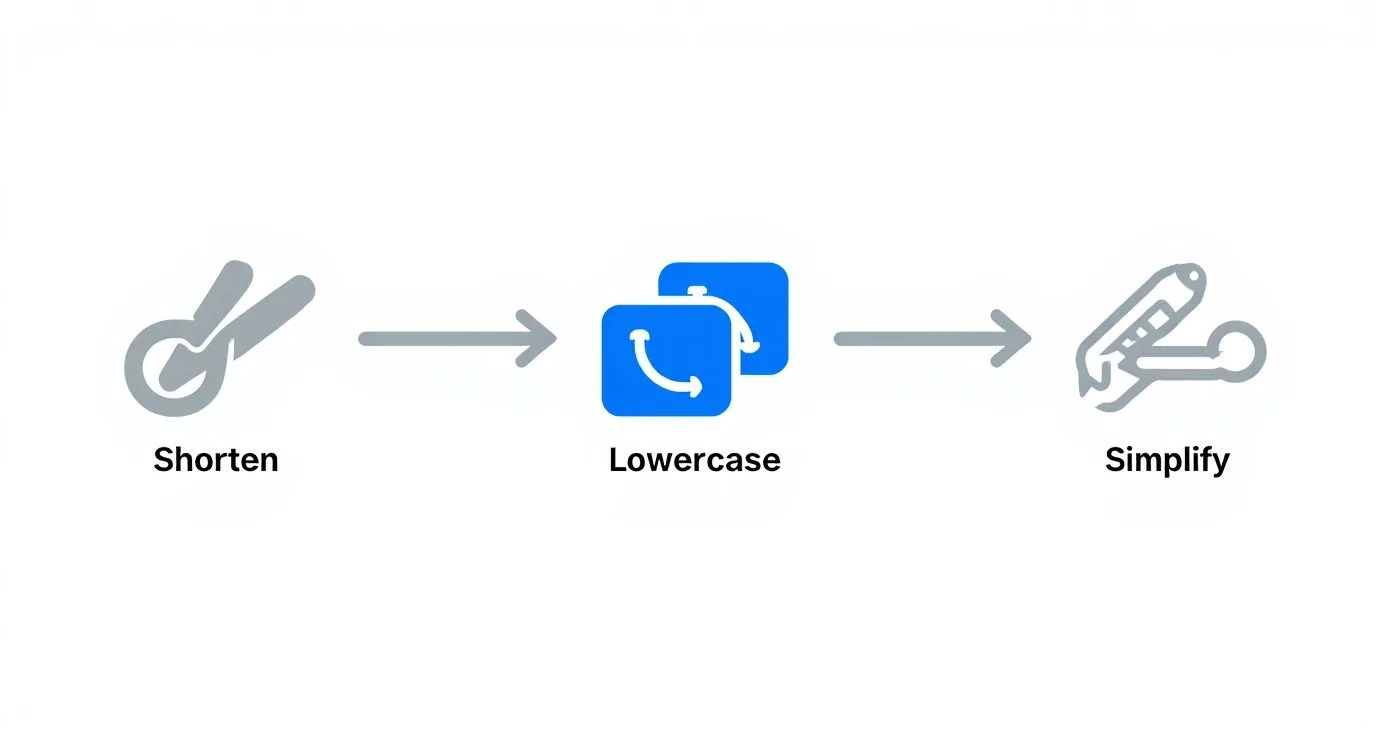
These three principles form the foundation of an SEO-friendly URL, making it easy for both users to read and search engines to crawl.
Navigating International SEO and Redirects
Going global brings up a big decision: how do you structure your URLs for different languages or countries? The two main options are using subdomains or subdirectories, and each has its pros and cons.
- Subdomains:
fr.example.com - Subdirectories:
example.com/fr/
For most startups, I almost always recommend subdirectories. They're easier to manage and, most importantly, they keep all your SEO authority on a single, powerful domain. Search engines can sometimes see subdomains as separate websites, which splits your ranking power and means you have to build authority for each one from scratch.
This is especially true when you scale with something like programmatic SEO, where a unified domain structure is a huge help.
When deciding how to handle URLs for different countries, it helps to see the options laid out.
Localization URL Strategy Comparison
| Strategy | Example | Pros | Cons |
|---|---|---|---|
| Subdirectory | example.com/fr/ | Keeps domain authority together; easier to manage. | The entire site shares one server location, which can affect speed for distant users. |
| Subdomain | fr.example.com | Clear signals for geo-targeting; can be hosted on different servers. | Can weaken SEO authority by splitting it across multiple domains. |
| ccTLD | example.fr | Strongest signal for geo-targeting to users and search engines. | Most expensive and complex; requires managing separate domains and SEO plans. |
Overall, subdirectories offer the best balance of SEO power and ease of use for most growing businesses.
Finally, you need to master the 301 redirect. Anytime you change a URL—whether you're updating a slug, changing your site structure, or moving to HTTPS—a 301 redirect is a must. It's a permanent signal to search engines and browsers that a page has a new address.
This is vital because it passes most of the old URL's "link equity" (its SEO value) to the new one. If you skip this, you lose all the authority that page has built, and anyone clicking an old link will find a broken 404 page. Proper 301 redirects ensure a smooth transition, saving both your hard-won rankings and your user experience.
How to Maintain URL Health and Avoid Common Mistakes
Creating the perfect URL structure is a great first step, but the work isn't finished. I've seen too many startups get it right at launch only to let their URLs get messy over time, which slowly hurts their SEO.
URL health is not a one-time task. It needs ongoing attention. Think of it like maintaining a car; you can't just ignore it and expect it to run perfectly. Regular check-ups are key to catching small issues before they become major ranking problems.
Proactive Auditing for Long-Term Success
The best defense is a good offense. This means running regular audits to keep your URL structure clean. You don't need to spend hours on this; a simple site crawl can act like a search engine and point out problems for you.
Here’s what I always look for during an audit:
- Broken Links (404 Errors): These are dead ends for users and search engines. A 404 tells Google your site isn't well-maintained, which is a bad signal. You need to know how to find and fix broken links on your website.
- Redirect Chains: This happens when page A redirects to B, which then redirects to C. These chains slow down your site and can weaken your backlinks. Always aim for a single, direct redirect.
- Inconsistent Formatting: Look for random uppercase letters, underscores instead of hyphens, or special characters that slipped in. Consistency is essential for search engines.
A clean URL structure is also a huge help for link-building. When your URLs look professional, other websites are more likely to link to them. This is critical when you remember that moving from position two to one in search results can increase your click-through rate by 74.5%.
Common URL Mistakes Startups Should Avoid
Growing startups often make the same few URL mistakes. The good news is that knowing about them puts you ahead of the game.
Watch out for these classic errors:
- Changing URLs Without Redirecting: This is the biggest mistake you can make. If you update a slug, you must set up a 301 redirect from the old URL to the new one. Skipping this makes your old URL worthless and creates a 404 error, erasing any authority it had.
- Using Dates in Blog Slugs: A URL like
/blog/2023/10/my-awesome-post/looks old by 2024. This signals to users that the content is outdated, even if you've updated it. Keep your slugs "evergreen" by leaving dates out. - Mixing Cases: I mentioned this before, but it’s worth repeating. Some servers see
.../My-Pageand.../my-pageas two different URLs. This can create duplicate content issues and split your ranking signals. Always use lowercase URLs across your entire site.Maintaining your URLs is just as important as creating them. A regular audit and avoiding common mistakes will protect your SEO efforts, ensure a good user experience, and build a stronger foundation for long-term growth.
Your Questions on SEO-Friendly URLs Answered
Even with a good plan, you'll likely have some questions when you're working on your site's URLs. Here are a few of the most common ones I hear, with quick, simple answers.
Should I Include Dates in My Blog Post URLs?
No. It's almost always a bad idea to put dates in your blog URLs.
A URL like /blog/evergreen-content-strategy feels relevant forever. But /blog/2024/content-strategy starts looking old as soon as the calendar turns to 2025.
Leaving the date out keeps your content timeless. It also makes future updates feel more natural and saves you from setting up redirects just because you refreshed a post. It’s a simple change that makes a big difference in how users (and Google) see your content.
What's the Difference Between a URL, a Slug, and a Permalink?
This is a common question. It helps to think of them as building blocks of a web address.
- URL: This is the entire address you see in your browser, like
https://example.com/blog/my-first-post. - Slug: This is the final, editable part of the URL that identifies a specific page. In the example above, the slug is
my-first-post. - Permalink: This is just another name for the full, permanent URL of a page. You edit the slug to create the final permalink.
So, you edit the slug to create the permalink, which is the full URL. It's that simple.
Is It Bad to Change an Existing URL?
Changing a URL isn't bad on its own, but doing it wrong can be a disaster for your SEO. If you absolutely have to change a URL, you must use a permanent 301 redirect from the old address to the new one. No exceptions.
This redirect is like a change-of-address form for search engines. It tells them the page has moved permanently and passes along most of its SEO power. If you forget this step, visitors and Google will find a 404 error, which kills your user experience and your hard-earned search rankings.
Don't be afraid to change a URL for a good reason, like making it shorter or more descriptive. Just make sure a 301 redirect is part of the plan—it's essential for preserving your SEO value.
How Do I Handle URLs with Multiple Filters?
This is a classic problem for e-commerce sites. When a user applies multiple filters, the URL can become a long, messy string of parameters like ?color=blue&size=m. This can create huge duplicate content issues for Google.
Your best friend here is the canonical tag.
Decide which version of the page is the "main" version (usually the category page with no filters applied). Then, add a rel="canonical" tag to all the filtered versions. This tag points back to your main page, telling search engines, "Hey, these other pages are just variations. Send all ranking power to this one canonical URL."
At SEO Roast, we help founders turn complex SEO challenges into clear, actionable growth plans. Stop guessing and start building a search strategy that gets your product discovered. Find out how with a concise, high-signal video audit from SEO Roast.