
faceted navigation seo: Master Filters, Fix Duplicate Content, Boost Traffic
Learn how faceted navigation seo fixes duplicate content, optimizes crawl budget, and turns site filters into a major traffic source.

Faceted navigation SEO is about controlling your website's filters so you don't create thousands of low-value, duplicate pages for search engines. Get it right, and you'll improve user experience and create powerful new landing pages. Ignore it, and you risk an SEO disaster that can hurt your rankings by wasting crawl budget and weakening your site's authority.
The Hidden Dangers of Faceted Navigation for SEO
Faceted navigation is a fantastic tool for users. On an e-commerce site, it lets you quickly narrow down thousands of products to the exact few you want by filtering for size, color, brand, or price. It makes the path from browsing to buying smooth and easy.

But here's the problem—what's great for people can be a nightmare for search engines.
Every time a user clicks a filter, your website often creates a brand-new URL. A clean category page like /womens-dresses can suddenly explode into a messy web of variations:
/womens-dresses?color=red/womens-dresses?color=red&size=medium/womens-dresses?size=medium&color=red(Same content, different URL!)/womens-dresses?brand=brandx&color=blue&size=large
From Google’s perspective, these aren't just filters; they are unique pages it needs to crawl and evaluate. This one feature can multiply your URL count, leading to serious SEO problems.
The Problem of Duplicate Content and Diluted Authority
The core issue is that most of these filtered pages are nearly identical. A page showing only red dresses isn't that different from the main dresses page, especially when it comes to the text on the page.
This mass duplication confuses Google. It has to guess which page is the "real" one, often splitting ranking signals like backlinks across dozens of URLs. Instead of one strong page, you end up with many weak ones.
The damage is real. A 2021 study of 500 e-commerce sites found that 68% had serious duplicate content problems from their filters. On average, they were generating 12–15 URLs for the same set of products. This can cut a category page's ranking potential by as much as 50%. You can see how big a fix can be by reading these faceted navigation findings, where one retailer boosted organic traffic by 42% just by fixing these issues.
Let's quickly review the main problems that arise when faceted navigation is not managed.
Common SEO Issues from Unmanaged Faceted Navigation
This table gives a quick look at the main SEO problems caused by filters and how they harm your website's performance.
| SEO Problem | What It Means for Your Site | The Negative Outcome |
|---|---|---|
| Duplicate Content | Multiple URLs show almost the same content. | Search engines get confused, splitting ranking signals and weakening your main pages. |
| Crawl Budget Waste | Google spends its limited time crawling thousands of pointless filter pages. | Your important new products and blog posts get crawled less often, or not at all. |
| Link Equity Dilution | Backlinks and internal links point to many different versions of a page. | Page authority is spread thin instead of being focused on a single, strong URL. |
| Thin Content | Some filter combinations create pages with very few or no products. | These pages offer no value to users or search engines, hurting your site's overall quality score. |
Fixing these four problems is the key to turning your faceted search from an SEO problem into a strategic advantage.
Wasting Your Crawl Budget
Every site has a "crawl budget"—the limited time and resources Google will spend crawling your pages. When you let Google's bots get lost in a maze of thousands of filter URLs, they have less time to find and index your important content.
This means new products, fresh blog posts, and key landing pages might get crawled less often or, in bad cases, missed completely. You're essentially sending Google on a wild goose chase, and your most valuable pages suffer.
Understanding this conflict between a great user feature and how search engines work is the first step toward a smart SEO strategy for your faceted navigation.
How to Audit Your Current Filter Setup
Before you can fix your faceted navigation, you need a clear picture of the problem. This isn’t about guessing. It’s about using data to see exactly how search engines are crawling—or struggling to crawl—your site's filters. Think of it as mapping the battlefield before making a plan.
First, you need to see your site the way a search engine does. For that, you’ll need a site crawler.
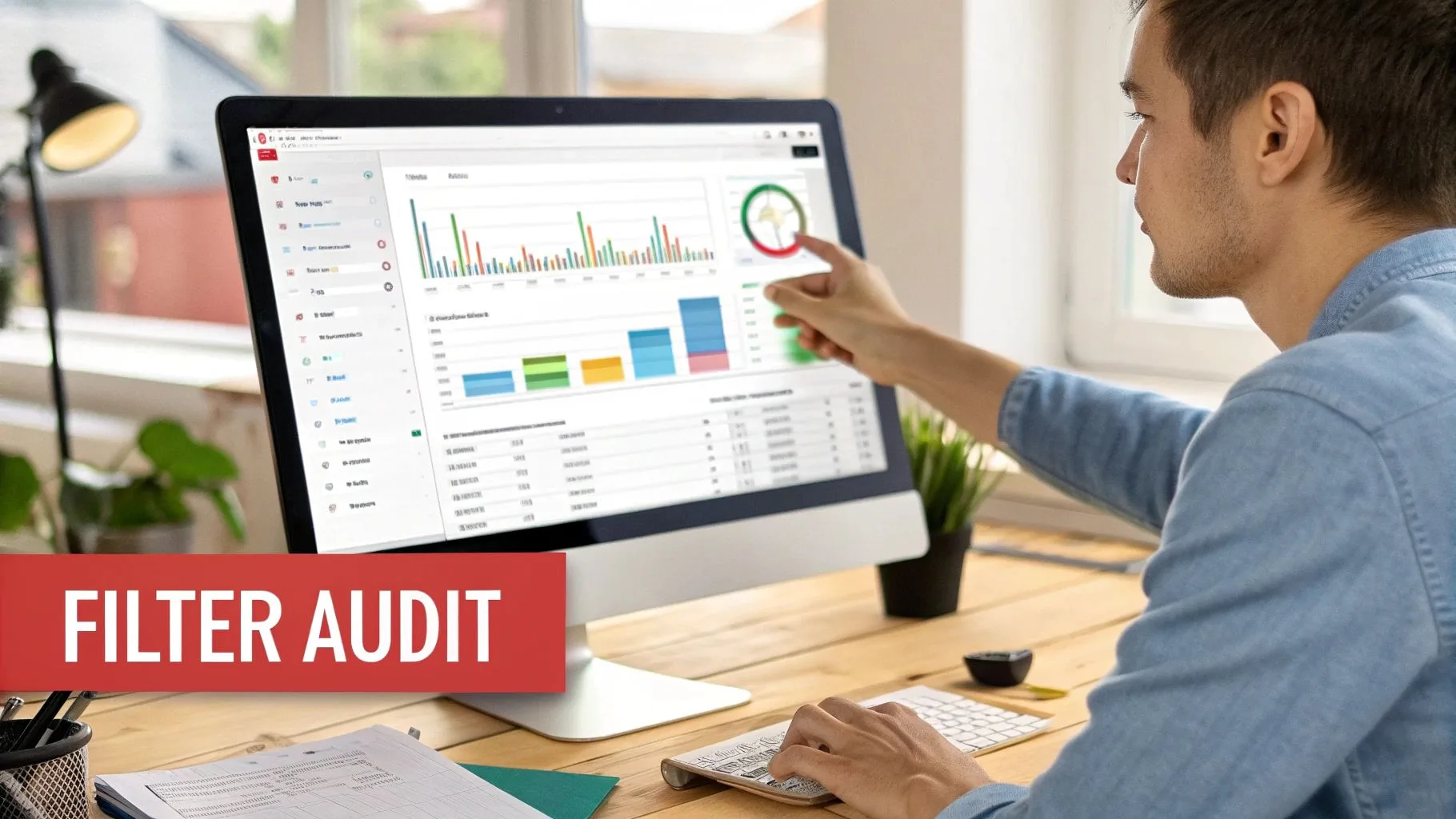
Tools like Screaming Frog or Sitebulb are great for this. You just enter your homepage URL and let it run. The crawler will follow every link it finds, just like Google, discovering every URL your filters can create—including all those messy, parameter-filled ones.
Uncovering the Scale of the Problem
Once the crawl is done, you'll have a huge list of URLs. This is where you find the real insights. Your job is to go through it and find the specific problems your faceted navigation is causing.
I usually export all the crawled URLs into a spreadsheet. From there, it's easy to filter for any URL containing a question mark (?). This is the classic sign of a filter URL, and it will immediately show you how many faceted URLs the crawler found.
The goal is to answer a few key questions: How many unique, parameter-driven URLs did we find? Which filters—like color, size, or brand—create the most duplicates? And most importantly: How many of these pages can be indexed right now?
Honestly, this first look is almost always an eye-opener. You’ll likely find thousands of low-value pages for filter combinations nobody is searching for. All of them are just sitting there, using up your crawl budget.
Analyzing Crawl and Indexation Data
So you have a list of all the faceted URLs your site can create. The next step is to see what Google has actually done with them. This is where Google Search Console is essential. What your crawler finds and what Google indexes can be very different.
Head to the Pages report in Search Console. This section is a goldmine.
Here’s what to look for:
- Indexed Pages: Look through the list of URLs Google has indexed. See a lot of URLs with parameters? That's a classic sign of index bloat.
- Crawled – currently not indexed: This is my favorite report. It shows you all the pages Google crawled but decided weren't good enough to index. If you see tons of faceted URLs here, it’s a clear sign of wasted crawl budget.
- Discovered – currently not indexed: These are pages Google knows about but hasn't crawled yet. This often happens because it’s busy with all the other low-value pages on your site.
By comparing your crawler export with these Search Console reports, you can find the worst offenders. For example, you might see that your "color" filter has created 5,000 URLs, and GSC reports most of them as "Crawled – currently not indexed." That's your signal: the color filter needs to be fixed, and fast.
This whole process is a key part of a larger technical review. To make sure you're covering everything, I recommend following a structured e-commerce SEO audit checklist to stay organized.
At the end of this audit, you'll have the evidence you need. No more guessing which filters are hurting your SEO. You'll have a data-backed priority list, ready to build a smart, effective strategy to fix the damage.
Building a Smart Faceted Navigation SEO Strategy
Alright, you've done the audit. You're no longer in the dark. You have data showing how your filters are creating URLs, wasting your crawl budget, and bloating your index. Now it’s time to move from diagnosis to strategy.
This is where you turn a huge SEO problem into a powerful asset.
The entire game plan comes down to one key decision for every filter combination: Should we let Google index this page, or should we block it?
Your goal isn't to block everything. That's the easy way out, and it leaves traffic on the table. Instead, the real win is to strategically pick a few high-value faceted pages that can attract valuable, long-tail search traffic. Think of it like pruning a tree—you’re cutting away weak branches so the strong, fruit-bearing ones can grow.
Identifying High-Value Filter Pages
A general category page like /laptops targets a broad, competitive keyword. But a filtered page like /laptops?brand=apple&screen=16-inch&memory=32gb targets someone who knows exactly what they want. This is a high-intent, long-tail search that's often easier to rank for and much more likely to convert.
The trick is figuring out which filter combinations people are actually searching for.
This is where your keyword research tools come in. Open up Ahrefs or Semrush and look at your main category keywords. You're looking for common modifiers that match your filters.
For an online clothing store, you might find search queries like:
- "red maxi dresses for weddings"
- "plus size linen trousers"
- "black cocktail dress with sleeves"
Each of these is a golden opportunity—a perfect candidate for an indexable faceted page. By letting Google index the page for dresses?color=red&style=maxi&occasion=wedding, you're creating a super-relevant landing page that directly matches what the user searched for.
The Power of Long-Tail Queries
This approach isn't just a small tweak; it can be a huge engine for growth. Properly optimized faceted pages can bring in 25–40% of an e-commerce site’s total organic traffic, almost all from these super-specific, long-tail searches.
A 2023 analysis of 120 e-commerce domains found one home goods retailer got 37% of its organic visits from searches like ‘mid-century modern coffee table’ and ‘waterproof patio furniture under $300’. These long-tail keywords often have up to 50% less competition but can convert at 2–3 times the rate of broader terms. For more details, check out these insights on faceted navigation.
Key Takeaway: The most successful sites don't index everything. They are selective. They limit indexing to just 15–20 high-intent filter combinations per major category, focusing only on pages with proven search demand and business value.
Establishing Rules for URL Structure
Once you've identified your valuable filter combinations, you need a clean and consistent URL structure. A common mistake is letting users stack multiple, non-essential filters on top of your valuable pages.
For example, you've decided that "red maxi dresses" (/dresses?color=red&style=maxi) is a page worth indexing. Great. But you don't want Google finding and indexing these variations:
/dresses?color=red&style=maxi&size=12/dresses?color=red&style=maxi&material=cotton/dresses?color=red&style=maxi&sort=price-high-to-low
These just create near-duplicate pages that weaken the authority of your main "red maxi dresses" page. The best practice is to set a rule: only allow one or two key filter values in an indexable URL. Any extra filters—like size or sorting—should be handled with techniques like rel="canonical" tags that point back to the main filtered page.
To get the most from these efforts, your work on faceted navigation should be part of a larger plan. Integrating it into comprehensive search engine optimization services ensures your technical fixes support your content and authority-building goals. This is how you turn chaos into a structured system that both users and search engines can understand—and reward.
Choosing the Right Technical SEO Solution
You have a solid strategy for which filters to index and which to ignore. Now it's time to get technical. This is where we translate those decisions into direct instructions for search engines.
Picking the right tool is critical. The wrong choice can send mixed signals or, worse, get your most important pages ignored by Google.
You have three main tools in your technical SEO toolkit for faceted navigation: the rel="canonical" tag, the noindex directive, and your robots.txt file. Each has a specific job, and knowing when to use which is the secret to success.
Using The Rel="canonical" Tag for Consolidation
Think of the rel="canonical" tag as your main tool for handling duplicate content. You’re telling Google, "Hey, this page is just a slight variation of that other, more important page. Please pass all its ranking power over to the main one."
It’s the perfect fix when filtered URLs are useful for shoppers but don't target any unique search terms.
A classic example is a sort function. A URL like /dresses?sort=price-low-to-high shows the same dresses as the main /dresses page, just in a different order. There's no search value in the sorted version.
For that situation, you'd place a canonical tag on the sorted page pointing back to the main category URL:
<link rel="canonical" href="https://yourstore.com/dresses" />
This simple tag combines link equity and stops you from weakening your ranking power across a bunch of near-identical pages. It's a clean way to fix index bloat without hiding the content from crawlers.
When to Use The Noindex Tag
Sometimes, you'll have pages that are helpful for users on your site, but you don't want them showing up in search results. Maybe they have thin content or offer no value to someone coming from Google. This is where the noindex tag is your best friend.
By adding <meta name="robots" content="noindex"> to a page’s HTML <head>, you're giving Google a clear command: "Crawl this page and follow its links, but do not add it to your search index."
This is different from a canonical tag because it doesn't pass along ranking value; it just kicks the page out of the search results. It's ideal for those odd filter combinations that have no real search demand, like filtering for an obscure brand and an unpopular size.
Allowing Google to crawl the page is important—it can still find links to your products. But the noindex directive ensures the low-value filter page itself doesn't clutter your search results. A smart noindex strategy is key to good SEO, which you can learn more about in our guide on site architecture SEO.
Leveraging Robots.txt to Manage Crawl Budget
If you run a huge e-commerce site with thousands of filters, crawl budget is a serious constraint. When Google wastes its time crawling millions of useless filter URLs, it has less time to find your new products or updated content.
This is where your robots.txt file becomes your most powerful tool.
With a Disallow rule, you can block Google from even requesting specific URL patterns. For example, if you know that any URL with ?price_range= is an SEO dead end, you can add this line:
Disallow: /*?price_range=
This one line tells Google not to even bother, saving its resources for the pages that matter.
The impact can be huge. I saw a case study where a global fashion retailer found that over 95% of its 20 million URLs were junk from faceted navigation. Google was burning 60–70% of its crawl budget on these pages, which drove less than 5% of their organic traffic. By using robots.txt and canonicals, they cut their crawlable faceted URLs by 75% and saw a 35% increase in the indexing of their core pages.
Crucial Warning: Never block a URL with
robots.txtif that same URL has anoindexorcanonicaltag on it. Google has to be able to crawl a page to see those on-page instructions. If you block crawling, Google will never see the directive, and the page could stay indexed if it's linked from elsewhere.
To make this all clearer, here's a simple decision tree to help you visualize the logic.
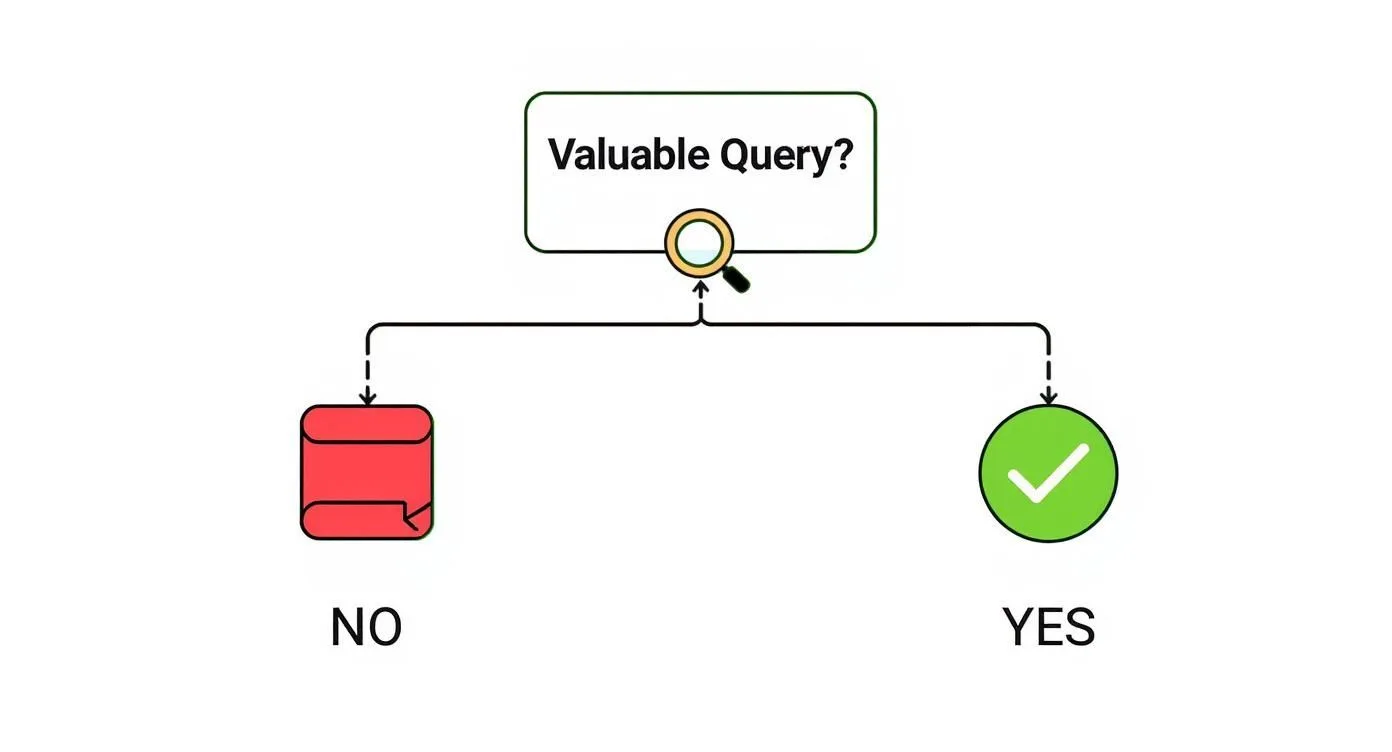
This flowchart boils it down to the main choice: if a filtered page targets a keyword with real search volume, optimize it. If not, use the right technical tool to control it.
Optimizing Your Indexable Filter Pages
You’ve done the hard part. The technical mess is cleaned up, and you’ve chosen the faceted URLs that deserve to rank. Now it's time to shift from defense to offense.
This is where we turn those chosen filter pages into powerful, conversion-driving landing pages. Just letting Google index them is half the battle; now we need to optimize them to win.

The idea is simple. A filtered page should look and act like a dedicated landing page. Its most important on-page elements need to update based on the user's selections. This creates a super-relevant experience for both people and search engines.
Dynamic On-Page SEO Elements
Your main goal is to make these pages feel unique and targeted. This means replacing generic text with specific, compelling copy that perfectly matches the selected filters. Someone landing on a page for "15-inch Laptops with 16GB RAM" should see that exact phrase on the page.
Here’s how to make that happen dynamically:
- Page Titles: The title tag is your #1 on-page signal. Instead of a generic "Laptops" title, it needs to become
15-inch Laptops with 16GB RAM | YourBrand. - Meta Descriptions: The description should also be specific. Think something like: "Find the perfect 15-inch laptop with 16GB of RAM. Browse top models from leading brands, ideal for gaming and professional work. Fast, free shipping."
- H1 Headings: The main heading on the page must match the user's intent. The H1 should switch from "Laptops" to "15-inch Laptops with 16GB RAM".
- Introductory Content: If you can, add a unique paragraph of text above the product grid that speaks to that filter combination, perhaps explaining its benefits or common uses.
By dynamically updating these core elements, you turn a thin, generic filter result into a rich, specific landing page. This dramatically improves its chance of ranking for valuable long-tail keywords and creates a much better user experience.
Smart Internal Linking Strategies
These new, optimized filter pages are valuable, but they need some authority to get started. You can give them a serious boost by linking to them from stronger pages on your site. Don't just rely on Google finding them through the filter interface.
A great way to do this is by adding a "Popular Searches" or "Shop by" section to your main category pages. On your primary "Laptops" page, you could feature direct links to your most valuable filtered URLs:
- 15-inch Laptops
- Laptops with 16GB RAM
- Gaming Laptops
- Lightweight Laptops for Travel
This does two important things. First, it passes ranking power from your authoritative category page to these specific landing pages, giving them a much-needed boost. Second, it makes life easier for shoppers by helping them find popular product combinations right away.
To level up your approach, you can look into broader strategies for search engine optimization that work well on large platforms. The same principles can help you weave your faceted navigation work into a bigger, more complete SEO program.
Building a Clean XML Sitemap
Last but not least, you need to send clear signals to search engines about which pages on your site matter. Your XML sitemap is a direct line to Google, and it should be clean, concise, and free of clutter.
It is absolutely critical that your sitemap only includes your canonical, indexable URLs. Never include non-canonical URLs, noindexed pages, or anything blocked by your robots.txt file. Sending these mixed signals just confuses search engines and reduces the importance of your valuable pages.
If you need a refresher, our guide on how to create an XML sitemap is a great resource for best practices.
By carefully curating your sitemap, you're telling Google: "Hey, these are the pages that define my site. Please focus on crawling and indexing them." This final step ensures all your faceted navigation SEO efforts are focused, clear, and ready to perform.
You’ve done the hard work and put the technical fixes in place for your faceted navigation. Big step, but you're not at the finish line just yet.
Search engines are always crawling and re-evaluating your site. That's why you need to keep a close eye on things to make sure your changes stick and new problems don’t sneak in. This ongoing monitoring is what separates a short-term patch from a long-term SEO asset.
Your first stop? Google Search Console. It's the most direct line of sight you have into how Google is actually interpreting your filtered pages.
Check Your Indexation Status
The Pages report (formerly the Coverage report) inside Search Console is your ground truth. After you've rolled out your changes, you should start seeing a clear shift in the numbers here.
- Valid (indexed pages): This number should ideally stabilize or even dip a bit as all those low-value faceted URLs get booted from the index. If you see this number spiking unexpectedly, it’s a red flag that something new might be getting indexed.
- Crawled – currently not indexed: This is where the magic happens. A successful cleanup will cause the number of faceted URLs in this report to plummet. It’s proof that you’ve stopped wasting Google’s crawl budget on junk.
If you start seeing faceted URLs popping up in the wrong reports, it's a dead giveaway that something is off. Maybe a canonical tag is being ignored, or a noindex directive isn't firing correctly.
Don't just set it and forget it. A simple monthly check-in on your Search Console reports can catch a small issue before it snowballs into a massive index bloat problem, undoing all your hard work.
Run Periodic Site Crawls
Search Console shows you what Google has already processed. A site crawl shows you what it could find on its next visit.
This is why running a monthly or quarterly crawl with a tool like Screaming Frog is non-negotiable for proactive maintenance.
It lets you double-check that all your technical rules are still in place and configured correctly. More importantly, it helps you catch new parameter issues that might have been introduced during a recent website update or platform change. This kind of proactive check is what keeps your faceted navigation SEO clean over the long haul.
Finally, getting the setup right is only half the battle; you also have to avoid the common pitfalls. The single biggest mistake I see is sending conflicting signals. Think blocking a URL in robots.txt but also adding a noindex tag to it.
Google can't see the noindex directive if it can't crawl the page in the first place. This creates confusion and can lead to completely unpredictable indexing behavior. Always make sure your directives work together, not against each other.
Common Questions About Faceted Navigation SEO
When you start digging into the technical details of faceted search, a few questions always come up. Let's clear the air and give you some straightforward answers.
Which Is Better: Noindex or Robots.txt?
This is a classic "it depends" situation. The right tool depends entirely on what you're trying to do.
Think of rel="canonical" as your go-to for combining ranking signals. When a filtered page is just a variation of a primary category, a canonical tag tells Google, "Hey, all the SEO value from this page? Send it over to the main one."
Now, noindex is different. You'd use this when you want Google to crawl a page—maybe to discover the internal links on it—but you don't want that page showing up in search results.
And robots.txt? That’s for cutting off access completely. Use it to block crawling of filter combinations that are just burning through your crawl budget without adding any value. Just remember the golden rule: never block a page that has a noindex or canonical tag. Google has to be able to see those instructions to follow them.
How Do I Choose Which Filters to Index?
This is where you need to think like your user. The goal is to focus on filter combinations that match how real people actually search.
Use your favorite keyword tool and look for those valuable long-tail searches. Think of things like "women's waterproof hiking boots size 7." If you have a filtered URL that perfectly serves up that specific result, and there's enough search volume to make it worthwhile, you've found a great candidate for indexing.
These pages are SEO gold.
Don't let anyone tell you faceted navigation is bad for SEO. When managed correctly, it's an absolute powerhouse. You're essentially creating hyper-specific landing pages that target valuable, long-tail keywords. These are the queries that attract people who are much further along in their buying journey, often leading to fantastic conversion rates.
Ready to stop guessing and get a clear, prioritized plan to grow your organic traffic? SEO Roast offers founder-focused SEO audits that diagnose your biggest growth opportunities. Get your actionable video review at https://seoroast.co.